4
EN
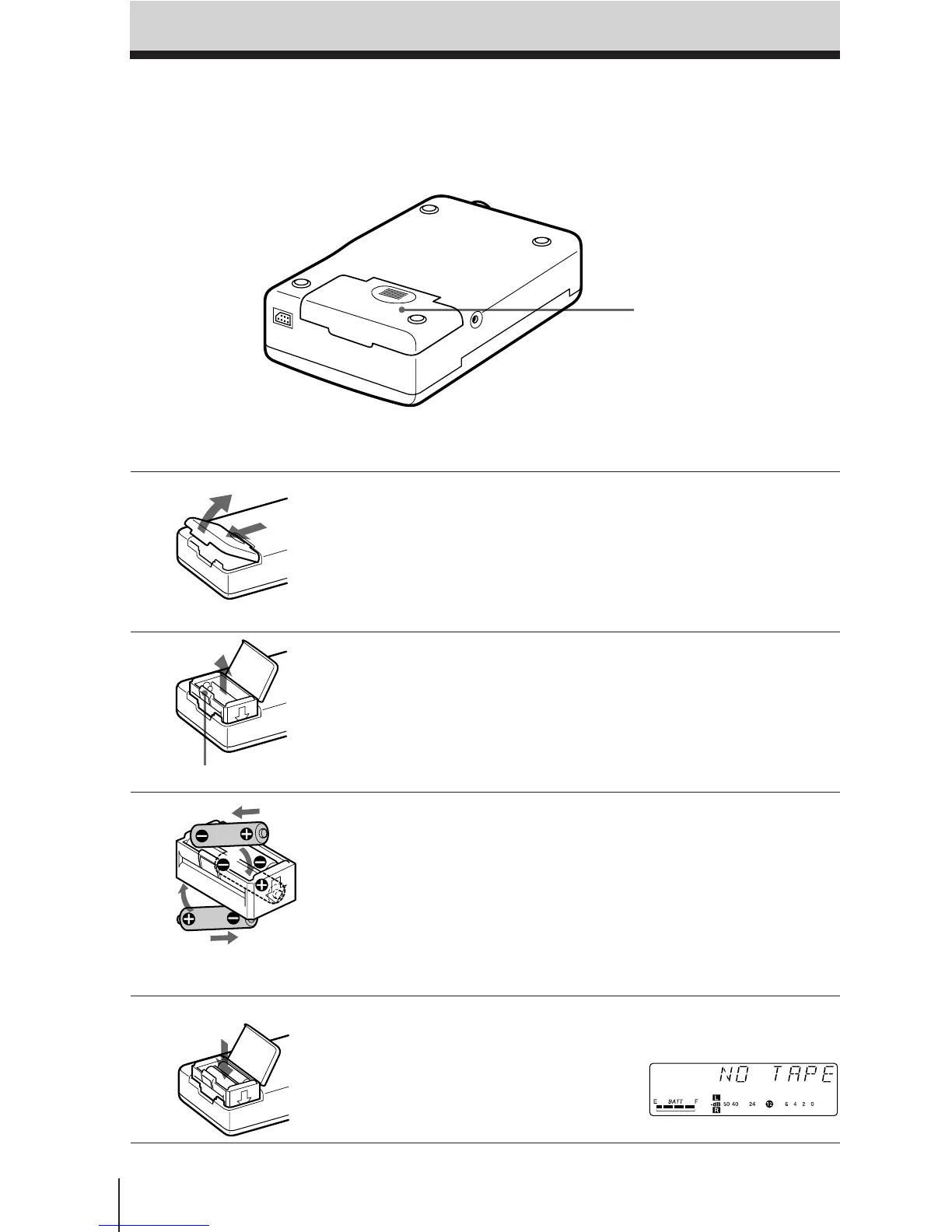
1 Open the battery compartment
lid.
2 Remove the battery holder.
3 Insert 4 new alkaline batteries
into the battery holder.
Make sure that the batteries are
facing the correct directions.
4 Insert the battery holder with the
alkaline batteries and close the
compartment lid.
The LCD display appears when
the batteries are inserted.
Inserting the Batteries
Use four size AA (LR6) alkaline batteries.
Inserting the Batteries
Battery compartment lid
1
2
1
2
1
2
Insert from the ’ side
of the battery.
Lift the tab (¢ PULL).











 To Next Page