EasyManua.ls Logo

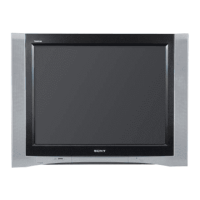
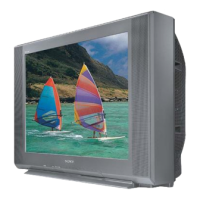
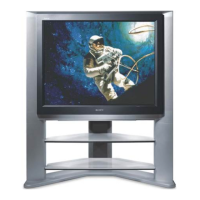
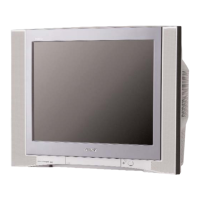
Sony WEGA KV-32HQ150K - User Manual

Sony WEGA KV-32HQ150K
148 pages
Go to English
Print Icon
To Next Page IconTo Next Page
Loading...
R
Trinitron Colour
Television
Инструкции за употреба
Návod k obsluze
Operating Instructions
Kezelési útmutató
Instrukcja obsługi
Инструкция по зксплуатации
KV-32HQ150K
© 2005 by Sony Corporation
BG
CZ
GB
HU
PL
RU
Преди да използвате телевизора, прочетете раздела ‘Информация за
безопасността’ на това ръководство. Запазете това ръководство за бъдещи
справки.
Před zapnutím televizoru si prosím pozorně přečte část 'Bezpečnostní
upozornění' v tomto návodu. Návod si uschovejte i pro budoucí potřebu.
Before operating the TV, please read the ‘Safety Information’ section of this manual.
Retain this manual for future reference.
Mielõtt elkezdené használni a televíziót, kérjük, olvassa el a jelen kézikönyv
‘Biztonsági tudnivalók’ c. szakaszát. Õrizze meg a kézikönyvet késõbbi használatra.
Przed przystąpieniem do eksploatacji telewizora należy zapoznać się z rozdziałem
'Informacje dotyczące bezpieczeństwa' w niniejszej instrukcji. Prosimy o
zachowanie niniejszej instrukcji do wglądu w przyszło ci.
Перед тем как включить телевизор, просим Вас ознакомиться с разделом
‘Общие правила техники безопасности’ настоящей инструкции. Сохраняйте
настоящую инструкцию на будущее.
2-594-304-41(1)
K cover.fm Page 1 Monday, January 10, 2005 5:42 PM

Table of Contents

Questions and Answers

  • J
    Jessica Montgomery MDAug 13, 2025
    Why is my Sony WEGA KV-32HQ150K CRT TV showing no picture and no sound?
    • Y
      youngjessicaAug 13, 2025
      This issue may arise due to several reasons. First, ensure the TV is properly plugged into a power outlet. If it is, check if the TV is in standby mode. If the indicator light is on, press the power button on the front of the TV or the corresponding button on the remote control. Finally, verify the aerial connection to ensure it's properly connected.
  • W
    William Anderson MDAug 17, 2025
    What to do if my Sony WEGA KV-32HQ150K CRT TV has a good picture but no sound?
    • S
      Scott WoodAug 17, 2025
      If you're getting a picture but no sound, first, try pressing the + button on the remote control to increase the volume. If that doesn't work, check the Sound Adjustment menu to ensure that the TV speakers are set to ‘On’.
  • M
    Mary EdwardsAug 21, 2025
    How to fix a Sony CRT TV remote control that is not working?
    • J
      John PerezAug 21, 2025
      If your remote control isn't working, the first thing to check is the batteries; try replacing them. If new batteries don't solve the problem, ensure the remote is in the correct mode for controlling your TV by pressing the > or . button.
  • J
    Jennifer GomezAug 25, 2025
    How to improve a dark picture on my Sony CRT TV with good sound?
    • A
      Alex HarperAug 26, 2025
      If you have good sound but a dark or poor picture, go to the ‘Picture Adjustment’ menu and adjust the brightness, picture, and colour levels to your preference.
  • C
    Cheryl SalazarAug 28, 2025
    What does it mean when the standby indicator is flashing on my Sony WEGA KV-32HQ150K?
    • C
      Carl RamirezAug 29, 2025
      If the standby indicator is flashing irregularly, this indicates a fault. Do not attempt to open the TV; refer to qualified personnel for assistance.
  • A
    Alexandra CochranSep 1, 2025
    Why is there no color on color programs on my Sony WEGA KV-32HQ150K CRT TV?
    • M
      marie75Sep 1, 2025
      If you're not seeing colour on colour programmes, access the ‘Picture Adjustment’ menu and adjust the colour setting.
  • T
    Tyler WilliamsSep 5, 2025
    Why are some channels blank on my Sony WEGA KV-32HQ150K CRT TV?
    • K
      Kimberly HarperSep 5, 2025
      Some channels might appear blank because they are scrambled or subscription-only channels, requiring you to subscribe to the broadcaster. Other channels may be used only for data transmission, meaning they won't have picture or sound. It is also possible that the programme is not being transmitted.
  • L
    Lawrence SmithSep 9, 2025
    What to do if Sony WEGA KV-32HQ150K picture is distorted when changing programs?
    • M
      Michael HunterSep 9, 2025
      If you're experiencing a distorted picture when changing programmes or selecting teletext, ensure that all additionally connected equipment is switched off.

Summary

Safety Information

General Safety Precautions

Essential safety guidelines for operating and handling the television, including electrical and environmental hazards.

Getting Started

Connecting Aerial and VCR

Instructions for connecting external broadcast aerials and VCRs to the TV for signal input.

Automatic TV Tuning

Guides through the automatic channel scanning and setup process for receiving broadcasts.

Basic Operation

TV Menu System

Picture Adjustment Menu

Customizing video settings like contrast, brightness, colour, and sharpness for optimal picture quality.

Sound Adjustment Menu

Configuring audio settings such as sound effects, equalizer (treble/bass), and volume management.

Set Up Menu Options

Accessing advanced settings like language, country, auto tuning, and programme sorting.

Connecting Other Equipment

Troubleshooting

Sony WEGA KV-32HQ150K Specifications

General IconGeneral
BrandSony
ModelWEGA KV-32HQ150K
CategoryCRT TV
LanguageEnglish

Related product manuals