EasyManua.ls Logo

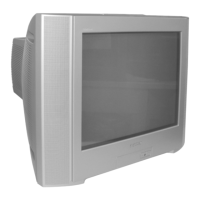
Sony WEGA KV-SR292 - User Manual

Sony WEGA KV-SR292
26 pages
Print Icon
To Next Page IconTo Next Page
Loading...
Sony KV-SR292N63K Group R6 (GB)_2-657-244-11 (1)
Trinitron Color TV
© 2005 Sony Corporation
KV-SR292
KV-SR252
2-657-244-11 (1)
Operating Instructions
Before operating the unit, please read this manual thoroughly and retain
it for future reference.
N63K
GB
01GB01COV-SOEMPhi.p65 9/7/05, 10:20 PM1
Black

Questions and Answers

  • G
    Gregory MoralesAug 20, 2025
    Why is there good picture but no sound on my Sony TV?
    • M
      mitchellandrewAug 20, 2025
      If your Sony TV has a good picture but no sound, try these steps: First, increase the volume level. Next, make sure the muting is off. Finally, press the A/B button until “Stereo” or “Mono” appears on the screen.
  • H
    holmesdwayneAug 22, 2025
    Why does stereo sound switch on and off on Sony WEGA KV-SR292 TV?
    • R
      Ryan MillerAug 22, 2025
      If the stereo broadcast sound on your Sony TV switches on and off or is distorted, check the antenna cable and its connection on the TV, VCR, and at the wall.
  • T
    tiffany31Aug 25, 2025
    How to fix no sound or inappropriate sound on Sony WEGA KV-SR292 TV?
    • M
      Mr. Brian KerrAug 25, 2025
      If your Sony TV has no sound or inappropriate sound, display the WEGA GATE menu and set the “Audio Input Fix” to “Off” from “Party Mode Setup”.
  • W
    wendy19Aug 26, 2025
    What does it mean when the standby indicator flashes red on Sony WEGA KV-SR292 TV?
    • G
      Glenda WrightAug 27, 2025
      If the standby indicator on your Sony TV flashes red several times after every three seconds, count the number of flashes. Then, turn off your TV using the main power switch and contact your nearest Sony service center.
  • R
    ruthfrazierAug 28, 2025
    What to do if my Sony WEGA KV-SR292 TV has no picture and no sound?
    • M
      Martha HortonAug 28, 2025
      If your Sony TV shows no picture and no sound, try the following: First, ensure the power cord, antenna, and VCR connections are properly connected. Next, press the power button to turn on the TV. If it still doesn't work, turn off the TV using the main power switch for about five seconds, then turn it on again.
  • P
    Priscilla GarciaAug 30, 2025
    What to do if Sony WEGA KV-SR292 picture is distorted and sound is noisy?
    • D
      Dana MartinezAug 30, 2025
      If your Sony TV has a distorted picture and noisy sound, turn off or disconnect the external booster if it is currently in use.
  • J
    James RuizAug 31, 2025
    How to get rid of dotted lines or stripes on Sony WEGA KV-SR292 TV?
    • J
      Jeremiah JohnstonSep 1, 2025
      If your Sony TV shows dotted lines or stripes, avoid using a hair dryer or other equipment near the TV. Also, check the antenna setup and consider contacting a Sony dealer for advice.
  • C
    Charles CopelandSep 2, 2025
    How to fix double images or ghosts on Sony TV?
    • J
      Joyce WallerSep 2, 2025
      If your Sony TV shows double images or “ghosts,” consider using a highly directional antenna. Check the antenna setup and consult a Sony dealer for advice. Also, turn off or disconnect the external booster if it is in use.
  • T
    Thomas WhiteSep 4, 2025
    Why is there no color on my Sony WEGA KV-SR292?
    • K
      Kristine WilkersonSep 4, 2025
      If your Sony TV has no color, display the “Picture” menu and select “Custom” from “Picture Mode”, then adjust the “Color” level from “Picture Adjustment”. For video input, display the “Setup” menu and check the “Color System” setting, usually set to “Auto”. Also, check the antenna setup and contact a Sony dealer for advice.
  • E
    Edward LeeSep 6, 2025
    How to fix abnormal color patches on Sony WEGA KV-SR292?
    • J
      Joanna Williams MDSep 6, 2025
      To resolve abnormal color patches on your Sony TV, keep external speakers or other electrical equipment away from the TV.

Summary

Trinitron Color TV

Operating Instructions

General instructions for operating the TV.

WARNING

Installation

Securing the TV

To prevent the TV from falling, use the supplied screws, clamps and band to secure the TV.

Setting up your TV (Initial Setup)

Guides through initial TV setup, including language selection, automatic channel preset, and program editing.

Menu Adjustment

Changing the “Picture” setting

Detailed guide on adjusting picture settings like Picture Mode, Color Temperature, and Intelligent Picture.

Changing the “Sound” setting

How to adjust sound settings like Sound Mode, Balance, Intelligent Volume, and Surround sound options.

Changing the Channel Setup setting

Instructions for channel setup, including auto program tuning, program editing, and FM radio station setup.

Troubleshooting

Factory Settings function

How to reset the TV to its original factory settings, useful for resolving various operational problems.

Sony WEGA KV-SR292 Specifications

General IconGeneral
Screen Size29 inches
Display TypeCRT
Aspect Ratio4:3
Input PortsComposite
Sound Output10W

Related product manuals