Help Guide
Wireless Stereo Headset
WH-CH520
Location and function of parts
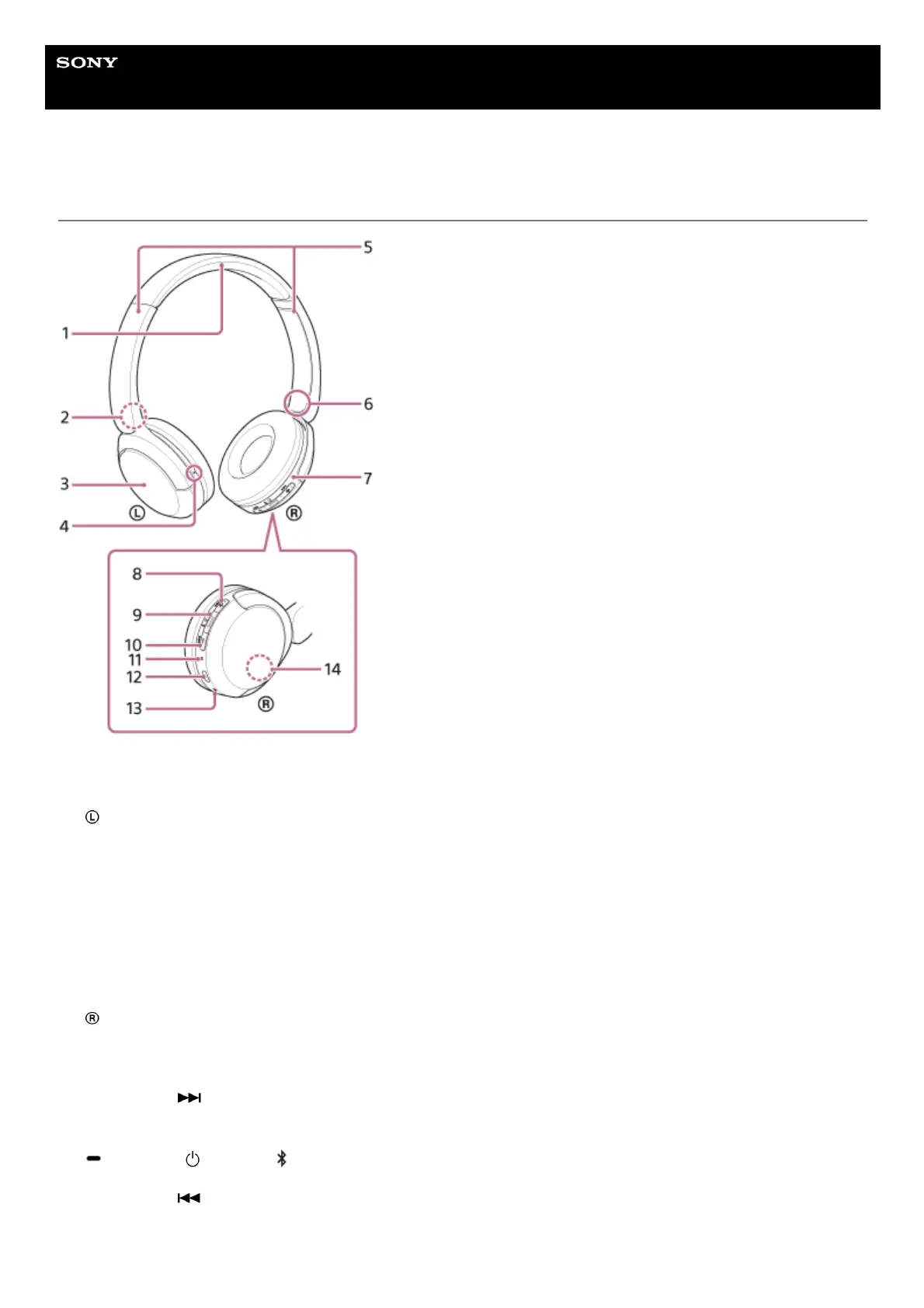
Headband1.
(left) mark2.
Left unit3.
Tactile dot
There is a tactile dot on the left unit.
4.
Sliders (left, right)
Slide to adjust the length of the headband.
5.
(right) mark6.
Right unit7.
+ (volume +)/
(next) button
There is a tactile dot on the + button. Use this dot as a guide when operating the headset.
8.
(play/call)/ (power)/ (Bluetooth) button9.
– (volume –)/
(previous) button10.
Indicator (blue/orange)11.



 To Next Page