Terminal Description
S-CENTER SPEAKER IN
Connects the TV and an audio device with an S-CENTER OUT
output/jack using a TV center speaker mode cable. Before
connecting, make sure you unplug the AC power cord (mains lead)
of the TV and audio device to be connected.
For details, refer to Using the TV as a center speaker (only models
with TV center speaker mode).
Note
If you do not use the CENTER SPEAKER IN terminal or the S-
CENTER SPEAKER IN input, you will need to perform the
following steps to prevent noise from the speakers.
Press the (Quick Settings) button on the remote control,
and disable [TV center speaker mode] in [Settings] — [Display
& Sound] — [Audio output].
[4] Getting Started
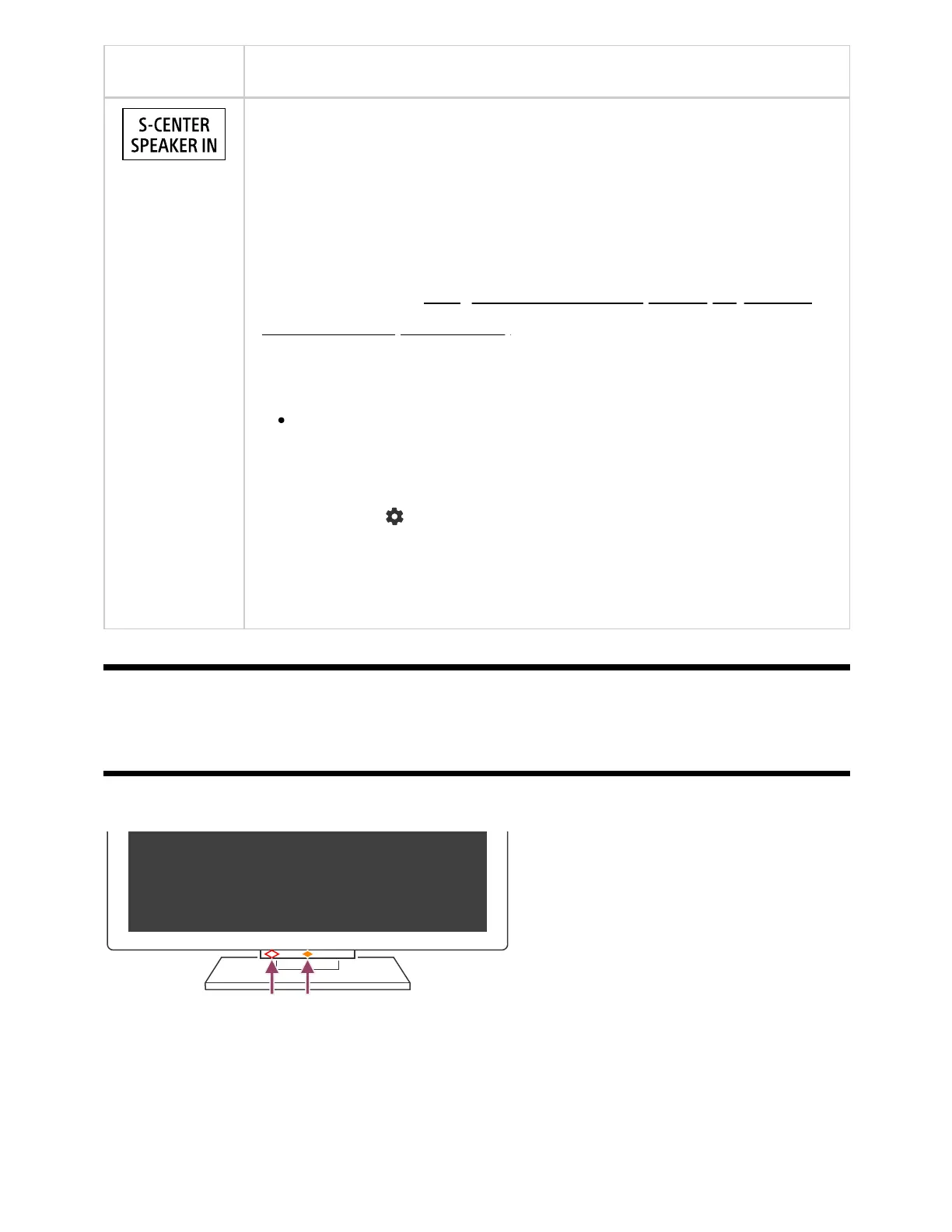
How the LEDs light up
You can check the status of the TV by looking at how the LEDs light up.
(A) Voice function LED (On the left side at the bottom of the TV. Only TVs with a built-in
MIC. )
(B) Operational response LED (In the center at the bottom of the TV.)
The built-in MIC may not be available depending on your region/model/language.
*
*



 To Next Page