3
Enable [Restrict screen time] to start restriction.
The restriction setting will be displayed under [Restrict screen time]. To change
the setting, set it in [Usage time limit] or [Restricted time slot].
[17] Useful features
Enjoying the Camera and Microphone Unit
(BRAVIA CAM supported models only)
You can connect the supplied Camera and Microphone Unit (CMU-BC1M) or optional
Camera and Microphone Unit (CMU-BC1) to the TV to enjoy video chat or set the
optimum image and sound quality for the user's viewing position.
Attaching and removing the Camera and Microphone Unit
Attaching
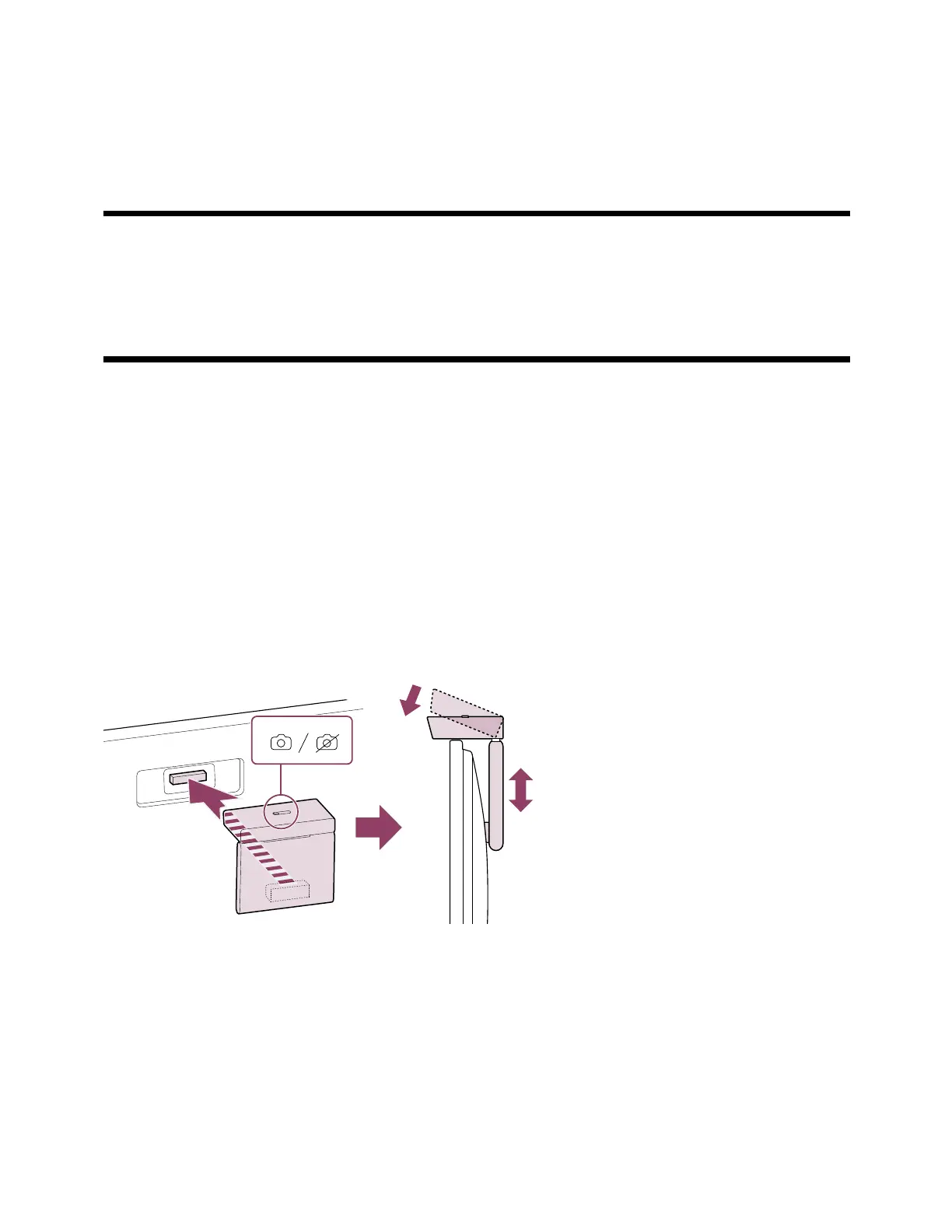
Attach the supplied Camera and Microphone Unit to the Camera port on the back of the
TV. You can adjust the angle and vertical position of the Camera and Microphone Unit.
Removing
To easily remove the supplied Camera and Microphone Unit, twist it slightly as shown in
the figure below.



 To Next Page