rear screws, re-assemble the Xbox and hope you made things better rather
than worse.
Xbox DVD repair
Since this is one of the most commonly asked questions in my mailbox that is
already overflowing lets see if I can make things a bit more clear.
If your Xbox is freezing during games or returning the dreaded Dirty
Disc Error you have a DVD drive problem.
You may notice that some of your games play fine while others do not. This is
usually because some games are on DVD media and some are on CD
media. CD's are single layer media while DVD's are multi layer media. This
means it is easier to read a CD than it is to read a DVD. The concept of a
DVD is to have several semi transparent layers of data. It is sort of like taking
a few CD's stacking them together and smooshing them into a single disc. To
read the 2-4 layers of data you must ignore the previous layers and pay
attention to ones deeper in the disc. Obviously this is a more complex task
and more subject to read errors. My description is not entirely accurate to
keep the concepts easy to understand (if anyone would like to reference a
technical explanation send me a link)
For instance the double disk of Jet Set Radio Future and Sega GT 2003 is a
CD while Munch's Oddysee/Halo is on a DVD. Most often you will notice the
bottom of the media is one of two colours, gold DVD's and Silver CD's. It is
not 100% that gold=DVD and silver=CD so if you find this rule of thumb to not
be true in every case... that's life.
Steps to take in order to resolve Dirty Disk Errors-
1. Use a standard CD/DVD Cleaner, they look like a normal CD but with two
miniature brushes on them. This will only clean the lens. Sometimes this is
all you need to be up and running.
*****DO NOT BLOW CANNED AIR INTO THE DRIVE WITHOUT OPENING
IT******
This will almost certainly make things worse, you just assure that the dust will
be redistributed evenly inside the drive and this includes a coating on the
optics you are trying to clean.
2. Clean the lens and mirror manually
Tutorial
3. Adjust the Potentiometer (pot) on the laser. Tutorial (last resort)
4. If none of the above three revive your drive you can rest assured you have
tried it all... Get a new drive, they do go dead and its probably not your fault
or the fault of your younger sibling-relative-friend that was messing with your
xbox without your permission (yes I hear that a lot).
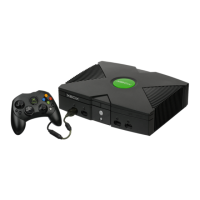
Replacement Xbox DVD
Drives








 To Next Page