To remove the microphone
Related Topic
Using the supplied microphone
5-008-246-11(1) Copyright 2019 Sony Corporation
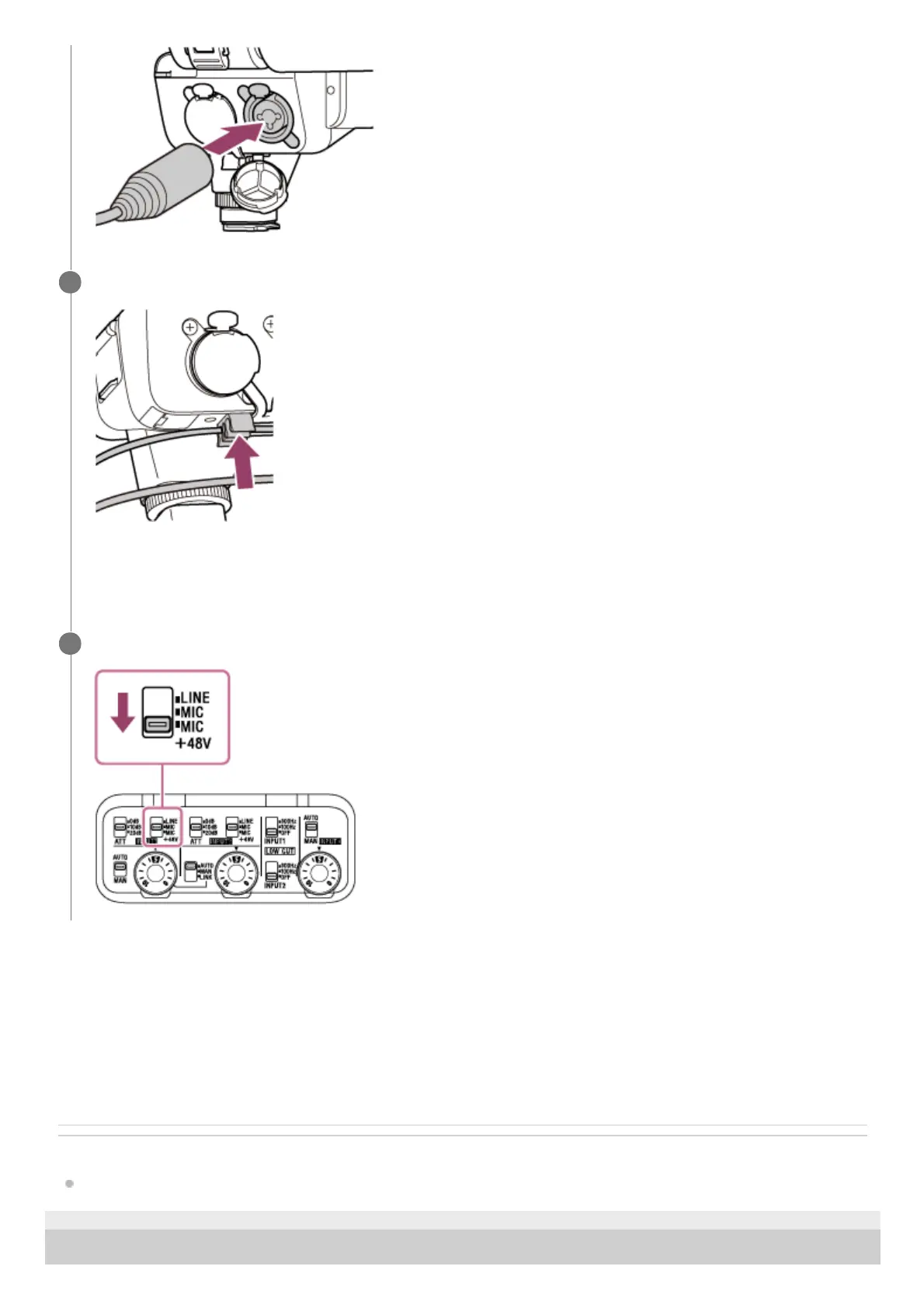
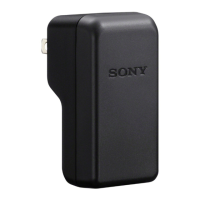
Tuck the cable from the microphone into the cable holder on the XLR adaptor.
Do not tug the cable with excessive force or let the cable bend before you tuck it into the cable holder to avoid a
possible significant tilt of the microphone attached to the microphone holder.
To achieve sufficient vibration isolation effect, be sure to avoid a significant tilt of the microphone.
5
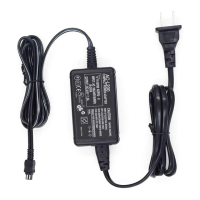
Set the INPUT1 (LINE/MIC/MIC+48V) switch to “MIC+48V.”
6
Set the INPUT1 (LINE/MIC/MIC+48V) switch to the position other than “MIC+48V.”1.
Press and hold the release lever, grasp the plug of the cable from the microphone, and the pull out the cable.2.
Remove the microphone from the microphone holder.3.


 To Next Page