Help Guide
XLR Adaptor Kit
XLR-K3M
Using the supplied microphone
Use the supplied microphone that you attached to the XLR adaptor following the instructions in “Attaching/removing the
supplied microphone” for recording.
You can record super-directional monaural sound.
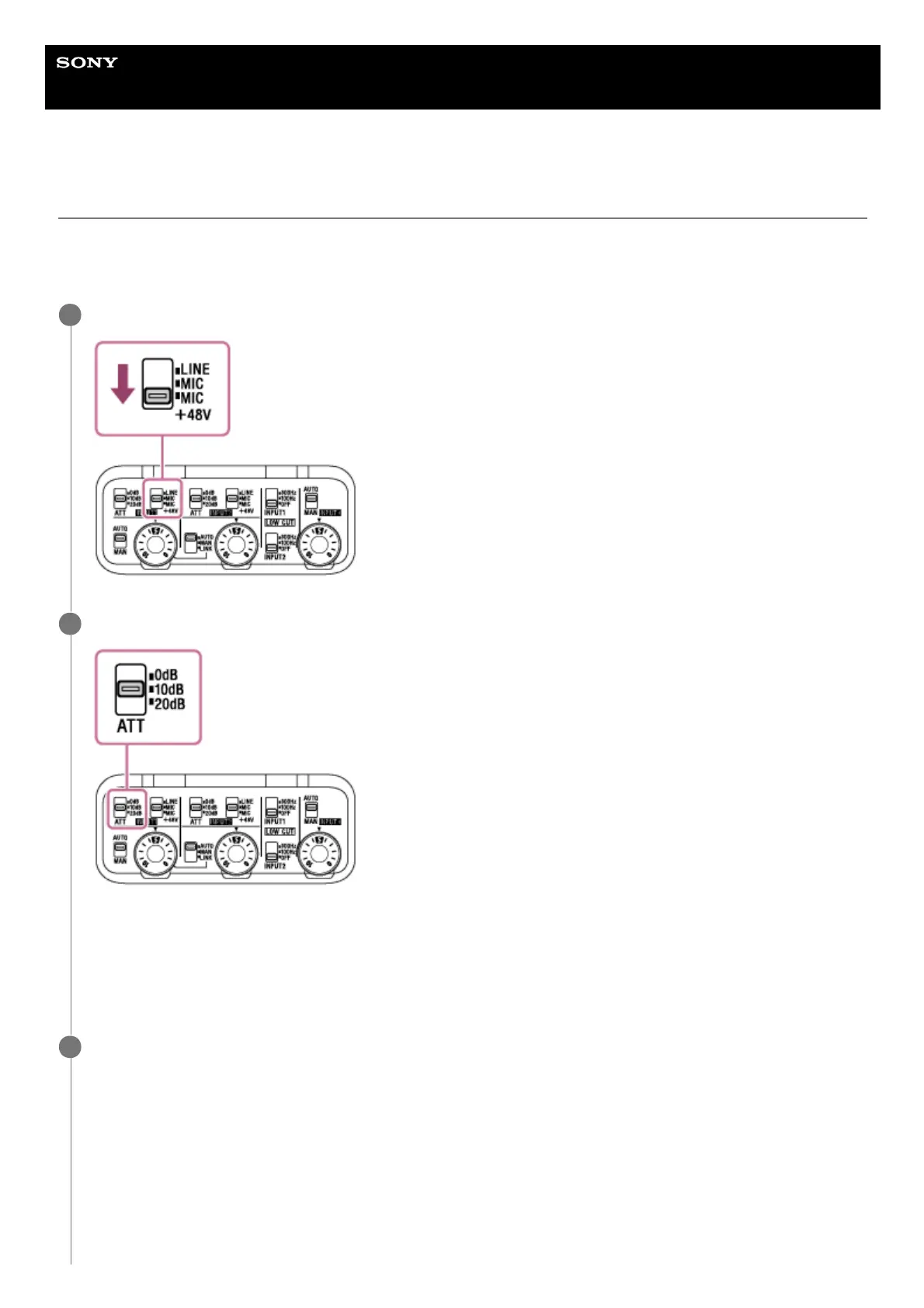
Make sure that the INPUT1 (LINE/MIC/MIC+48V) switch is set to “MIC+48V.”
1
Set the ATT (INPUT1) switch to “10dB.” (Recommended)
With the ATT switch, you can set the standard input level suitable for the sensitivity of the microphone connected to
the XLR adaptor or for the volume level of the input audio. When using the supplied microphone, it is recommended
that you set the switch to “10dB.”
To use a microphone other than the supplied one or an external device, see “Using a device, such as an external
audio device.”
2
Set the INPUT SELECT switch to “IN1.”
3


 To Next Page