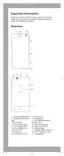
To Record a Video Using the Camera Key
1
Activate the camera.
2
Swipe the screen to select .
3
To start recording a video, press the camera key.
4
To stop recording, press the camera key again.
To Record a Video
1
Activate the camera.
2
If video mode is not selected, swipe the screen to select .
3
Point the camera toward the subject.
4
To start recording, tap .
5
To pause when recording a video, tap
. To resume recording, tap .
6
To stop recording, tap .
To Take a Photo when Recording a Video
•
To take a photo when recording a video, tap
. The photo is taken as soon as
you release the camera button.
To view your photos and videos
1
Activate the camera, then tap a thumbnail to open a photo or video.
2
Flick left or right to view your photos and videos.
To Delete a Photo or Recorded Video
1
Find the photo or video you want to delete.
2
Tap the screen to display the toolbar.
3
Tap .
4
Tap
Delete
to confirm.
General camera settings
Capturing Modes
Manual
Manually adjust camera settings such as resolution, white balance, and ISO.
Superior auto
Optimize your settings to suit any scene.
Video camera
Manually adjust video settings such as resolution, HDR video and focus mode.
Camera apps
Select camera applications manually.
HDR video is only available if the video resolution is set to HD.
To Switch between Capturing Modes and Camera Apps
1
Press and hold down the camera key.
2
Swipe the screen to the desired capturing mode or to the application list.
Camera Apps
Sound Photo
Take photos with background sound.
Multi camera
Record the same scene from multiple angles on a single screen.
Face in picture
Take photos using the front and rear cameras at the same time.
AR effect
98
This is an internet version of this publication. © Print only for private use.
Downloaded from ManualsNet.com search engine



 To Next Page