Assembly
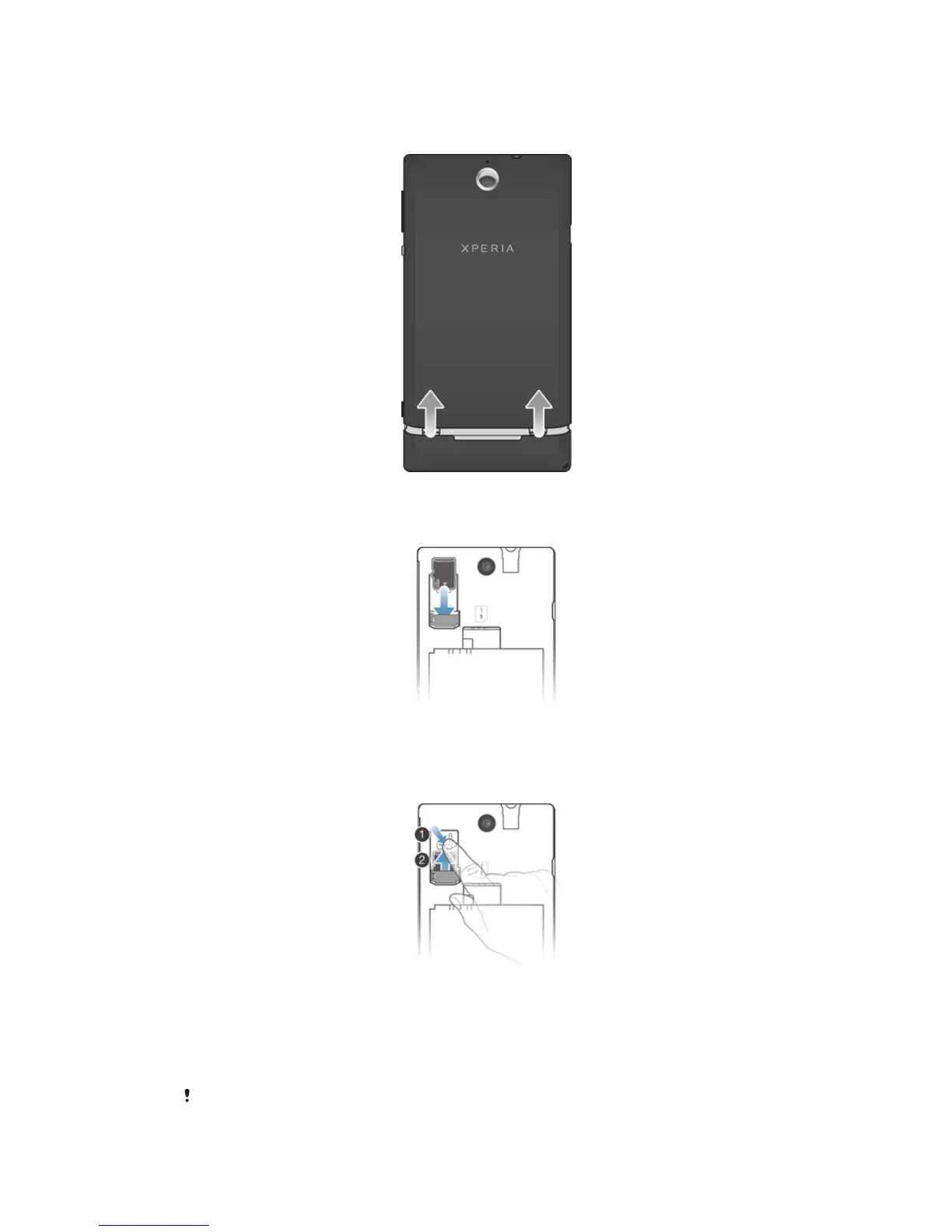
To remove the battery cover
• Using your thumbs, slide the battery cover off the phone.
To insert a memory card
• Remove the battery cover and insert the memory card with the gold-colored
contacts facing down.
To remove the memory card
1 Turn off the phone.
2 Remove the battery cover and the battery.
3 Press down on the plastic clip that holds the memory card in place. While keeping
the clip pressed down, use a fingernail to slide the memory card out.
To insert the SIM card
Do not insert an incompatible SIM card in the SIM card slot. Doing so could permanently
damage your SIM card or your phone.
9
This is an Internet version of this publication. © Print only for private use.



 To Next Page