Wake the computer up if the computer is in standby (sleep) or hibernation mode.
5
Register the speaker to the computer.
On Windows 11
6
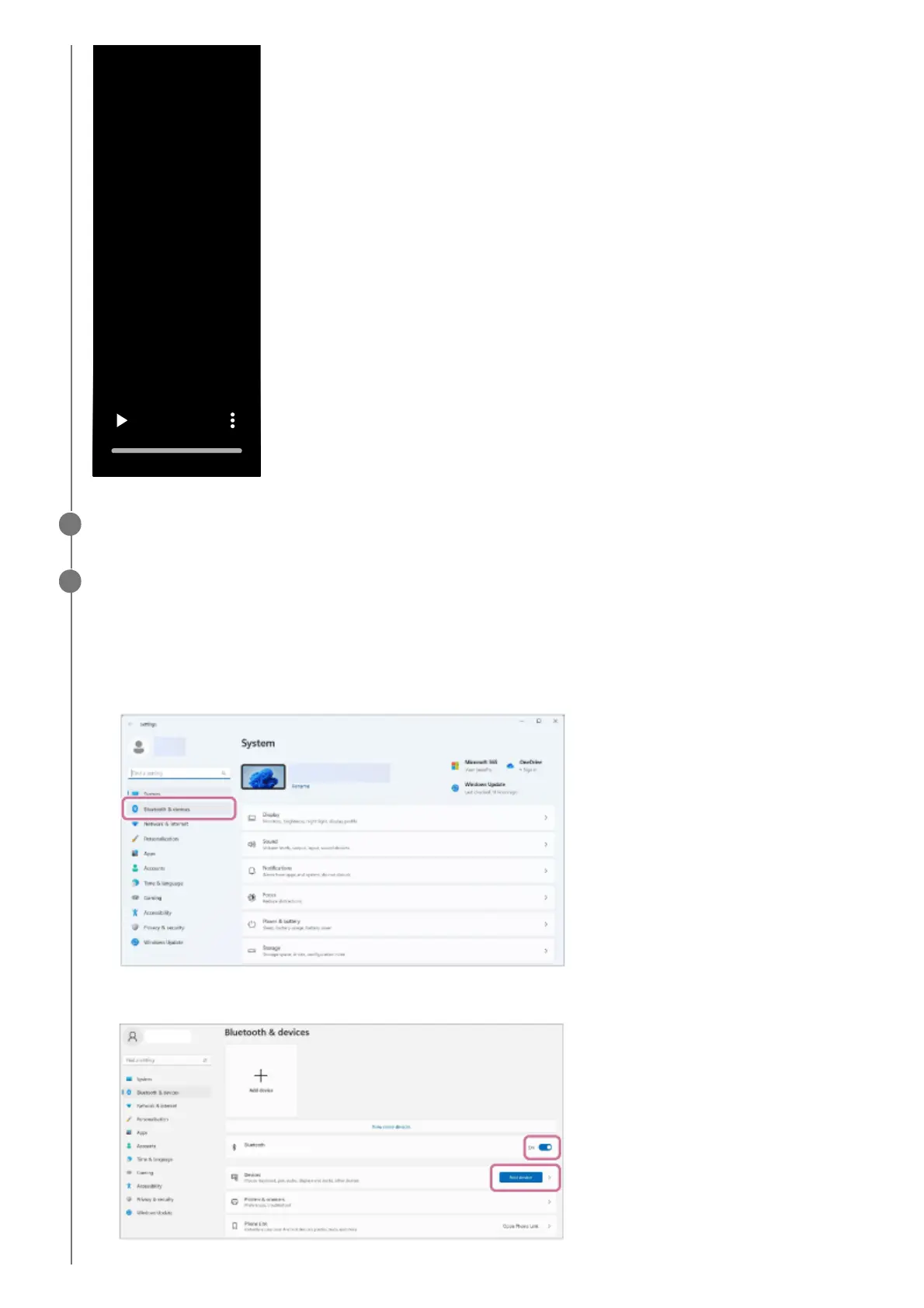
Click the [Start] button, then [Settings].1.
Click [Bluetooth & devices].
2.
Click the [Bluetooth] switch to turn on the BLUETOOTH function, and then click [Add device].
3.



 To Next Page