Help Guide
Wireless Speaker
SRS-XV500
Turning on or off the BLUETOOTH function
You can connect to the speaker from a paired BLUETOOTH device when the speaker’s BLUETOOTH function is set to
on.
At the time of purchase, this setting is set to on.
Hint
With the device previously connected via a BLUETOOTH connection, the speaker is reconnected when its BLUETOOTH function
turns on as long as the BLUETOOTH function of the device remains active.
Note
You cannot perform the following operations when BLUETOOTH function is set to off:
Pair and/or connect with BLUETOOTH device.
Use “Sony | Music Center.”
5-053-791-11(1) Copyright 2024 Sony Corporation
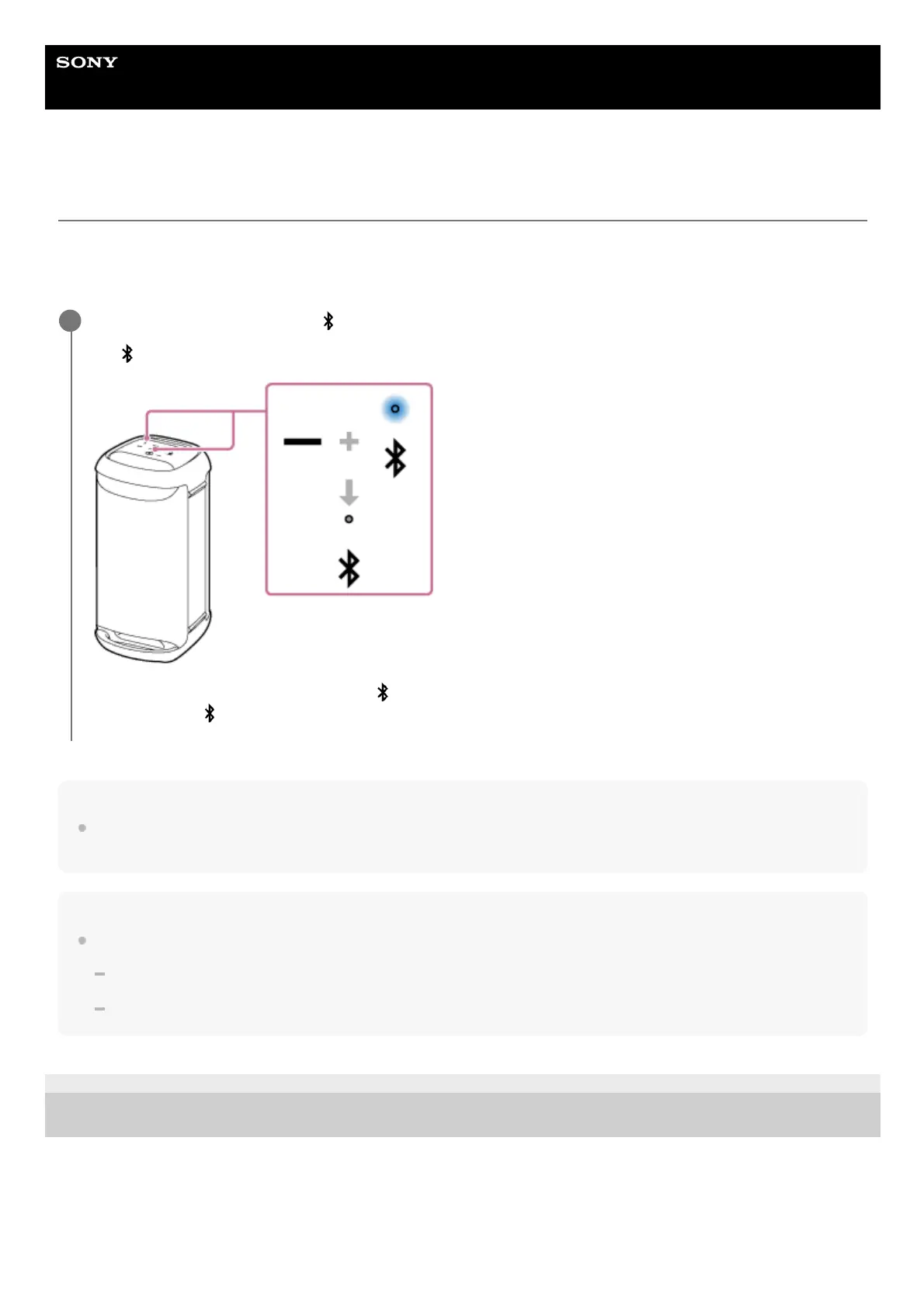
Touch and hold – (volume) and
(BLUETOOTH) on the speaker for about 5 seconds.
The
(BLUETOOTH) indicator turns off and the BLUETOOTH function is set to off.
When you touch and hold – (volume) and (BLUETOOTH) on the speaker simultaneously for about 5 seconds
once again, the
(BLUETOOTH) indicator flashes and the BLUETOOTH function turns on.
1



 To Next Page