Start playback on the BLUETOOTH device.
3
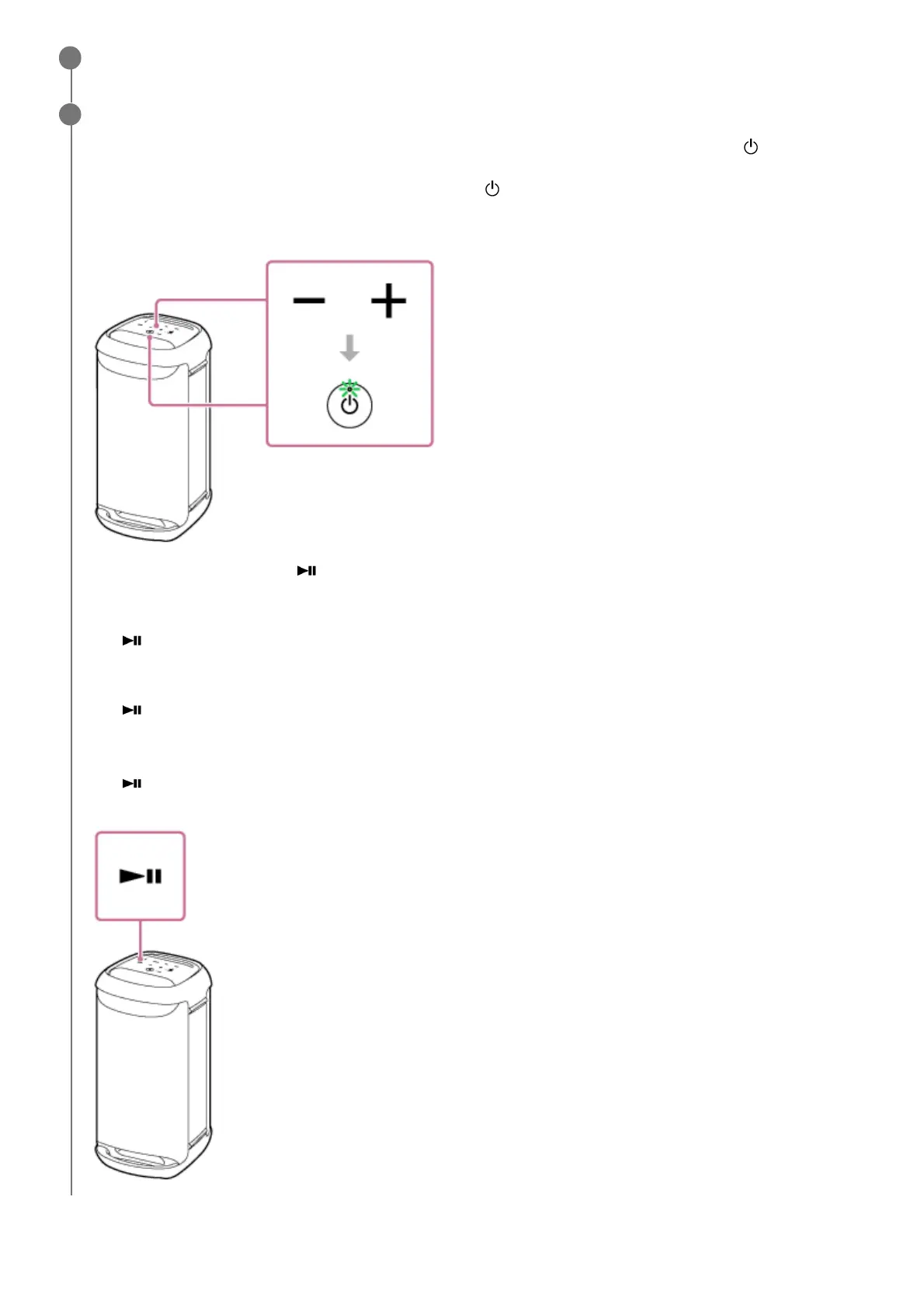
Adjust the volume by tapping –/+ (volume) on the speaker or operating the BLUETOOTH device.
When you tap –/+ (volume) on the speaker or adjust the volume on the BLUETOOTH device, the
(power)
indicator flashes once or 3 times.
Depending on the BLUETOOTH device you are using, the
(power) indicator on the speaker may not flash even if
you adjust the volume on the BLUETOOTH device.
Touch and hold –/+ (volume) on the speaker for rapid adjustments.
During playback, you can use (play) on the speaker to perform the following operations.
Pause
Tap
(play) on the speaker during playback to pause. Tap it again to cancel pause.
Skip to the beginning of the next track
Tap
(play) on the speaker twice quickly during playback.
Skip to the beginning of the current or previous track
*
Tap
(play) on the speaker 3 times quickly during playback.
4
Operations vary depending on the BLUETOOTH device in use.
*



 To Next Page