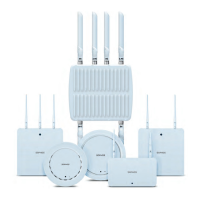
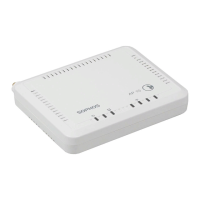
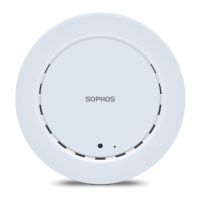
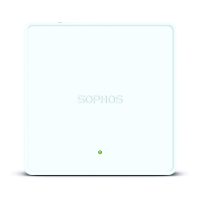
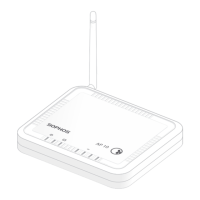
AP 100X
Scope of supply
Important note: Sophos AP 100X requires Sophos UTM V 9.308 to be installed.
Mounting instructions
The Sophos AP 100X can be mounted on a pole. A mounting kit is included in delivery.
Warning: The equipment has a separate protective earthing terminal on the chassis
that must be permanently connected to earth ground to adequately ground the
chassis and protect the operator from electrical hazards.
Caution: Before equipment installation begins, ensure that a service personnel has
attached an appropriate grounding lug to the grounding cable that you supply.
Power installation must be performed with qualified electrician and followed with
National Electrical Code, ANSI/NFPA 70 and Canadian Electrical Code, Part I, CSA C22.1.
To connect earth ground to Unit:
Ì Connect one end of the grounding cable to a proper earth ground.
Ì Place the grounding lug attached to the grounding
cable over the protective earthing terminal.
Ì Secure the grounding lug to the protective earthing
terminal with the washers and screws.
Ì Dress the grounding cable and ensure that it does not
touch or block access to other components.
Warning: At first before powered on, connect the frame of the unit to earth. For
earthing wire, green-and-yellow insulation is required and the cross-sectional area of
the conductor must be more than 0.75mm2 or 18 AWG.
Controls
LED
Power (Green) - continuously on Power on
WLAN (Green) - blinking rapidly WLAN activity
WLAN (Green) - blinking regularly Firmware update
LAN (Green) - blinking rapidly Network connectivity
Interfaces and buttons
LAN (PoE) 10/100/1000 Base-TX interface
Reset Currently not supported
10/100/1000 Base-TX
Connect a ground cable from the outdoor
unit to an appropriate grounding point.
Sophos AP 100X Security Notes 6 antenna Ethernet cable
Grounding
wire
1 wall mount plate
4 wood screws and
wood/gyprock plug,
4 M6 screws and
washers
1 M25
cable gland
2 metal straps
Power-over-Ethernet (PoE)
injector + power cord



 To Next Page
 Loading...