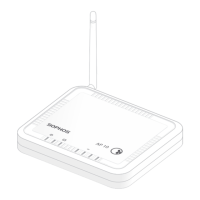
Need help?
Do you have a question about the Sophos APX 530 and is the answer not in the manual?
Provides descriptions for Status LED, Ethernet ports, Console port, Reset button, and Kensington Lock.
Guides users on how to configure the access point using the Sophos Central management platform.
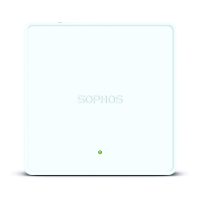
The Sophos APX Series access points are high-performance wireless products designed to provide a best-in-class user experience, leveraging the latest 802.11ac Wave 2 technology. These devices are primarily intended for use in network environments where robust and secure wireless connectivity is required.
The core function of the Sophos APX Series access points is to provide wireless network access. They operate by connecting to a network and broadcasting Wi-Fi signals, allowing client devices to connect and access network resources or the internet. A key feature of these access points is their seamless integration with Sophos Central, a cloud-based security management platform. This integration allows for automatic discovery and configuration of the access points, making deployment straightforward. Once plugged into the network, the device automatically finds the cloud-based controller and becomes operational within seconds. Management through Sophos XG Firewall is also supported, with availability planned for specific maintenance releases.
The access points are designed to be managed remotely, simplifying administration for network administrators. This includes initial setup, configuration changes, and monitoring of operational status. The devices are equipped with an LED indicator that provides visual feedback on their operational state, including boot status, firmware updates, and error conditions. This allows for quick diagnosis of basic issues without needing to access the management interface.
For advanced users or troubleshooting, the access points include a console port (RJ45) that allows support staff to access the Command Line Interface (CLI) by making a serial connection. This provides a deeper level of control and diagnostic capability.
The Sophos APX Series offers several features that enhance its usability and deployment flexibility:
The Sophos APX Series includes features designed to facilitate maintenance and troubleshooting:
 General
| 2.4 GHz | Yes |
|---|---|
| MIMO type | Multi User MIMO |
| Frequency band | 2.4 / 5 GHz |
| Cabling technology | 10/100/1000Base-T(X) |
| Networking standards | IEEE 802.11a, IEEE 802.11ac, IEEE 802.11b, IEEE 802.11g, IEEE 802.11n, IEEE 802.3, IEEE 802.3ab, IEEE 802.3af, IEEE 802.3at, IEEE 802.3u |
| Ethernet LAN data rates | 10, 100, 1000 Mbit/s |
| Maximum data transfer rate | 1750 Mbit/s |
| Power consumption (max) | 16.7 W |
| Placement | Ceiling, Table, Wall |
| Certification | CB, UL, CE, FCC, ISED (IC), RCM, Anatel. EN 60601-1-2 UL2043 |
| Product color | White |
| Cable lock slot type | Kensington |
| Antenna type | Internal |
| Antenna features | Integrated antenna |
| Antennas quantity | 7 |
| Antenna gain level (max) | 5.9 dBi |
| Number of products included | 1 pc(s) |
| USB 2.0 ports quantity | 0 |
| Ethernet LAN (RJ-45) ports | 2 |
| Sustainability certificates | CE |
| Storage temperature (T-T) | -40 - 70 °C |
| Operating temperature (T-T) | 0 - 40 °C |
| Operating relative humidity (H-H) | 10 - 95 % |
| Flash memory | 512 MB |
| Internal memory | 1024 MB |
| Security algorithms | - |
| Number of SSID supported | 16 |
| Harmonized System (HS) code | 85176990 |
 Weight and Dimensions
| Depth | 39 mm |
|---|---|
| Width | 183 mm |
| Weight | 922 g |


 To Next Page