Need help?
Do you have a question about the Sophos APX Series and is the answer not in the manual?
Details the function of each component like Status LED, ports, reset button, and Kensington lock.
Steps to reboot the access point while retaining its current settings.
Steps to reboot the access point and reset it to factory default settings.
Provides data rates, TX power, and RX sensitivity for different bands and modes.
Provides data rates, TX power, and RX sensitivity for APX 530.
Provides data rates, TX power, and RX sensitivity for APX 740.
Details mounting options for standard wall and ceiling rail systems.
 General
| Wi-Fi Standards | 802.11a/b/g/n/ac |
|---|---|
| Frequency Bands | 2.4 GHz, 5 GHz |
| MIMO | 2x2 |
| Ethernet Ports | 1 or more Gigabit Ethernet ports |
| Power over Ethernet (PoE) | 802.3at PoE+ |
| Security | WPA3, WPA2, WPA, WEP, 802.1X, AES, TKIP |
| Management | Sophos Central |
| Mounting | Ceiling, wall |
| Operating Temperature | 0°C to 40°C (32°F to 104°F) |
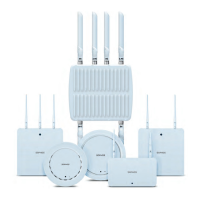
| Model | APX 320, APX 320X, APX 530, APX 740, APX 940, APX 530X |


 To Next Page