Hardware Overview
4
ntouch VP 8.0
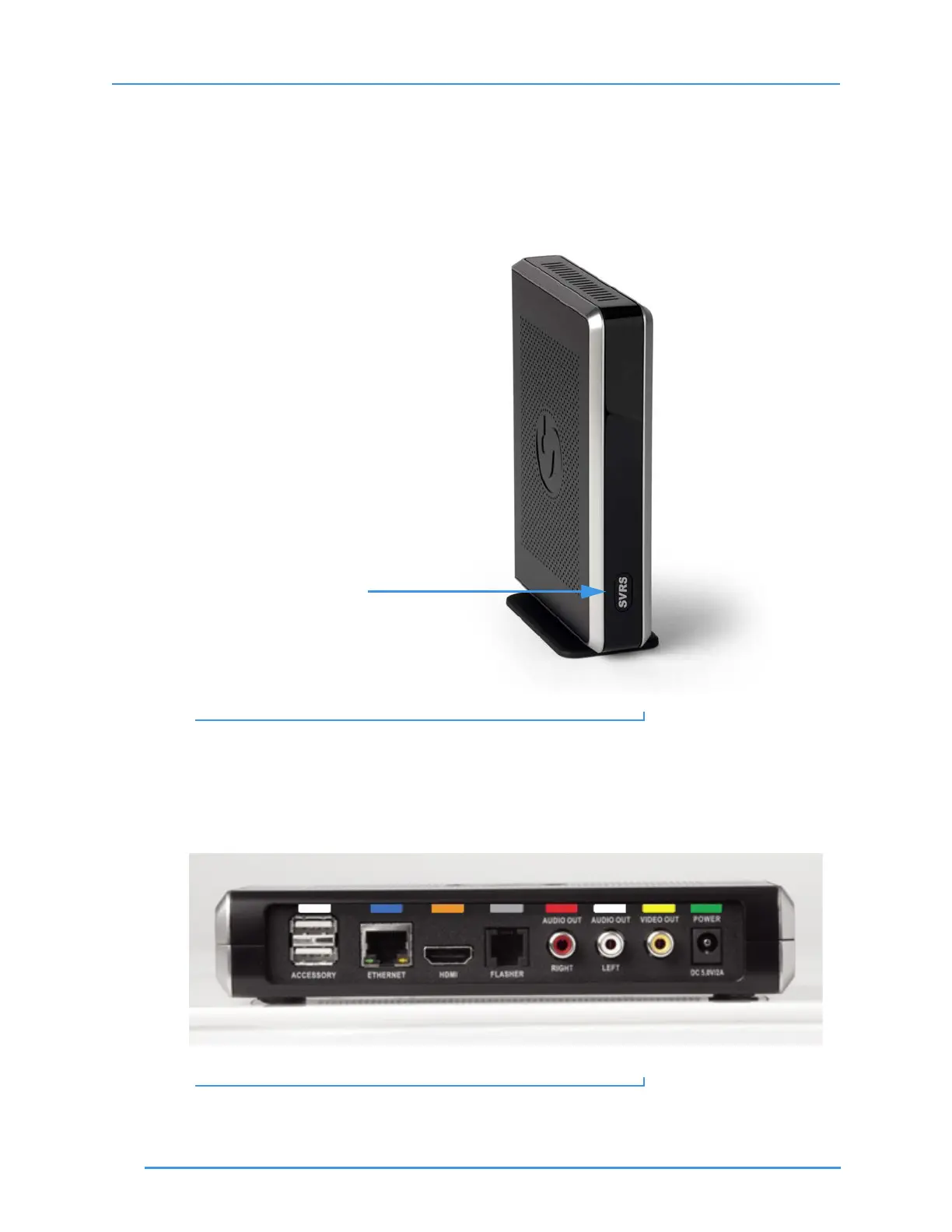
Step 2. Look at this picture to see ntouch VP’s Main Unit. The SVRS button on the front
panel is called the “Quick Connect” button.
You can press this Quick Connect button to dial an SVRS call, answer an incoming
call, or hang up a call without touching the remote. You might have to press the
button once to wake up the VP and then press it again to make an SVRS call.
Figure 2: Main Unit and SVRS Quick Connect button
Step 3. Look at this picture to see the ports on the back panel of the Main Unit.
The Sorenson Trainer who installed ntouch VP in your home or office will have
connected cables to these ports.
Figure 3: Back panel of ntouch VP Main Unit
SVRS “Quick Connect” button



 To Next Page