APPENDIX - A
TO CHANGE UNITS OF MEASURE
The units of measure can be changed to ounces (OZ),
pints (PT), quarts (QT), gallons (GAL), or liters (LITER)
without recalibrating the meter. If special units are
desired, see note below.
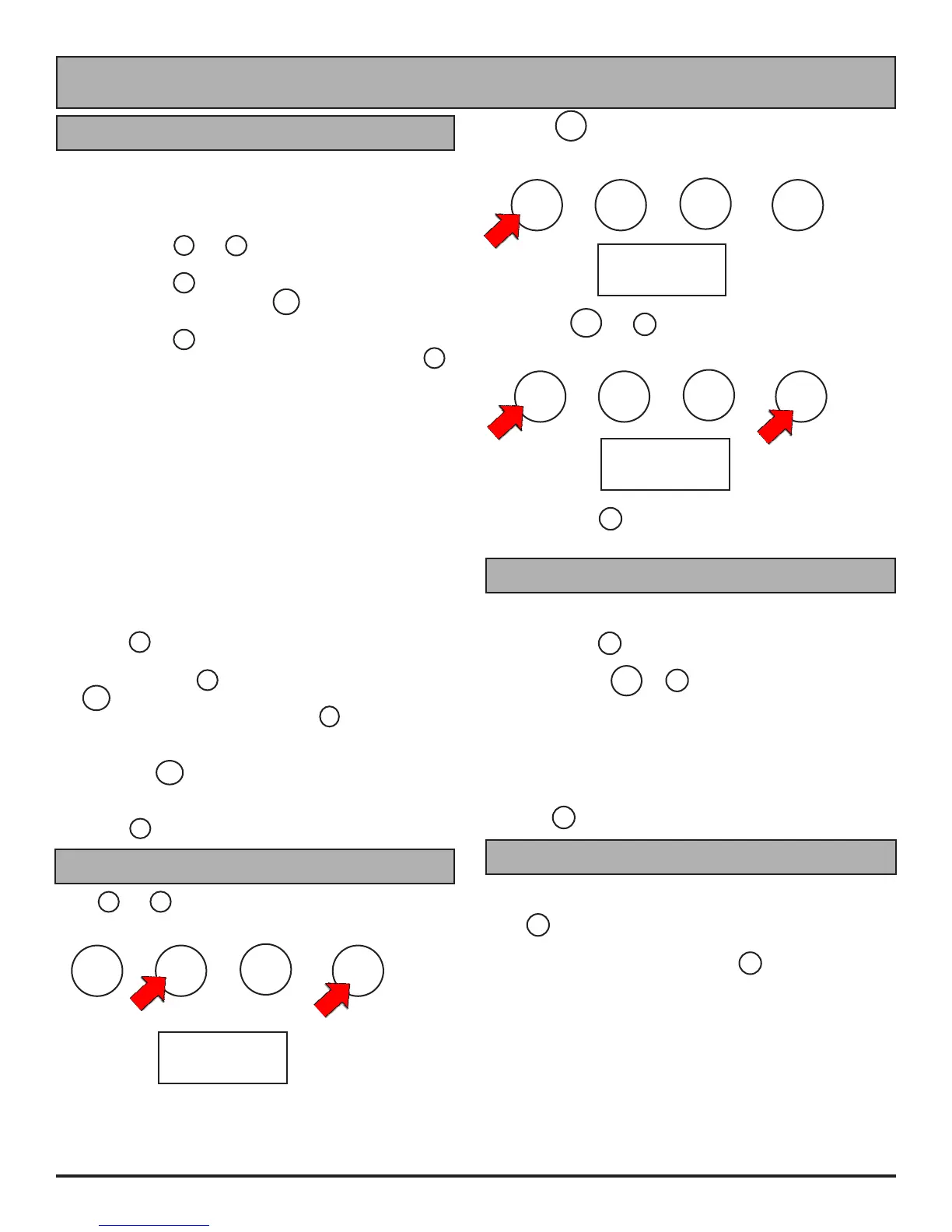
1. Hold buttons 2 and 4 for three seconds. Display
will read "7r1.02".
2. Press button 3 . Display will show the current units.
3. To change units, press the ON button repeatedly
until the desired unit is displayed.
4. Press button 2 . Display will read "7r1.02".
5. To return to normal operating mode press button 2
again.
6. The units selected will be displayed. Current or
accumulated total will be changed to reect the new
units.
Special Units
To use special units, you need to know how many ounces
are in your special unit. Here is an example: You want
to use "acres" as your "special" unit. The uid is to be
applied at 18 ounces per acre. These are the additional
steps to set the meter to "special" units (ignore steps 4 &
5 above):
1. After selecting "special" in step #3 above, press
button 2 .
2. Enter the number of ounces in a special unit by
pressing button 4 to increment the digit, and the
ON button to move the ashing digit to the right. If
you make a mistake, press button 2 to start back at
the left most digit. Per our example, we would enter
018.0.
3. Press the ON button again. Display will read
"7r1.02"
4. To get back to the normal operating mode, press
button 2 .
Reset Accumulated Total
Press 2 and 4 at the same time and hold for 3 seconds.
ON
A
C
C
U
M
.
T
O
T
A
L
2
R
E
S
E
T
T
O
Z
E
R
O
3
C
H
A
N
G
E
C
A
L
F
A
C
T
O
R
4
N
O
C
O
U
N
T
F
L
U
S
H
7
r1.02
NOT
FOR
RESALE
USE
MODEL
825
METER
Display will read the version of the software loaded in the
meter (example: "7 r1.02).
ON
A
C
C
U
M
.
T
O
T
A
L
2
R
E
S
E
T
T
O
Z
E
R
O
3
C
H
A
N
G
E
C
A
L
F
A
C
T
O
R
4
N
O
C
O
U
N
T
F
L
U
S
H
2. Press ON to display accumulated total. If over 9999,
display will scroll across the screen.
GAL
196.4
NOT
FOR
RESALE
USE
MODEL
825
METER
4. Press button 2 twice to get back to normal operating
mode.
Hold buttons ON and 4 for 5 seconds to reset
accumulated total.
ON
A
C
C
U
M
.
T
O
T
A
L
2
R
E
S
E
T
T
O
Z
E
R
O
3
C
H
A
N
G
E
C
A
L
F
A
C
T
O
R
4
N
O
C
O
U
N
T
F
L
U
S
H
GAL
000.0
NOT
FOR
RESALE
USE
MODEL
825
METER
METER CHECK
You can check the calibration in your meter.
1. Set to CAL 4 (See "to change the claibration factor").
2. Hold button 4 for 3 seconds. Meter will display
"FLSH".
3. Hold buttons ON & 3 together. A number will
display that indicates the pulses per unit used to
calculate ow (ie: pulses per gallon). When new, this
number is between 120.0-127.0 pulses per gallon.
If you nd a number higher than 127, recalibrate with water
(see Appendix-B). If this number is lower than 120, the
meter chamber may need to be replaced.
4. Press 2 to get back to normal operating mode.
FLSH (FLUSH) MODE
The 825 Meter can be ushed without adding to the
totalizer. Turn meter on by pressing the ON button.
Press 4 and hold for 3 seconds. Display will show FLSH.
Flush meter with suitable uid (water is suitable for most
herbicides). When completed, press 2 to leave FLSH
mode and return to normal operation. Quantity of uid
ushed will not be added to total.
CAUTION: DO NOT leave the meter in FLSH mode.
Batteries will completely drain within 20 days if left in FLSH
mode.
9


 To Next Page