Need help?
Do you have a question about the Sound Metrics ARIS EXPLORER and is the answer not in the manual?
Key capabilities of the ARIS Explorer, including dynamic focus and high-definition imagery.
Lists the components included within the main transit case for the ARIS Explorer.
Lists the accessories and components found inside the waterproof storage box.
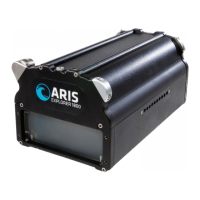
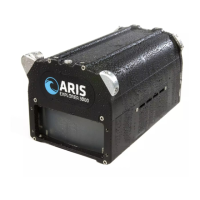
Description of the main sonar unit, its connector, lens, and silt plug holes.
Explanation of the Command Module's function and LED feedback.
Steps for connecting the ARIS Cable to the ARIS Explorer and Command Module.
Using the Connector Gauge to verify proper mating of the connectors.
Steps for connecting the Ethernet Cable and Power Supply to the Command Module.
Instructions for powering on the ARIS Explorer using the Command Module.
Guidance on positioning the Explorer for optimal coverage of the target object.
Demonstrates how ARIS images display range and cross-range information from a top-down perspective.
Explanation of how the ARIS Explorer projects acoustic energy in a wedge-shaped volume.
Defines range, cross-range, and perspective relative to the acoustic wedge.
Steps for installing the ARIScope software on a PC.
Details the main elements of the ARIScope user interface: Control Panel, Image Display, and Top Bar.
Explanation of the Files icon in the ARIScope top bar for accessing .aris image files.
Instructions on how to export ARIScope files, including renaming and location.
Description of the Settings and Help icons in ARIScope for configuration and support.
Details depth rating, cable length, and dimensions/weights for ARIS Explorer models.
Lists the minimum operating system and interface requirements for the PC.
Specifies recommended hardware for the PC to run ARIScope effectively.
Provides detailed dimensional drawings and mounting hole specifications for the ARIS Explorer 3000.
Provides detailed dimensional drawings and mounting hole specifications for the ARIS Explorer 1800 & 1200.
Guidelines for inspecting and replacing the anode based on size reduction.
Instructions for lubricating and cleaning the sonar cable connectors.
Information that bubbles in the lens are normal and do not affect imaging.
Steps for removing the lens housing for cleaning, including tools needed.
Instructions to remove screws from the front lens housing and rear end cap.
Procedure for cleaning the lens housing after removal, ensuring the lens is in the Home position.
Steps for reattaching the lens housing to the Explorer and connecting to ARIScope.
Instructions for installing silt plugs to protect the sonar in high silt environments.
Checks for cable connections, PC firewalls, and power management settings for connection issues.
Description of LED indicator patterns, fault warnings, sonar power, and actions for operators.
Information on standard and optional ARIS imaging sonar cables.
Description of the Concentrator Lens for shallow water tasks.
Description of the Spreader Lens for close-up imaging tasks.
Details the Telephoto Lens for medium and long-range imaging with ARIS Explorer.
Description of the ARIS Rotator AR2 for 2-axis control of the Explorer.
Description of the ARIS Rotator AR3 for 3-axis control of the Explorer.
Guidance on contacting Sound Metrics for issues, repair procedures, and warranty terms.
Contact details for Sound Metrics, the manufacturer of ARIS Explorer.
Contact details for Ocean Marine Industries Inc., the distributor.
 General
| Manufacturer | Sound Metrics |
|---|---|
| Depth Range | 300m |
| Resolution | High resolution imaging |
| Interface | Ethernet |
| Power Supply | 24-48 VDC |
| Range Resolution | 1 cm |
| Number of beams | 128 |
| Field of View | 28° |
| Operating Temperature | -10°C to +40°C |

 To Next Page