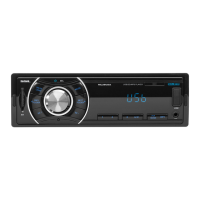
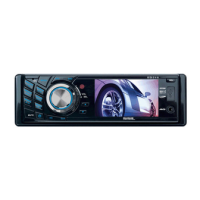
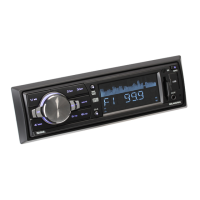
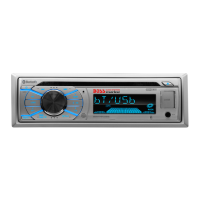
The device is an in-dash DVD/MP3/CD AM/FM receiver with a 7-inch detachable widescreen digital TFT monitor, USB and SD card ports, and a front panel AUX input.
Function Description
The DD888 serves as a comprehensive car audio and video system, allowing users to play various media formats, listen to radio, and connect external devices. Its core functions include:
- Media Playback: Supports DVD, MP3, CD, MPEG4, WMA, and image files from discs, USB storage, and SD cards.
- Radio Reception: Features AM/FM radio with the ability to preset and scan stations, and includes RDS (Radio Data System) functionalities like PTY (Program Type) search, AF (Alternate Frequency) mode, and TA (Traffic Announcement) mode.
- Video Display: A 7-inch detachable widescreen digital TFT monitor provides visual output for video playback and system menus.
- External Connectivity: Includes a front panel AUX input for connecting portable audio devices, USB and SD card ports for digital media, and RCA video input for external video sources. A dedicated rear camera input allows for integration with a rearview camera system.
- Audio Output: Provides 2-channel and 4-channel line out, and a subwoofer output.
Important Technical Specifications
- Power Supply: DC 12V
- Current Consumption: 10A MAX.
- Audio Output: 2ch & 4ch line out
- Frequency Response: 20 Hz - 20 KHz
- S/N Ratio: 90 dB (JIS)
- Wow and Flutter: Below measurable limits
- Monitor Screen Size: 7 Inch Wide
- Compatible Formats: Digital Video/MPEG4/VCD/IMAGE/MP3/WMA/CD
- Color System: NTSC/PAL
- FM Frequency Range:
- U.S.A.: 87.5MHz - 107.9MHz
- Europe: 87.5 MHz - 108 MHz
- FM Usable Sensitivity: 15dBu
- FM I.F Frequency: 10.7MHz
- AM(MW) Frequency Range:
- U.S.A.: 530KHz - 1710KHz
- Europe: 522KHz - 1620KHz
- AM(MW) Usable Sensitivity: 40dBu
- AM(MW) I.F Frequency: 450KHz
- Speaker Impedance: Must use 4 ohms impedance speakers.
Usage Features
The device offers a variety of user-friendly features for control and customization:
General Controls:
- Power/Source Button: Powers the unit on/off and switches between work sources (RADIO, DISC, USB, CARD, AUX IN, AV IN).
- Volume Control: Adjustable via a knob on the control panel or VOL+/VOL- buttons on the remote.
- SEL Button: Cycles through audio settings (BASS, TREBLE, BALANCE, FADE, COLOR, BRIGHTNESS, CONTRAST, TINT, VOLUME) with short presses. Long presses cycle through advanced radio settings (REG, PI, TA, AF, LOUD, SWF, EQ, DX/LOCAL, STEREO/MONO, TIME 12H/24H, CLOCK, BUZZ, EUR/USA FREQ, ANIMATION, BG).
- MUTE Button: Toggles mute mode on/off.
- EQ Button: Selects preset EQ modes (JAZZ, CLASSIC, POP, ROCK, USER). Long press toggles LOUD mode.
- SW Button: Long press toggles SUBWOOFER mode.
- CLK Button: Displays clock time.
- OPEN Button: Flips down the control panel for disc insertion/ejection.
- REL Button: Detaches the control panel for card insertion/removal.
- RESET Button: Resets the program in case of display errors, unresponsive buttons, or distorted sound.
Media Playback Features:
- Disc/USB/Card Loading: Discs are inserted with the label side up after flipping down the control panel. USB storage and SD cards are inserted into their respective ports.
- Playback Controls: Includes play/pause, stop, fast forward/backward (x2, x4, x8, x20, x1 speed), previous/next chapter/track.
- Root Menu: For MPEG4/image playback, a root menu displays file/folder information. For MP3/WMA, the root menu is always displayed.
- Number Buttons: Used to input specific chapter/track numbers for direct access.
- MENU Button: Displays chapter lists for Digital Video, title lists for VCD (PBC OFF), or root menu for MPEG4/image/MP3/WMA.
- TITLE/PBC Button: Displays title lists for Digital Video, or switches PBC mode on/off for VCD.
- GOTO Button: Displays a changeable playback information bar, allowing users to select a chapter/track or playback time point.
- ZOOM Button: Switches zoom modes (ZOOM 2, 3, 4, 1/2, 1/3, 1/4, OFF) for Digital Video/VCD/MPEG4/image. Direction buttons move the zoomed image.
- OSD Button: Displays playback information bar.
- Repeat (RPT) Button: Switches repeat modes (REP CHAPTER, REP TITLE, REP ALL, REP OFF for Digital Video; REP 1, REP ALL, REP OFF for VCD/CD; REP1, REP FOLDER/DIR, REP ALL, REP OFF for MP3/WMA/MPEG4/image).
- Random (RDM) Button: Toggles random playback mode on/off for Digital Video/VCD (PBC OFF)/CD/MP3/WMA.
- Intro (INT) Button: Toggles intro mode on/off for VCD/CD.
- Audio Track/Channel Selection: Switches between audio tracks for Digital Video or audio channels (MONO L, MONO R, MIX MONO, STEREO) for VCD/CD.
- Subtitle Selection: Switches subtitle languages on/off for Digital Video.
- ANGLE Button: Plays Digital Video in different angles.
Radio Features:
- Band Selection: Switches between FM1, FM2, FM3, AM1(MW1), and AM2(MW2) bands.
- Station Search: Automatic and manual search for stations.
- Preset Stations: Stores up to 6 stations per band (3x6 for FM, 2x6 for AM/MW).
- Stereo/Mono Mode: Selects between stereo for better audio effect or mono for clearer signal.
- Local/Distance Mode (LO/DX): Tunes for local stations with weak interference or distance stations with stronger signals.
- PTY Search: Searches for stations broadcasting specific program types (e.g., NEWS).
- AF Mode: Automatically alternates to a stronger signal frequency for the current RDS station.
- REGION Mode: Controls whether the radio switches to AF stations with different regional program content.
- PI Mode: Manages audio behavior (DIP sound or mute) when receiving different PI codes from the same AF.
- TA Mode: Automatically searches for and switches to RDS radio stations transmitting traffic announcements.
System Setup:
- Media Setup Menu: Accessed via the SETUP icon/button, allowing configuration of media parameters across four pages:
- SYSTEM SETUP:
- TV SYSTEM: Sets video system (NTSC, PAL, AUTO).
- SCREEN SAVER: Toggles screen saver on/off.
- TV TYPE: Sets video display size (4:3 PS, 4:3 LB, 16:9).
- PASSWORD: Locks/unlocks parental control (default password: 0000).
- RATING: Sets parental control rating level.
- DEFAULT: Resets all parameters to factory values.
- LANGUAGE SETUP:
- OSD LANGUAGE: Selects on-screen display language.
- AUDIO LANG: Selects audio language for media.
- SUBTITLE LANG: Selects subtitle language for media.
- MENU LANG: Selects menu language for media.
- VIDEO SETUP: Adjusts BRIGHTNESS, CONTRAST, HUE, SATURATION, SHARPNESS of video output.
- DIGITAL SETUP:
- DYNAMIC RANGE: Adjusts linear compression ratio (FULL for minimum Peak-to-Peak audio signal, OFF for maximum).
Rear View Camera Operation:
- Connects to a rear view camera via the REAR CAMERA INPUT jack and a 12V power supply.
- Automatically displays the rear view on the monitor when the car is in reverse gear.
Maintenance Features
- Disc Handling: Handle discs by the edge, wipe outwards from the center with a clean, soft, dry, lint-free cloth. Avoid solvents and do not stick paper/tape on the disc surface. Store discs in their cases.
- Lithium Cell Replacement: Instructions are provided for replacing the remote control's lithium cell, including warnings about leakage, explosion, and keeping cells out of reach of children.
- Troubleshooting Guide: A comprehensive guide helps users diagnose and resolve common issues such as no picture/sound, black and white picture, screen rolling, disc errors, insensitive remote control, and radio malfunctions. This includes checks for power, connections, disc condition, temperature, and resetting the unit.
- Control Panel Removal: The control panel can be detached for card insertion/removal or troubleshooting.

 Need help?
 General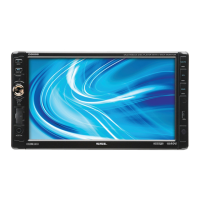

 To Next Page