EasyManua.ls Logo

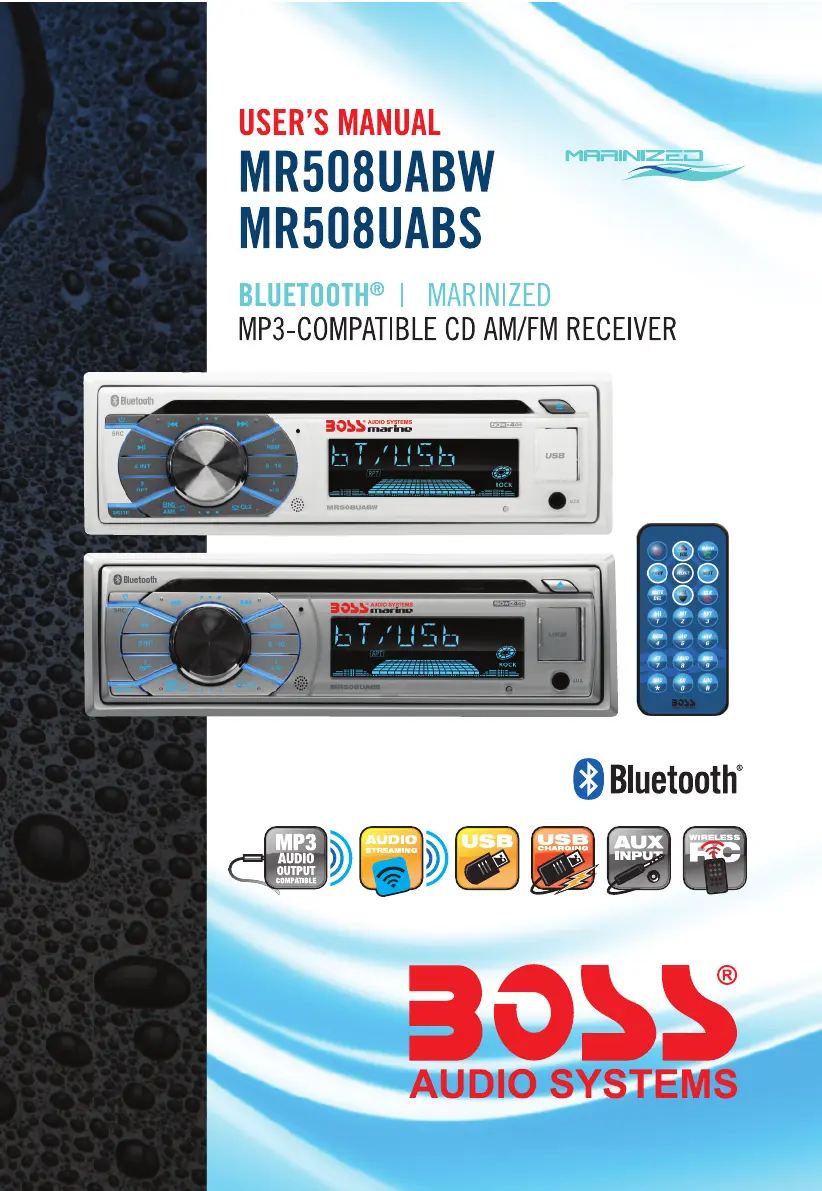
Sound Storm MR508UABW - User Manual

Sound Storm MR508UABW
16 pages
Print Icon
To Next Page IconTo Next Page
Loading...

Questions and Answers

Summary

Precautions and Warnings

Handling Discs Safely

Guidelines for handling audio discs to prevent damage and ensure proper playback.

Lithium Battery Safety

Important safety warnings regarding the handling and disposal of lithium battery cells.

Car Radio Installation

Preparation and Mounting

Steps for preparing the unit and physically mounting it into the vehicle dashboard.

Wiring and Removal Procedures

Instructions for connecting the unit's wiring and removing it from its sleeve.

General Unit Operation

Power, Volume, and Mute Controls

How to turn the unit on/off, adjust volume, and mute audio.

System Settings and Clock

Adjusting audio settings, equalizer, loudness, and setting the clock time.

Source Switching and Reset

Changing audio sources and performing a system reset to factory defaults.

Radio Functionality

Tuning and Frequency Settings

Adjusting radio frequency, bands, and tuning modes (manual/auto).

Station Presets and Search

Saving, recalling stations, and automatic music search functionality.

Reception Modes

Selecting reception modes like LOCAL/DX and STEREO/MONO.

Disc and USB Playback

Media Insertion and Ejection

Instructions for inserting and ejecting CDs and USB storage devices.

Playback and Navigation Controls

Managing playback (play/pause, next/prev) and navigating tracks/folders.

Auxiliary Input Operation

Connecting External Audio Devices

How to connect and use external audio sources via the auxiliary input jacks.

Bluetooth Connectivity

Pairing and Initial Connection

Steps to pair a mobile phone with the car audio system via Bluetooth.

Call Management Features

Making, answering, ending calls, redialing, and switching audio sources.

Wireless Audio Streaming

Playing music from a Bluetooth-enabled device wirelessly.

Remote Control Usage

Initial Setup and Battery Replacement

Activating the remote by removing the insulating sheet and replacing its battery.

Remote Operation Guidelines

Best practices for operating the remote control effectively.

Button Functions and Layout

Identification and explanation of all buttons on the remote control.

Troubleshooting Common Issues

Power and Sound Problems

Solutions for units with no power or no sound output.

Disc and Radio Malfunctions

Troubleshooting for disc loading/reading errors and radio not working.

Operation and Playback Glitches

Resolving issues with unresponsive buttons, sound skips, and station selection.

Technical Specifications

General and Radio Specs

Technical details on chassis, power, and radio frequency capabilities.

CD;USB and Bluetooth Specs

Specifications for media playback formats and Bluetooth profiles.

Sound Storm MR508UABW Specifications

General IconGeneral
BrandSound Storm
ModelMR508UABW
CategoryCar Receiver
LanguageEnglish

Related product manuals