Need help?
Do you have a question about the Sound Storm SD315 and is the answer not in the manual?
General unit specifications including power supply and dimensions.
Details about supported DVD disc formats and playback features.
Technical parameters for video output and resolution.
Specifications for audio output, frequency response, and S/N ratio.
Details for FM and AM radio tuning and sensitivity.
Specification for AM radio frequency range.
Steps to resolve issues with no visual or audio output.
Troubleshooting steps for audio problems when video is present.
Troubleshooting steps for video problems when audio is present.
Solutions for incorrect video color or unstable picture display.
Common issues affecting picture and sound quality.
Steps to resolve disc reading errors.
Troubleshooting for remote control functionality.
Solutions for unresponsive control buttons on the unit.
Steps to fix radio reception or playback issues.
Definitions of key terms and features used in the manual.
Important safety and environmental guidelines for using the unit.
Explanation of DVD region codes and compatibility issues.
Information regarding the factory default password for Parental Control.
How to set and use the parental control function to restrict content.
List of rating levels for content restriction.
Guidelines for handling and maintaining discs.
Instructions for cleaning discs to ensure proper playback.
Steps for replacing batteries in the remote control.
Important safety notes regarding remote control battery usage.
Function for adjusting the hue of the video output.
Function for adjusting the saturation of the video output.
Function for adjusting the sharpness of the video output.
Settings for speaker configuration and sound output modes.
Settings for digital audio output modes and dynamic range.
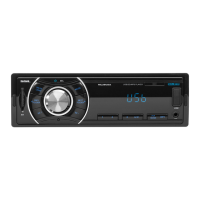
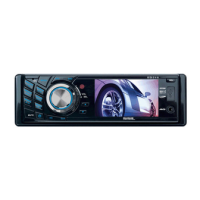
Diagram identifying controls on the front panel of the unit.
Diagram showing controls on the unit chassis after panel removal.
Setting the language for the system menu and interface.
Selecting the preferred audio language for playback.
Choosing the language for subtitles.
Setting the language for the disc menu.
Configuration for audio output type.
Selecting desired basic music tone.
Adjusting video output brightness.
Adjusting video output contrast.
Adjusting video output hue.
Adjusting video output saturation.
Adjusting video output sharpness.
Instructions for connecting the parking brake wire.
Details of the ISO female connector pin assignments.
Setting the TV system (NTSC/PAL) for compatibility.
Matching the screen size to the connected TV.
Setting and managing the Parental Control password.
Configuring the parental control rating level.
Resetting all system setup items to original status.
Step-by-step guide for installing the unit in a vehicle.
Important notes regarding installation procedures.
How to play MP4 video files.
Explanation of Electronic Shock Protection and ID3 tag display.
Instructions for using USB storage and memory cards.
Guide to accessing and navigating the system setup menu.
How to power the unit on and off.
Switching between different input/mode selections.
Adjusting the volume using the unit or remote.
Activating and deactivating the mute function.
Setting and displaying the unit's clock.
Choosing different equalizer presets for sound enhancement.
How to create a custom playback order for tracks/chapters.
Instructions for viewing JPEG images from a disc.
Selecting subtitle language for DVD playback.
Selecting preferred audio language for DVD/VCD.
Adjusting video signal output (NTSC/PAL).
Displaying current playback information (title, chapter, time).
Steps to detach the front panel from the unit.
Steps to reattach the front panel to the unit.
Activating/deactivating the LOUD sound mode.
Procedure to reset the unit to its default settings.
Fine-tuning sound equalizer settings like EQ, BAL, FAD.
Selecting radio bands (FM1, FM2, FM3, AM1, AM2).
Manual and automatic station tuning.
Automatic Program Search function.
Storing and recalling favorite radio stations.
Selecting stereo or mono sound for FM radio.
Adjusting local/distance reception for radio.
Previewing tracks by playing the first 15 seconds.
Directly accessing specific content by title/chapter/time.
Playing tracks in a random or shuffled order.
Selecting alternate camera angles for DVD playback.
Enlarging specific parts of the video image.
Initial steps to start playback from a disc or media.
Troubleshooting for no display on the monitor.
Notes on disc compatibility and playback issues.
Freezing the video image during playback.
Repeating a single track, chapter, or the entire disc.
Setting custom start and end points for repeated playback.
Temporarily stopping and resuming playback.
Fully stopping playback and restarting from the beginning.
Navigating between tracks or chapters using directional buttons.
Directly selecting tracks/chapters using numeric input.
Using disc menus to select content.
Fast-forwarding or rewinding playback at various speeds.
Playing back video or audio in slow motion.
 General
| Manufacturer | Sound Storm |
|---|---|
| Model | SD315 |
| DIN Size | Single DIN |
| Built-in Amplifier | Yes |
| USB Port | Yes |
| SD Card Slot | Yes |
| Aux Input | Yes |
| Radio Tuner | AM/FM |
| Display Type | LCD |
| MP3 Playback | Yes |
| WMA Playback | Yes |
| Channels | 4 |

 To Next Page