7 EN EN 8
Reset
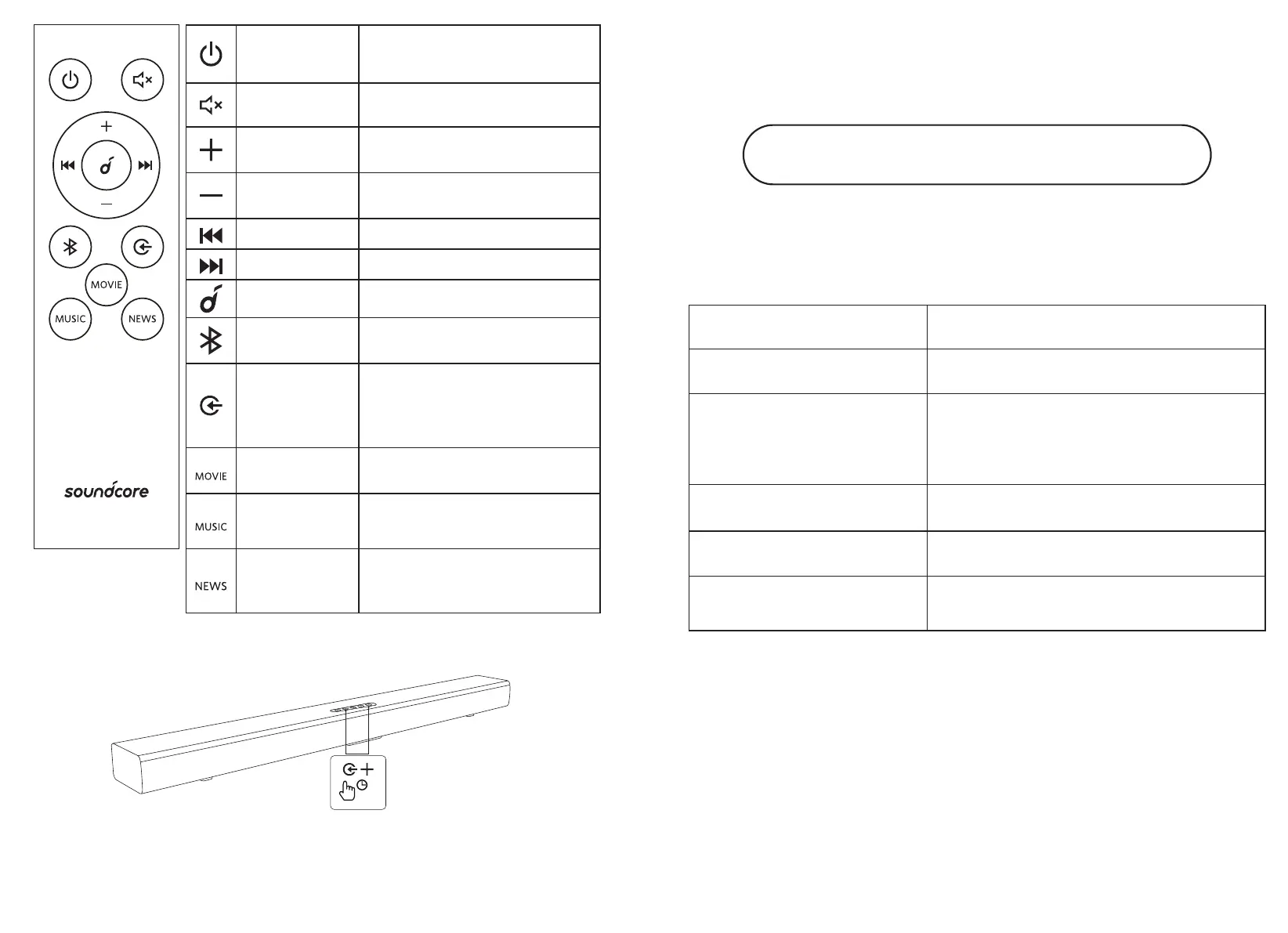
If the soundbar isn't working correctly, press and hold the
Source Input Button and Volume Up Button on the soundbar
simultaneously for more than 8 seconds to reset it.
Firmware Update
To get the best features and support, update your soundbar with
the latest firmware via the USB port.
https://support.soundcore.com/s/
Specifications
Specifications are subject to change without notice.
Input 100-240V~ 50/60Hz 0.5A
Audio output 120.0W
Input port
HDMI ARC × 1
AUX IN (3.5mm stereo mini) × 1
Optical In × 1
USB A × 1
Bluetooth Version 5.3
Product size 880×64×98mm
Weight (without
packaging)
2.18kg
Standby
Button
Press to activate the soundbar
or switch to standby
Mute Button Mute or unmute
Volume Up
Button
Increase volume
Volume
Down Button
Decrease volume
Previous Return to the previous track
Next Skip to the next track
Play / Pause Pause/Resume playback
Bluetooth
button
Activate Bluetooth pairing
mode
Source Input
Button
Press to switch between
optical, HDMI ARC,
Bluetooth, LINE IN, and
USB mode in order
Movie Mode
(Default)
Intensify the bass and enhance
the clarity of dialogue
Music Mode
Enhance the treble and add
greater depth to the music
News Mode
Make the human voice
more clear and outstanding
for listening






 To Next Page