APP
Download the soundcore app to experience, Find Earbuds, 22 pre-set EQ settings, gaming mode, firmware update and more exciting features.
If your earbuds cannot connect with the soundcore app, re-install the app or update it to the latest version in your mobile app store.
Click this link to download: http://dl-soundcore.soundcore.com/qcdl?flow=soundcore
POWERING ON & PAIRING
1. Peel off the protective film on the earbuds.
2. Return the earbuds to the charging case and close the case.
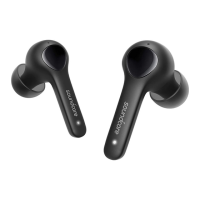
3. Reopen the charging case and take out the earbuds. The earbuds will automatically power on and enter pairing mode. Select "soundcore K20i" from your
device's Bluetooth list.
• When taken out, the earbuds will automatically power off after 30 minutes if they are not connected. The duration can be set in the soundcore app.
MANUAL PAIRING
To pair with a new device, when the earbuds are out of the case, press and hold the touch areas of both earbuds simultaneously for 3 seconds to enter pairing
mode.
CHARGING

 Need help?


 To Next Page
 General