05 EN
Press Answer/End a call
Press
Answer a second incoming call and put the
current call on hold
Press and hold for 2 seconds Reject an incoming call
Press and hold for 2 seconds
Switch between a call on hold and an acitve
call
Press and hold for 2 seconds Activate Siri or other voice assistant software
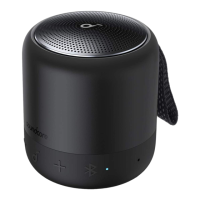
Soundcore App
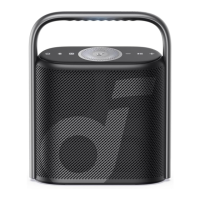
Download the Soundcore app to enhance your experience.
Product information: Check the product name and software version, or read the user
manual.
Firmware update: You will be informed once a new version of firmware is detected
when you connect the speaker with the app.
Battery status: Indicates the remaining battery level of your speaker.
Volume control: Adjust the volume level via the app without pressing the buttons on
the speaker.
EQ settings: There are 4 EQ settings you can choose from in the app to optimize your
experience while enjoying different music genres.
• Soundcore Signature: Normal EQ mode with well-balanced sound.
• Voice: Voices stand out more clearly from other ambient sounds.
• Treble Boost: High frequencies are enhanced.
• Balance: No enhancement for high-frequency and low-frequency sounds.
Set Auto-power off time: Set an auto-power off time (5/10/30/60 minutes, 30 minutes
by default), the speaker will automatically power off when time is up.
Light effects: Besides the music-sync light effects, you can also choose your favorite
light effects (Beach Party, Camping Trip, Evening Breeze, Midnight Groove) from in the
app.
Voice prompt: Mute or restore the voice prompt while powering on/off.





 To Next Page