At a Glance
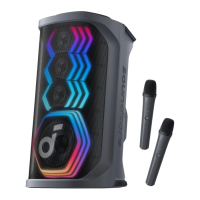
Front & Back
Handle Wireless Microphones (×2)
Top Panel Back Panel
Top Panel
1. Wired Mic Volume Control: Adjust the volume of your wired microphone.
2. Reverb Control: Rotate clockwise / counterclockwise to increase / decrease the amount of reverb applied to your microphone or audio source.
3. Reverb Level Indication: Display the current reverb applied to your microphone or audio source.
4. Power Button: Power on or off the device.
5. Battery Indicator: Display the battery level of the device.
6. Bluetooth Button: Press to enter Bluetooth pairing mode.
7. AI Vocal Removal: Press to remove the original vocals from the song, leaving only the accompaniment. Press again to restore the vocals.
8. AuraCast Button: Press to enable AuraCast feature.
9. LightShow Button: Press to turn the light effect on or off.
10. BassUp Button: Press to enhance the low frequency of the audio source.
11. Play/Pause Button:
Press once to play / pause the audio source.
Press twice to skip to the next track.
Press three times to skip to the previous track.
12. Volume Up and Volume Down Buttons: Press to turn up or down the volume of audio source.
Back Panel

 Need help?




 To Next Page
 General