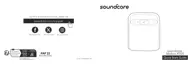
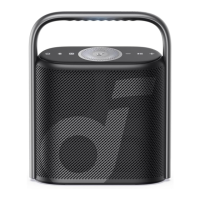
The Soundcore Motion X500 (A3131) is a portable speaker designed to deliver a high-quality audio experience with a range of user-friendly features. It's built for convenience and versatility, allowing users to enjoy their music in various settings, whether at home or on the go.
Function Description
The Soundcore Motion X500 is primarily a Bluetooth speaker, enabling wireless audio streaming from compatible devices such as smartphones, tablets, and computers. It supports advanced audio codecs like LDAC for an enhanced listening experience, particularly for users with Android 8.0 or later devices. The speaker is also capable of True Wireless Stereo (TWS) pairing, allowing two identical Motion X500 speakers to connect and create a more immersive stereo soundstage, with one speaker acting as the left channel and the other as the right.
Beyond basic audio playback, the Motion X500 incorporates several features to customize the sound to the user's preference. It offers multiple EQ modes, including "Spatial Signature," "Spatial Dynamic," and "Bass Boost," each designed to optimize the audio for different types of music or listening environments. The speaker also includes a built-in microphone, enabling it to function as a speakerphone for answering and ending calls, and for activating voice assistant software on a connected device.
Usage Features
- Powering On/Off: The speaker is powered on by a short press of the power button. To power off, the power button needs to be pressed and held for 2 seconds. An auto-power-off feature is included, which automatically turns off the speaker after 20 minutes if no device is connected, helping to conserve battery life. This auto-power-off time can also be customized via the Soundcore app.
- Bluetooth Connectivity: To enter Bluetooth pairing mode, the dedicated Bluetooth button is pressed. The speaker will then appear as "soundcore Motion X500" in the device's Bluetooth list. Once paired, the speaker will automatically reconnect to the last connected device when powered on, provided the device is within range. If reconnection fails, pressing the Bluetooth button again will re-enter pairing mode. The speaker can only play music from one mobile device at a time; to switch sources, the currently active device must be paused first.
- True Wireless Stereo (TWS) Mode: For a stereo sound experience, two identical Motion X500 speakers can be paired. With one speaker already connected to a smartphone, pressing and holding the Bluetooth button for 2 seconds on both speakers will initiate TWS pairing. Once paired, one speaker will function as the left channel and the other as the right. To exit TWS mode, the Bluetooth button on either speaker should be pressed and held for at least 2 seconds.
- Button Controls: The speaker features intuitive button controls for various functions:
- Power Button: Press for power on, press and hold for 2 seconds for power off.
- Bluetooth Button: Press to enter Bluetooth pairing mode, press and hold for 2 seconds to enter/exit TWS pairing mode.
- Volume Up/Down (-/+): Press to adjust the volume.
- Play/Pause Button: Press once to play or pause music, press twice for the next track, and three times for the previous track. This button also handles calls: press to answer/end a call, and press and hold for 2 seconds to reject a call or activate voice assistant software.
- BassUp Button: Press to turn BassUp mode on or off, enhancing low frequencies.
- EQ Switch Button: Repeatedly press this button to cycle through the available EQ modes: Spatial Signature, Spatial Dynamic, and Bass Boost. Each mode is indicated by a different LED light color (White for Spatial Signature, Cold White for Spatial Dynamic, Warm White for Bass Boost).
- LDAC Quality Sound: For users with Android 8.0 or later devices, the Motion X500 supports LDAC, a high-quality audio codec. This feature can be enabled through the Soundcore app by navigating to Settings > "Sound Mode" > "Preferred audio quality." While LDAC provides superior sound, it may increase power consumption and reduce playtime. It is recommended to use LDAC in a low-interference environment for a stable Bluetooth connection. Switching audio codecs may take approximately 10 seconds.
- Soundcore App: The Soundcore app, available on Google Play and the App Store, enhances the user experience by providing additional controls and customization options. Through the app, users can set auto-power-off times, enable LDAC, and potentially update the speaker's firmware if new versions are available.
Maintenance Features
- Charging: The speaker is charged via a USB-C port. It is recommended to use a certified USB-C cable and charger to prevent damage. For optimal battery lifespan, the speaker should be fully charged before its first use. The charging status is indicated by an LED: flashing red for low battery, steady red when being charged, and steady white when fully charged.
- Reset: If the speaker encounters issues or needs to be restored to its default settings, a reset can be performed. This is done by simultaneously pressing and holding the Bluetooth button and the volume up button for at least 4 seconds.
- Firmware Updates: The Soundcore app can notify users about new firmware versions. Updating the speaker's firmware, when available, can improve performance, add new features, or fix bugs.
- Voice Prompt: The speaker includes voice prompts for various actions. These prompts can be muted or restored through the Soundcore app.

 Need help?
 General






 To Next Page