1
2
Speaker 1
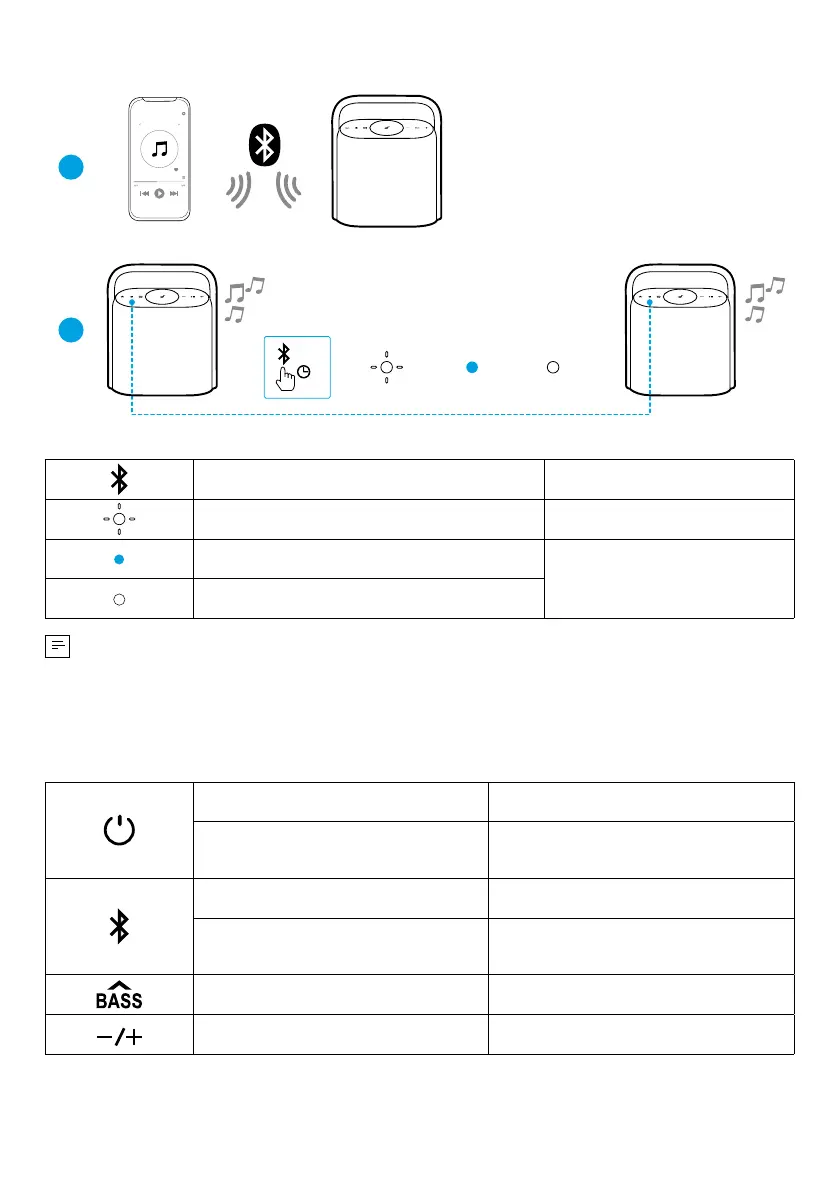
PAIRING
CONNECTED
Speaker 1Speaker 1/ Speaker 2
CONNECTED
Speaker 2
Speaker 1 Speaker 2
>2s
Press and Hold for 2 Seconds Enter TWS Pairing Mode
Flashing White TWS Pairing
Steady Blue (Speaker 1)
TWS Connected
Steady White (Speaker 2)
To exit TWS mode, press and hold the Bluetooth button for at least 2 seconds.
Button Controls
Press Power On
Press and Hold for 2 Seconds Power Off
Press Enter Bluetooth Pairing Mode
Press and Hold for 2 Seconds Enter / Exit TWS Pairing Mode
Press Turn BassUp On / Off
Press Volume Up / Down








 To Next Page