06 EN
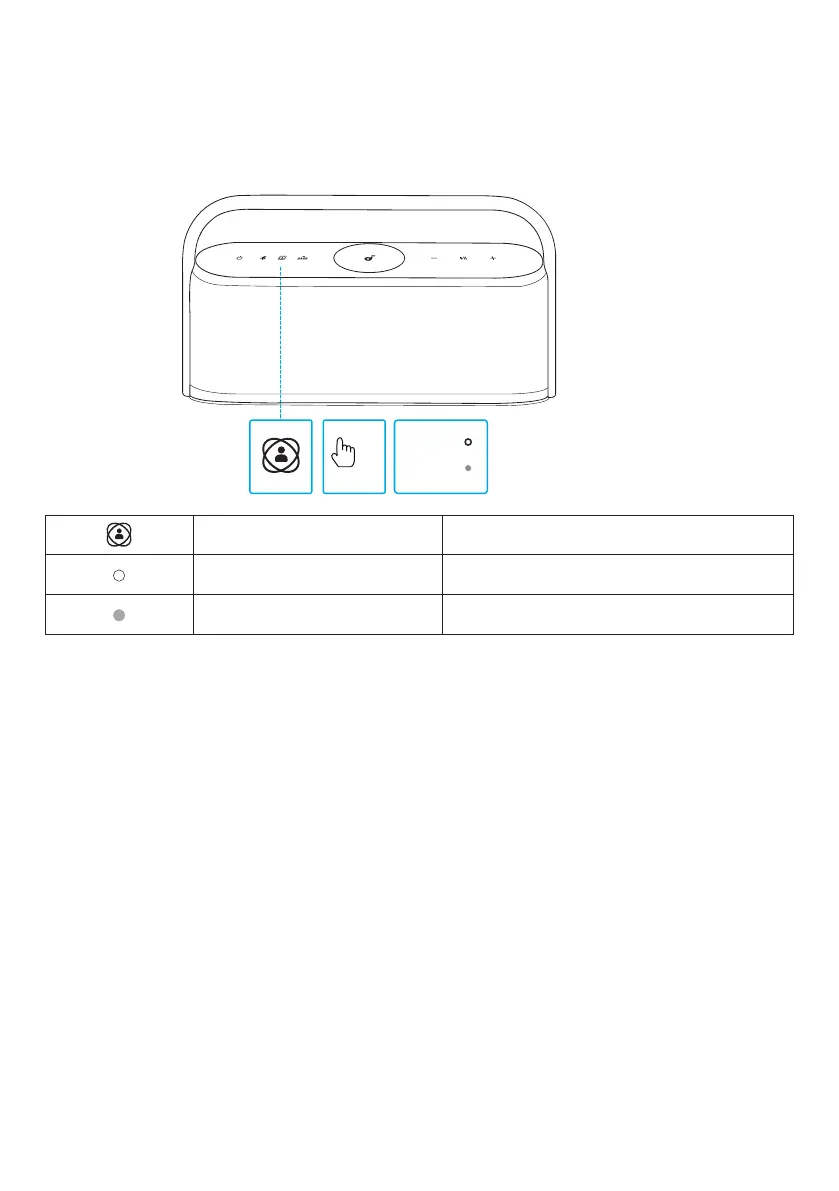
Spatial Sound
Spatial sound places sound all around you to create an immersive listening
experience.
x1
OFF
ON
Press once Turn spatial sound on / off
Steady white Spatial sound on
Light off Spatial sound off
LDAC
Use devices powered by Android 8.0 or later to experience LDAC quality sound.
1. Open the soundcore app.
2. Go to the Settings icon on the home page.
3. Click on "Sound Mode."
4. Select "Preferred audio quality" to switch to LDAC codec.








 To Next Page