04 EN
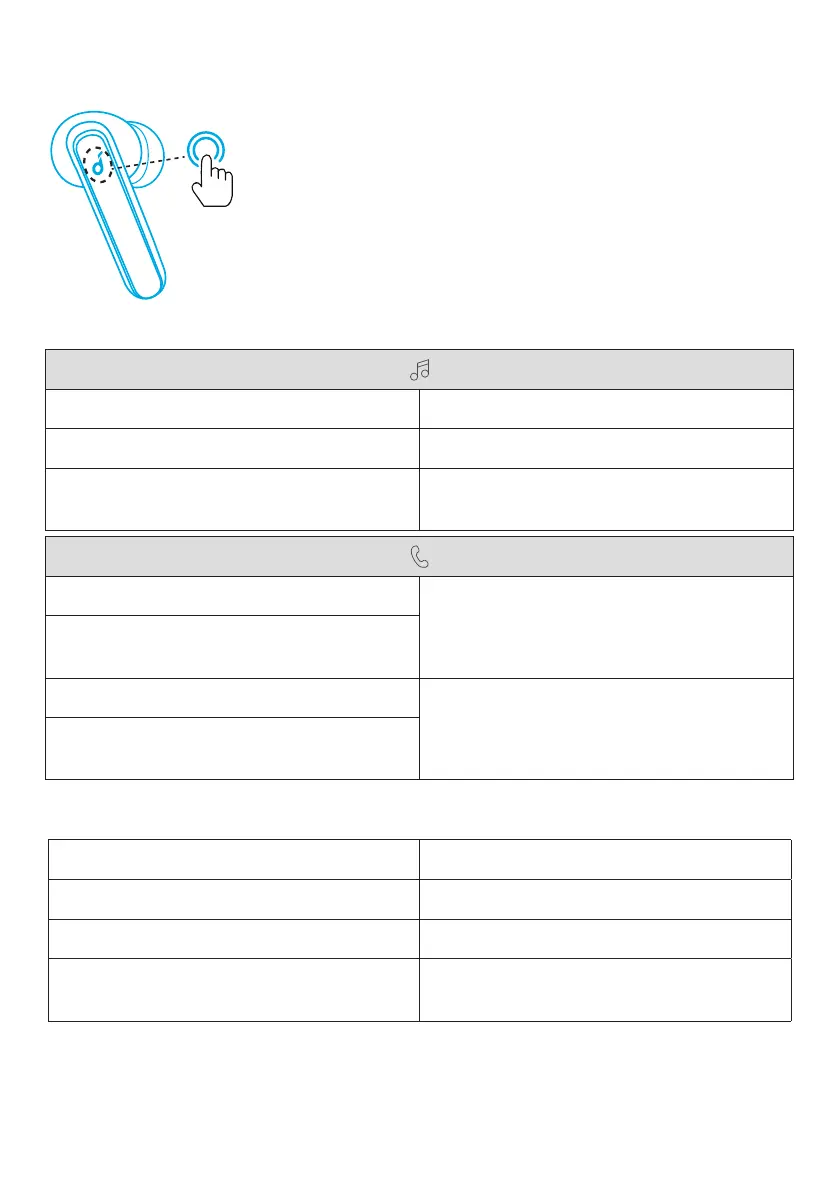
Controls
L/R
L/R
×2
2s
R
L
×2
×2
2s
L/R
ANC/Normal
Stereo Mode
Play/Pause Press twice (R)
Next track Press twice (L)
Switch ambient sound modes
(Noise Cancellation/Normal)
Press and hold for 2 seconds (L/R)
Answer a call
Press twice (L/R)
Answer a second incoming call and put
the current call on hold
End/Reject a call
Press and hold for 2 seconds (L/R)
Switch between a call on hold and an
active call
Mono mode
Play/Pause Press twice
Answer a call Press twice
End/Reject a call Press and hold for 2 seconds
Activate Siri or other voice assistant
software
Press and hold for 2 seconds






 To Next Page