III. BASIC OPERATION.
1. POWER ON: Insert the plug into the wall socket and turn the socket on.
2. STANDBY: Press the STANDBY button to resume the STANDBY and PLAY mode.
3. SIGNAL SELECTION:
Press "INPUT" button can be chose the CD / USB / RADIO format,
each time press the button can be chose one format.(When the disc door open, the switch
function will not be worked)
4. Adjusting the volume
To increase the volume:
1). Press the VOL control on the front panel, or press and hold the VOL+ button On the
remote control.
2). The LCD display will briefly show the selected setting.
To reduce the volume:
1). Press the VOL control on the front panel, or press and hold the VOL- button on the remote
control.
2). The LCD display will briefly show the selected setting.
To mute the sound:
1). Press the MUTE button, the LCD displays 'Mute ', press MUTE again to turn off, the LCD
not displays Mute.
5. SETTING THE CLOCK:
The internal clock operates in 24-hour mode. Can set dual Alarm and Sleep function.
The clock may be set when the system is playing or when in standby mode.
Time Setting
1). Time and alarm setting
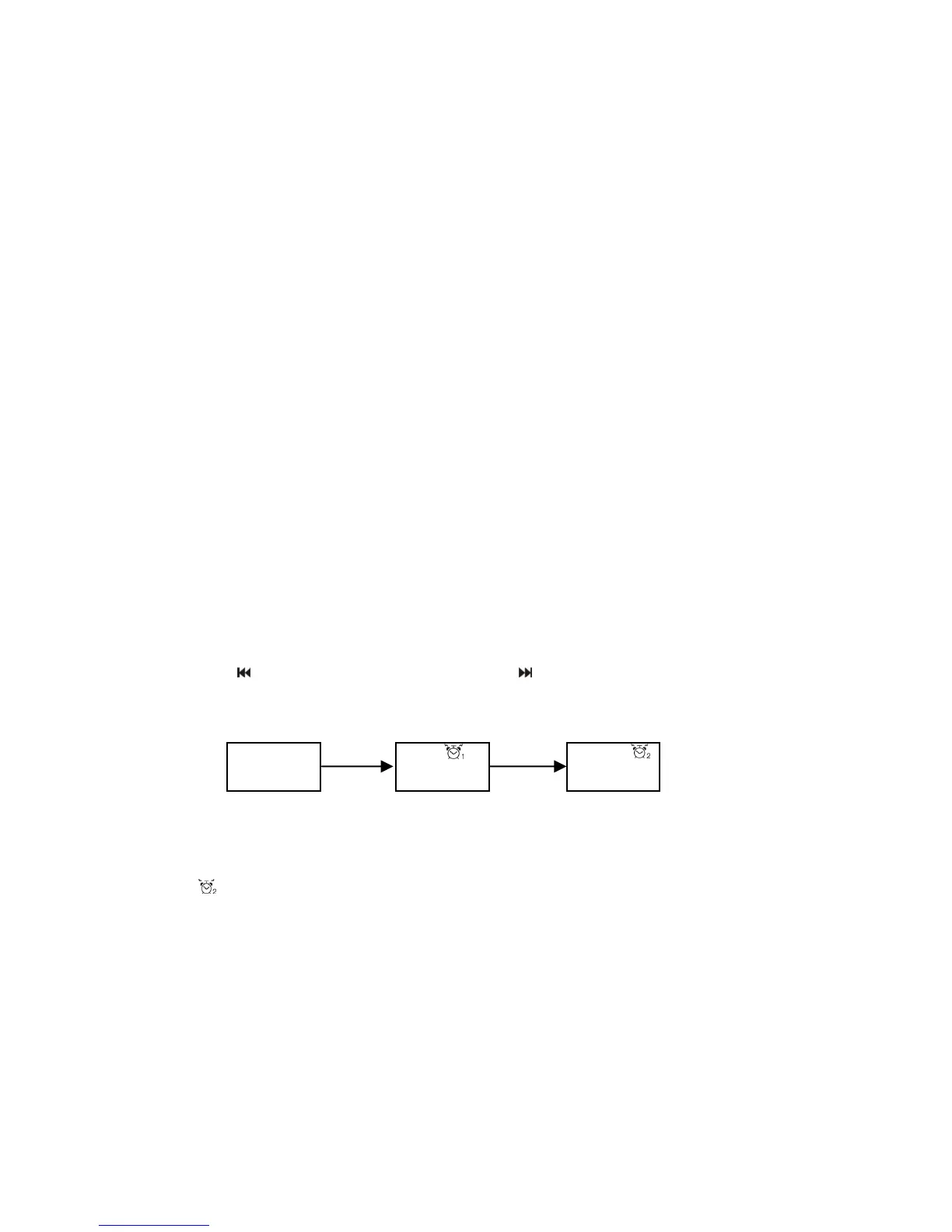
Press SET button to enter to the time setting, the setting order is:time setting、alarm 1 setting、
alarm 2 setting, when there’s "XX:XX" show on the display and flashes, you can adjust the
time, press " " button can adjust the hour, press " " button can adjust the minute. (Alarm
source setting: Enter the alarm setting press INPUT button than choose CD/USB/ FM/
buzzer four alarm modes.)
Setting order as bellow:
2). Alarm setting
Alarm can be set to alarm1 /alarm2/dual alarm/alarm off four modes,Press ALARM button on
the remote control to switch to Alarm modes, the display would be showed the corresponding
pattern ,there’s no display when alarm off,when setting dual alarm, the early time will be
worked. When the alarm rang, press SNOOZE or STANDBY button can be stop.
Setting the sleep function:
Setting the sleep time while playing, repeatedly press the SLEEP button on the remote
control to cycle through the range:120>90>60>45>30>15 minutes, the LCD display then
returns to the previously selected mode. It will go to the STANDBY mode in your setting time;
press the SLEEP button can cancel the sleep function until there’s no‘SLEEP’displayed.
00:00
Alarm 2 setting
12:00
00:00
Time setting
Alarm 1 setting
3















 To Next Page