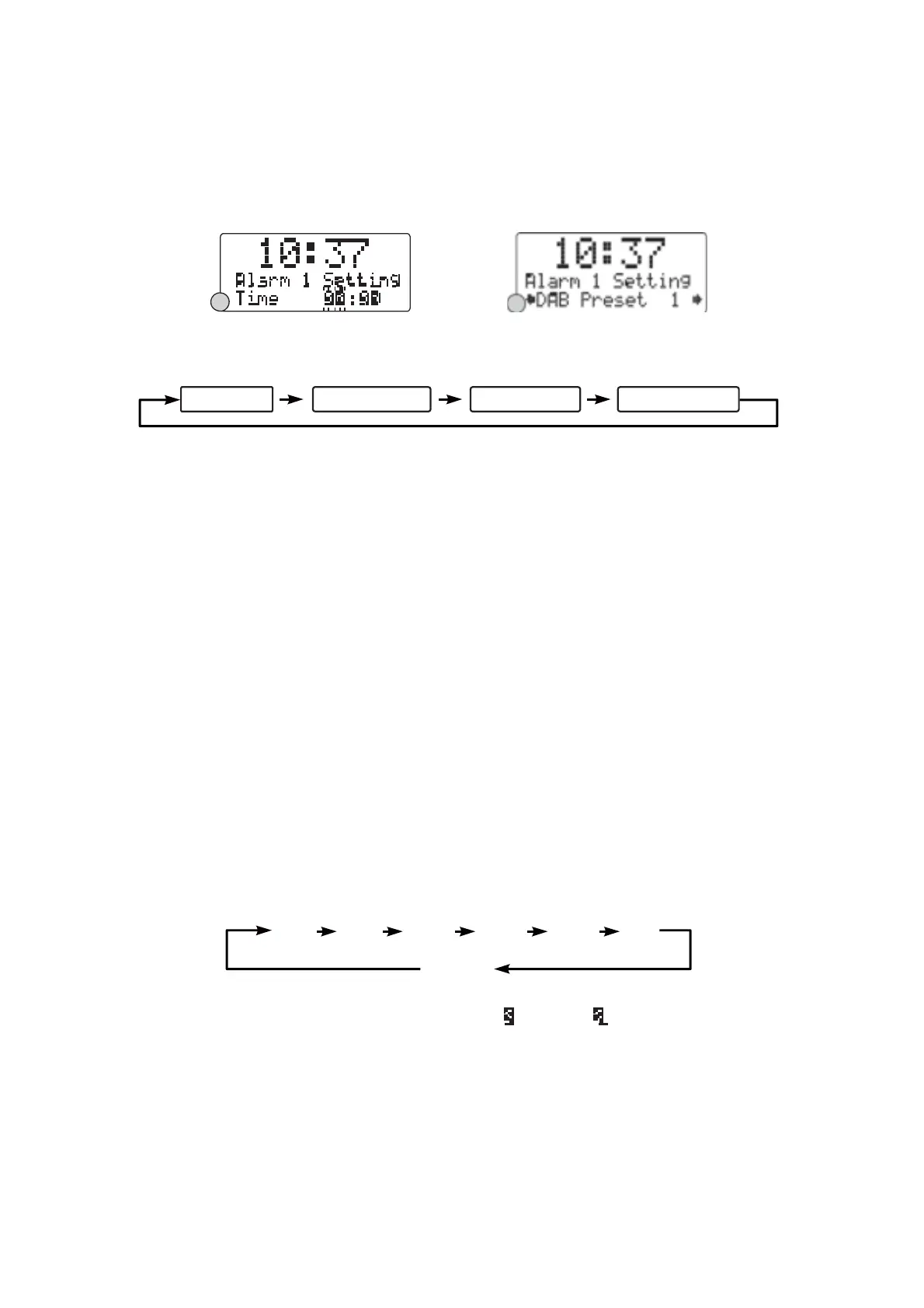
4. Repeatedly press the Ÿ or ź buttons followed by pressing the SELECT button to adjust and confirm
the wake-up mode settings - first set the DAB and FM Preset (1-10), then the Buzzer Tone (1 or 2),
finally the alarm Volume level (1-20). (F.10)
5. After the selection of the alarm volume level, the wake-up mode settings are completed and the
alarm function is now ready for you to activate.
6. Repeat the above procedures to set the other Alarm (1 or 2).
F9
F10
Activating
the alarm
function
1. To activate the alarm function, repeatedly press the ALARM button (1 or 2), the associated alarm
wake-up mode will be displayed and changed in the below sequence on every press:
Alarm Off DAB Preset # FM Preset # Buzzer Tone #
2. When the display shows your desired alarm wake-up mode, release the button, the alarm function is
now activated and the associated alarm icon will be displayed.
3. When the alarm time arrives, the selected wake-up mode will be on and the alarm icon in the display
will flash to indicate the alarm is triggered. To stop the alarm sooner, press the STANDBY/ON button.
4. To check the alarm status, press the ALARM button (1 or 2) once and the associated alarm status
will be displayed.
Note:
If you have activated the alarm function and the wake-up mode is DAB or FM, make sure that the
alarm volume level is set at a sufficient level for you to hear.
Automatic
Alarm
Repeat
The alarm will automatically repeat each day at the selected time as long as the alarm icon is displayed.
To cancel this function, repeatedly press the ALARM button (1 or 2) button until the display shows ³$ODUP
ofI´
SNOOZE
FUNCTION
When the alarm has triggered, press the SNOOZE button will temporary switch off the alarm for 5
minutes, the display will show ³ Zz ³Wo indicate snooze on. This is repeatable in the one hour alarm
duration.
Note:
The alarm comes first will have the priority and it would continue for a one hour duration, the
snooze will just switch off this alarm temporary during this duration, so if the second alarm comes in this
period, it will not function. But if the first alarm is switched off before the second alarm arrives, then the
second alarm will be activated.
SLEEP
FUNCTION
This function allows you to program the radio to switch off itself after a set period of time.
1. To activate the sleep function, repeatedly press the SLEEP button, the display will show ³6OHHS
Timer´ and the time will change in the below sequence on every press:
90
80
70
60
30
10
Off
2. When your desired sleep time appears in the display, release the button and the sleep function will
be activated in two seconds. The display will show ³ # ´ where ³ 1´ is to represent ³0 PLQXWHV´
sleep time and so on.
3. When the sleep time counts to zero, the unit will go off. To put the sleep function off during sleep
timer on, repeatedly press the SLEEP button until the display shows ³6OHHp Timer ofI´
4. To check the sleep timer status, repeatedly press the INFO button until you see the sleep timer
information appears in the display.


 To Next Page
 Loading...