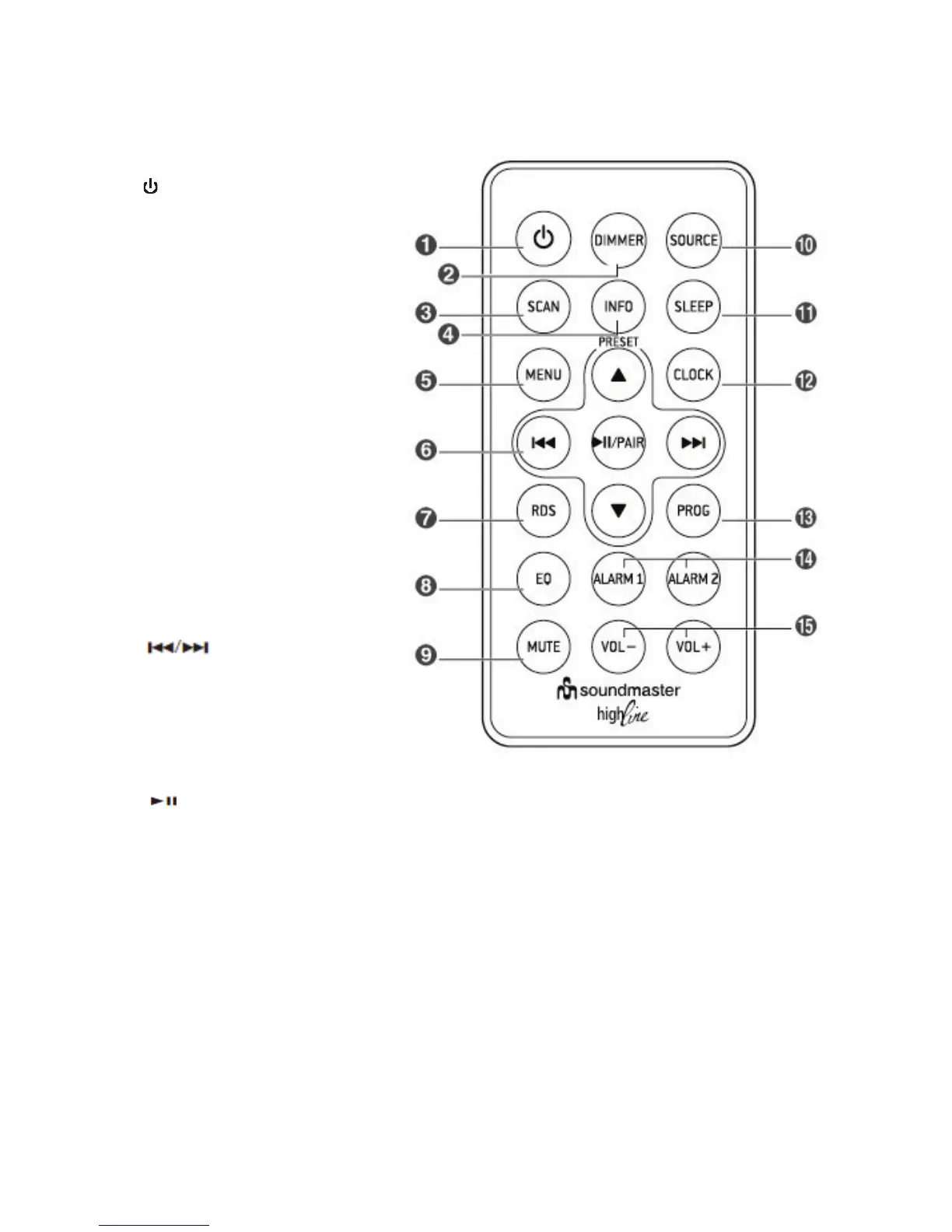
- Switch the unit between ON and
Standby mode.
2 DIMMER
- Adjust display brightness.
3 SCAN
- Scan for radio stations in either
DAB or FM modes.
4 INFO
- View information of FM/DAB radio
stations.
5 MENU
- Displays menu screen.
- In the standby mode, press and
hold to switch to the CLOCK SYNC
mode.
6
p
/
q
- Select a next/previous preset
station.
- Adjust the time.
- In Bluetooth mode, skip to
previous/next track.
- Search for a radio station (FM).
- Navigate to select an item on a
menu screen (DAB).
- Select the secondary station (DAB).
/
PAIR
- In Bluetooth mode, start or pause playback.
- Press and hold to enable Bluetooth pairing
mode in Bluetooth mode.
- Confirm the selection on a menu screen.
7 RDS
- In TUNER mode, press this button to view
the RDS information.
8 EQ
- Select a preset sound effect: POP, CLASSIC,
ROCK, JAZZ, FLAT.
9 MUTE
- Mute or resume the sound.
10 SOURCE
- Select the play function.
11 SLEEP
- Set the sleep timer.
12 CLOCK
- Press and hold this button in the standby
mode to set the clock.
13 PROG
- Preset radio stations.
14 ALARM 1/ALARM 2
- Set the alarm timer.
- View alarm settings.
15 VOL+ /VOL-
- Increase/decrease the volume level.











 To Next Page