English
4
Pairing&Re-pairing
1. Take out both earbuds from the charging case and ensure the charging case
has enough battery, the earbuds will enter TWS Pairing mode automatically.
You will hear a voice prompt when the lef and right earbuds connect to each
other successfully. Then the indicator of left earbud goes out, and the right
indicator alternately flashes in red and white with a voice prompt “pairing“
indicating pairing mode.
2. “SOUNDPEATS Truengine2” will show up on the Bluetooth list, click it to
connect. You will hear a voice prompt “connected” from right earbud when
the earbuds connect with your device successfully. Then, your device will
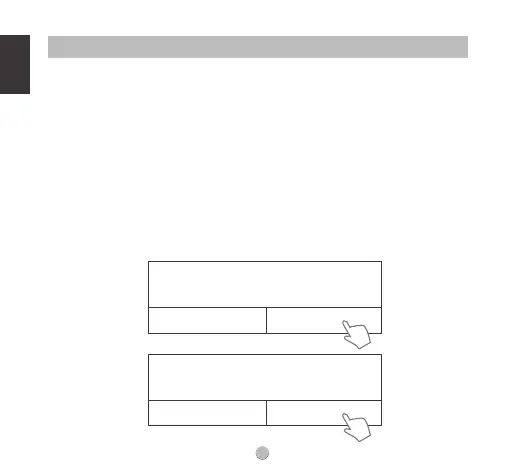
remind again that “SOUNDPEATS Truengine2 L” request pairing, please click
on it to connect.
Getting Started
“Headset” would like to pair with your iphone.
Cancel Pair
iOS
Bluetooth Pairing Request
Pair with SOUNDPEATS Truengine2 L ?
Android
Cancel Pair
Bluetooth Pairing Request




 To Next Page