EasyManua.ls Logo

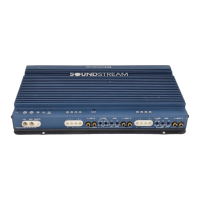
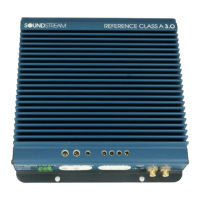
Soundstream RUBICON 1002 - User Manual

Soundstream RUBICON 1002
21 pages
Print Icon
To Next Page IconTo Next Page
Loading...
1
RUBICON
302
502
1002
Power Amplifiers
Owners Manual
and
Installation Guide
2000

Questions and Answers

  • C
    Craig HortonJul 29, 2025
    Why is there no sound and the power LED is not lit on my Soundstream RUBICON 1002 Amplifier?
    • J
      Jessica WaltonJul 29, 2025
      There are several reasons why your Soundstream Amplifier might not be producing sound and the power LED is off. It could be due to a lack of power or ground at the amp, no remote turn-on signal, or a blown fuse near the battery.
  • J
    jennifer92Aug 2, 2025
    What to do if my Soundstream RUBICON 1002 repeatedly blows the fuse?
    • K
      Kelly SummersAug 2, 2025
      If your Soundstream Amplifier is repeatedly blowing fuses, it could be due to a shorted speaker or leads. Also, ensure that the amplifier has adequate ventilation.
  • T
    Tonya CochranAug 7, 2025
    What to do if my Soundstream Amplifier has no sound but the power LED is lit?
    • E
      Eric WrightAug 7, 2025
      If your Soundstream Amplifier's power LED is lit but there's no sound, it could be due to a lack of signal input. Another possible cause is that the AIRBASS/Accessory switch is in the “IN” position; if so, move it to the “OUT’ position.
  • M
    Mrs. Kelly SilvaAug 11, 2025
    How to stop the Left and Right “Clip” indicators from lighting on my Soundstream RUBICON 1002?
    • G
      Gordon JenkinsAug 11, 2025
      If the Left and Right “Clip” indicators are lighting up on your Soundstream Amplifier, reduce the level either at the source or at the input level controls.
  • K
    Kathy AshleyAug 15, 2025
    Why am I getting alternator whine when using unbalanced RCA inputs on my Soundstream RUBICON 1002 Amplifier?
    • T
      ttateAug 15, 2025
      If you're experiencing alternator whine with unbalanced RCA inputs on your Soundstream Amplifier, first make sure the Right Input Signal Switch is in the "UNBAL" position. You can also try the Left Input Signal switch in the "BAL" and "UNBAL" position: leave the switch in the quietest setting. This will not effect the performance of the amplifier.
  • T
    Thomas YatesAug 20, 2025
    What to do if my Soundstream Amplifier has very little output, or the output is muffled?
    • K
      Kristine MolinaAug 20, 2025
      If your Soundstream Amplifier has very little or muffled output, make sure that both the L.P. and the H.P. crossovers aren't engaged.
  • S
    Sarah KimAug 25, 2025
    How to increase input sensitivity when using the Balanced Input on my Soundstream RUBICON 1002 Amplifier?
    • M
      Mary SotoAug 25, 2025
      To increase input sensitivity when using the Balanced Input on your Soundstream Amplifier, be sure both Left and Right input signal switches are set to the "BAL" position.

Summary

Welcome and Safety

Hearing Loss Warning

Caution about prolonged listening at high levels causing hearing loss.

Product Design Features (Part 1)

Trident Protection System

Comprehensive protection against shorts, ground faults, and thermal issues.

Front Panel Layout (Model 302)

Amplifier Diagrams

Key to Amplifier Controls

Filter and Bass Control Adjustments

Details high pass, low pass, and Hawkins Bass Control adjustments.

Crossover Adjustments

Crossover Operation and Settings

Explains independent high and low pass filter settings for models.

Crossover Engagement Warning

Crucial warning against engaging both Low Pass and High Pass filters simultaneously.

Hawkins Bass Control (Model 302)

Hawkins Bass Control (Models 502 & 1002)

Installation Step 1: Speaker Output Modes

Installation Step 2: Input Signal Options

Installation Step 3: Wiring and Fusing

Power and Ground Wiring Gauge

Chart for recommended power/ground wire gauge based on length.

External and Internal Fusing

Requirement for fusing near the battery and internal fuse types.

Wiring Details and Diagram

Sample Wiring Diagram

Illustrates connections for power, ground, speakers, and head unit.

Installation Step 4: Mounting and Power Up

Wiring Checks and Power Up

Emphasizes connection checks and explains the power-up sequence.

Installation Step 5: Level Setting

Input Level Adjustment

Dual-stage circuit for optimal S/N Ratio and undistorted output.

Setting Input Levels

Steps to set source volume and amplifier input level for maximum output.

Protection Circuits and Troubleshooting

Trident Protection Features

Lists protection circuits: high current, speaker output, ground fault, thermal.

Troubleshooting Common Problems

Guide to common issues, their causes, and solutions.

Technical Specifications

Power Output and General Specs

Details power output, THD, Signal to Noise, Frequency Response, etc.

Crossover and Bass Control Specs

Lists crossover ranges and Hawkins Bass Control parameters.

Soundstream RUBICON 1002 Specifications

General IconGeneral
Channels2
RMS Power @ 4 Ohms100W x 2
RMS Power @ 2 Ohms150W x 2
Bridged RMS Power @ 4 Ohms300W x 1
Minimum Impedance Unbridged2 Ohms
Minimum Impedance Bridged4 Ohms
THD @ Rated Power<0.05%
Signal to Noise Ratio>95dB
Crossover Frequency50Hz - 500Hz
Bass Boost Frequency45Hz
Fuse Rating25A
Frequency Response10Hz - 30kHz
Bass Boost0 to +18 dB
Input Voltage0.2V - 6.0V
Input Sensitivity200mV-6V
CrossoverLP/HP/Full

Related product manuals