EasyManua.ls Logo

Soundstream VRN-65HB - User Manual

Soundstream VRN-65HB
29 pages
Print Icon
To Next Page IconTo Next Page
Loading...
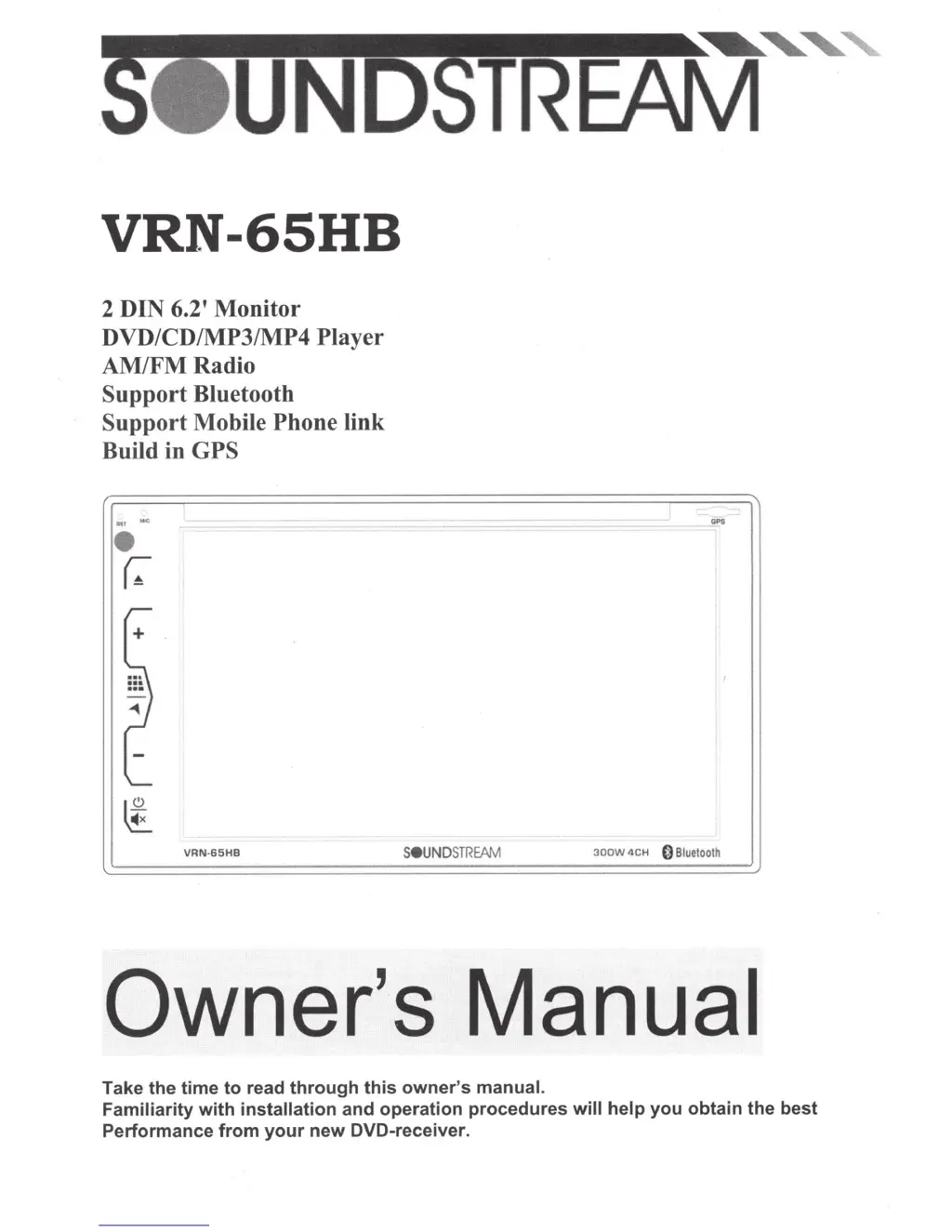
VRN-65HB
2 DIN 6.2' Monitor
DVD/CD/MP3/MP4 Player
AM/FMRadio
Support
Bluetooth
Support
Mobile Phone link
Build in
GPS
...
MO<
(:-
r-
+
~
==~)
-
~
'--
~
~
~
VRN-65HB
GPS
SeUNDSTREAM
3oow
4CH
0
Bluetooth
Owner's
Manual
Take
the
time
to
read
through
this
owner's
manual.
Familiarity
with
installation and
operation
procedures
will
help
you
obtain
the
best
Performance
from
your
new
DVD-receiver.

Questions and Answers

  • B
    brownmorganJul 27, 2025
    How to fix a Soundstream Monitor when the power does not turn on?
    • M
      Michelle CrossJul 27, 2025
      If your Soundstream Monitor doesn't turn on and no sound is produced, the fuse might be blown. Replace it with a fuse of the same amperage. If it blows again, it is recommended to consult your store of purchase. Also, incorrect wiring can cause this issue, so it is recommended to consult your local retailer.
  • A
    Andrea SmallAug 3, 2025
    What to do if Soundstream VRN-65HB displays a small LCD display error message?
    • J
      jameslewisAug 3, 2025
      If your Soundstream Monitor displays an error message on the small LCD screen, here's what to do: * **ERROR 1 (Deck Mechanism Error):** Reset the unit. * **ERROR 2 (Disc or Servo Error):** Try changing the disc or resetting the unit. * **ERROR 3 (USB Error):** 1. Remove the USB and re-insert it. 2. Check the file for errors. 3. Reset the unit.
  • F
    fhigginsAug 11, 2025
    What to do if there is no sound output when operating Soundstream Monitor with amplifiers?
    • M
      Mary FerrellAug 11, 2025
      If you're experiencing no sound output from your Soundstream Monitor when using amplifiers or a power antenna, the power antenna lead might be shorted to ground, requiring excessive current, or there may be an issue with the remote on the amplifiers or power antenna. Here’s how to troubleshoot: 1. Turn off the unit. 2. Remove all wires attached to the power antenna lead and check each wire for a possible short to ground using an ohm meter. 3. Turn the unit back on. 4. Reconnect each amplifier remote wire to the power antenna lead one by one. If the amplifiers turn off before all wires are attached, use an external relay to provide remote-on voltage (excessive current required).
  • W
    William GoodmanSep 10, 2025
    How to fix Soundstream VRN-65HB Monitor when buttons are not responding?
    • S
      Stephen WebbSep 12, 2025
      If the buttons on your Soundstream Monitor aren't responding or the display isn't accurate, it could be due to a microprocessor malfunction caused by noise or other factors. To resolve this, turn off the power, then press the [no open] button and remove the DCP. Then, press the reset button for about 2 seconds using a thin rod. Alternatively, the panel or main unit connectors might be dirty. If so, wipe them off with a soft cloth moistened with cleaning alcohol.

Summary

WARNING! AND OPERATION PRECAUTIONS

Safety Warnings

Critical safety guidelines and warnings for using the unit.

Operation Precautions

Guidelines for safe and proper operation of the device.

INSTALLATION AND UN-INSTALLATION

Unit Installation Steps

Detailed steps for physically installing the unit into the vehicle dashboard.

Unit Removal Procedure

Instructions on how to safely remove the unit from the dashboard.

WIRING CONNECTIONS GUIDE

ISO Connector Wiring

Connecting the unit using standard ISO wiring harnesses.

Steering Wheel Control Wiring

Steps for connecting the steering wheel control interface.

Parking Brake and Reversing Camera Wiring

Wiring the parking brake detection and reversing camera signals.

FRONT PANEL LAYOUT AND BUTTONS

REMOTE CONTROL FUNCTIONS

MAIN MENU AND RADIO OPERATION

MEDIA PLAYER OPERATIONS

SYSTEM SETTINGS CONFIGURATION

General Settings

Customizing language, sound, screensaver, and software version.

Date & Time Settings

Configuring the date, time, and time zone.

Navigation Settings

Adjusting navigation volume and path settings.

Video Display Settings

Adjusting brightness, contrast, hue, saturation, and color.

SWC and Bluetooth Settings

Configuring steering wheel controls and Bluetooth features.

GPS FUNCTIONALITY

PHONE CONNECTIVITY FEATURES

ADDITIONAL UNIT FUNCTIONS

TROUBLESHOOTING GUIDE

INSTALLER BLUETOOTH CONNECTION

Soundstream VRN-65HB Specifications

General IconGeneral
BrandSoundstream
ModelVRN-65HB
CategoryMonitor
LanguageEnglish

Related product manuals