Source Technologies, LLC ST9620 Secure MICR Printer User’s Guide
7
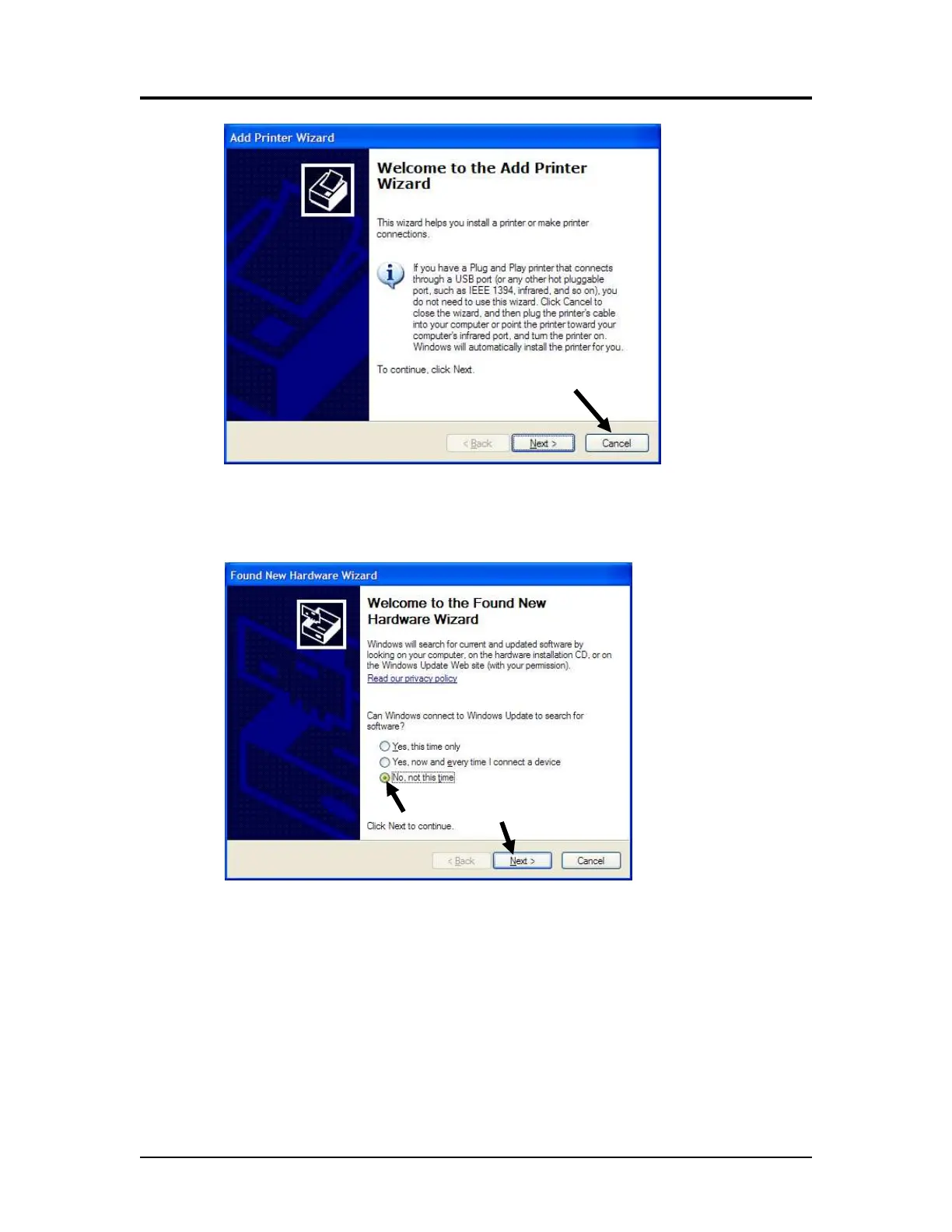
6. Click Cancel if connecting through USB.
7. Power on the printer and wait for the New Hardware Wizard to appear.
8. Select “No, not this time,” then Next >.
Printer and Driver Installation | 1



 To Next Page