Source Technologies, LLC ST9620 Secure MICR Printer User’s Guide
5
Installing the Driver
Note: Do not connect the printer at this time.
1. From the Source Tech Driver folder, double-click the driver installation
program.
Note: The name of the driver’s .exe program will vary depending on the
operating system being used. There will only be one executable file
included with the driver.
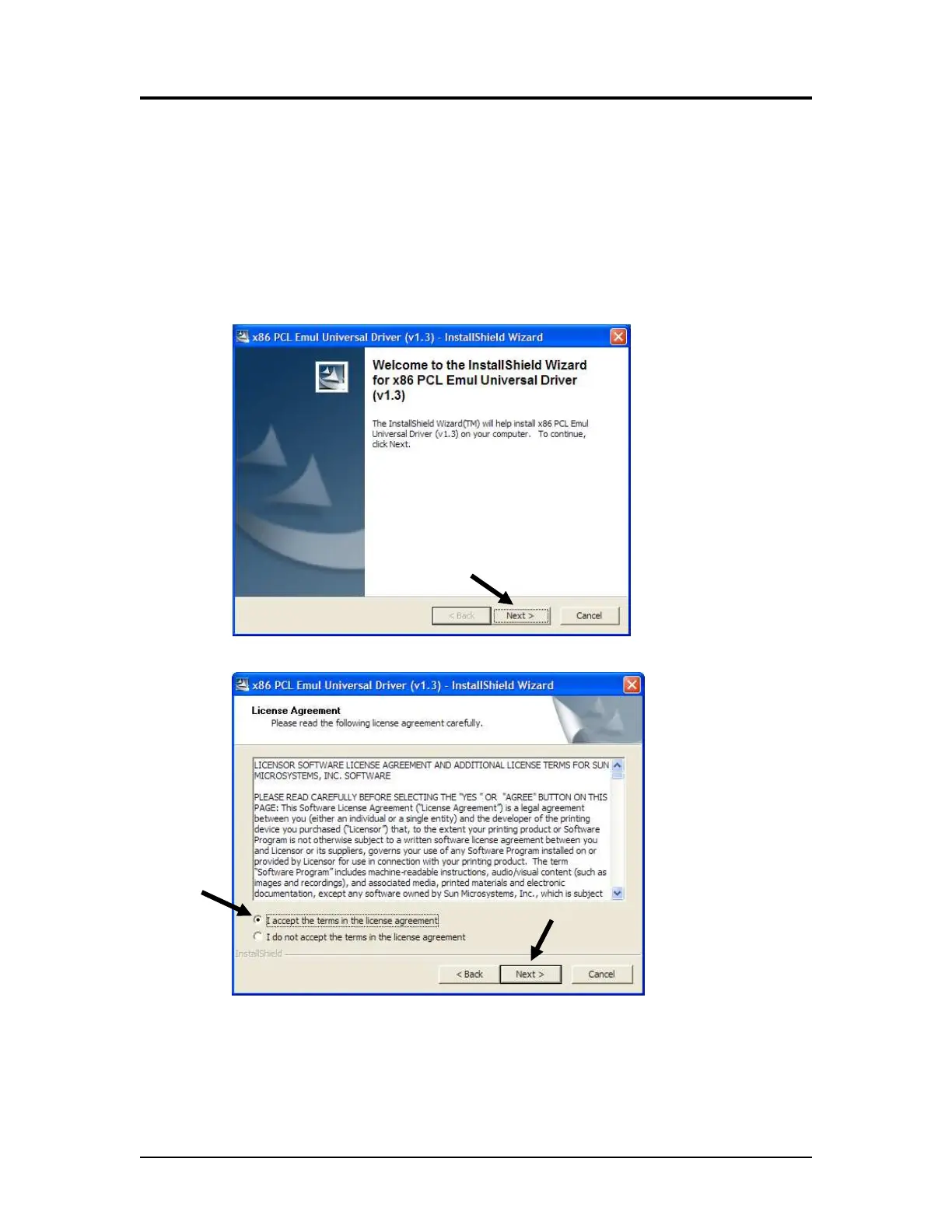
2. Click Next >.
3. Click I accept the terms, and then click Next >.
Printer and Driver Installation | 1



 To Next Page