EasyManua.ls Logo

Soyal AR-721-H - User Manual

Soyal AR-721-H
13 pages
Print Icon
To Next Page IconTo Next Page
Loading...
SOYAL
ACCESS CONTROL SYSTEM
®
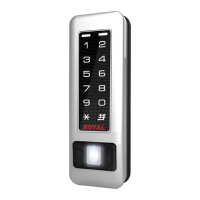
AR-321-H /AR-721-H/ AR-331-H
AR-725-H / AR-757-H
V230117
- 1 -
e x1
e x1
f x2
f x2
f x2
c x2
A.
A1.
A2. A3.
B.
E.
B.
C.
F.
C. H.G. D.
D.
b x2
a x2
c x2
d x2
CN1 CN2
CN4 CN5
CN1 CN2
CN4CN3
CN1 CN2
CN4CN3
CN5CN2 CN3 CN4CN1
Contents
AR-331-H: Touch-panel Metal Housing / AR-331-H-S: Metal Housing
AR-321-H: Touch-panel Metal Housing
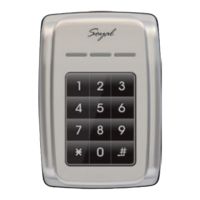
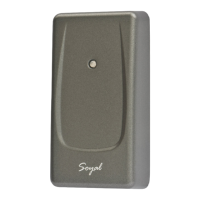
AR-721-H
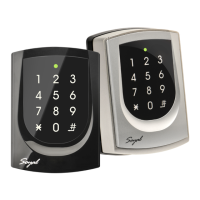
AR-725-H: Illuminated Touch-panel
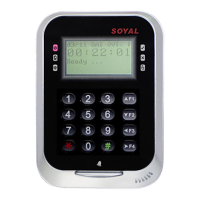
AR-757-H
AR-725-H-M
AR-725-H
AR-725 (X)
1
Product
1
Product
1
Product
1
Product
1
Products
1
Products
1
Products
5
Optional
2
Terminal Cables
2
Terminal Cables
2
Terminal Cables
2
Terminal Cables
2
Terminal Cables
2
Terminal Cables
3
Tools
4
Accessories
3
Tools
3
Tools
3
Tools
3
Tools
3
Tools
2
Tools
4
Water proof Strip
Parts Description
Button Head Pozidriv
Tapping Screw: M3x10
Security Torx Screw:
M3.5x15
Flat Head Cap Philips
Tapping Screw: 4x19.1
Button Head Pozidriv
Slotting Screw: 2.5x10
Flat Head Hex Socket
Screw: M3x8
Flat Head Cap Philips
Tapping Screw: 4x38
a.
e. f.
b. c. d.
Security Torx Screw: M3x10 Security Torx Wrenches
g. h.
Additional external relay must be purchased.
d x2
f x1
h x1
AR-331-H AR-331-H-S
CN1 CN2
CN3 CN4 CN5
or
WG keyboard
(Optional)
Water proof Strip
AR-721RB
Digital Relay
CN1 CN2 CN4CN3
Question and Answer IconNeed help?

Do you have a question about the Soyal AR-721-H and is the answer not in the manual?

Summary

Installation Procedures

AR-321-H and AR-331-H Installation

Installation steps for AR-321-H and AR-331-H/H-S models.

AR-721-H and AR-725-H Installation

Installation guidance for AR-721-H and AR-725-H/H-M models.

AR-757-H Installation

Step-by-step installation for the AR-757-H model.

Installation Dimensions

AR-321-H and AR-331-H Dimensions

Measurements and views for AR-321-H and AR-331-H/H-S models.

AR-721-H and AR-757-H Dimensions

Physical specifications for AR-721-H and AR-757-H models.

AR-725-H and AR-725-H-M Dimensions

Dimensions for AR-725-H and AR-725-H-M illuminated models.

Connector Tables

Power;Door;Alarm Connector Table

Pin assignments for power, door sensor, and alarm connections.

WG Connector Table

Wiring details for Wiegand (DAT, Beeper, LED) connections.

RS-485 and Tamper Connector Tables

Pin configurations for RS-485 networking and tamper switch connections.

Wiring Diagrams

Electric Bolt and Magnetic Lock Wiring

Diagrams showing connections to electric bolts and magnetic locks.

Electric Strike and Reader Connections

Wiring diagrams for electric strike integration and reader setup.

Door Sensor and AR-721 RB Wiring

Connection diagrams for door sensors and AR-721RB security enhancement.

System Connectivity and Configuration

Electronic Door Lock Wiring Options

Diagrams for electronic door locks using controller or interphone power.

Network and External Keyboard Setup

Connecting to networks and using the AR-331-H external WG keyboard.

AR-331-H Front Panel Indicators

Explanation of the AR-331-H front panel LED indicators.

AR-331-H Specific Connections and Modes

AR-331-H Connection Overview

Comprehensive connection diagram for the AR-331-H model.

Master Code and Node ID Modification

Procedures for changing the master code and node ID.

M4;M6;M8 Modes and Tag Management

Details on M4, M6, M8 modes, user capacity, and tag management.

Tag Management Operations

Add, Suspend, and Delete Tags

Detailed procedures for managing tags via card code or presentation.

M6 Mode Tag Management

Specific tag management for M6 mode, including card code repetitions.

System Configuration and Operation

Password and Access Mode Setup

Setting up passwords and defining access modes for M4/M8/M6.

Dual-door Control and Anti-pass-back

Configuring dual-door control and anti-pass-back features.

Auto Open Access Time Zones

Setting up time zones for automatic door release.

Advanced Access Control Features

Lift Control System

Managing user access to specific floors via lift control.

Arming and Disarming Modes

Configuration of arming/disarming states and alarm conditions.

Compound Command Functions

Function Command Categories (20, 24)

Overview of compound command categories and their weighted values.

Function Command Categories (28, 34)

Details on command categories 28 and 34 for specific functions.

Command List and Reset

AR-757-H Specific Commands

Commands related to AR-757-H functions like Auto Open and Lift Control.

Factory Reset Procedures

Steps to perform a factory reset on the controller.

Command List Overview

Comprehensive list of commands for various settings and functions.

Detailed Command Settings

Access Mode and Arming Commands

Commands for setting access modes and arming/duress functions.

Node ID and Time;Delay Settings

Commands for configuring node IDs and time delays.

Lift Control and Program Exit

Commands for lift control and exiting program mode.

Overview

The SOYAL AR-321-H/AR-721-H/AR-331-H/AR-725-H/AR-757-H series represents a range of access control systems designed for various security and management applications. These devices are primarily access controllers, available in different form factors including touch-panel metal housing and illuminated touch-panel designs, catering to diverse aesthetic and functional requirements.

Function Description

At its core, this series provides robust access control, allowing or denying entry based on various credentials. The devices support both 125kHz and 13.56MHz RFID technologies, enabling compatibility with a wide range of proximity and smart cards.

Access Modes: The controllers offer flexible access modes to suit different security needs.

  • Card Only: Entry is granted solely by presenting a valid RFID card.
  • Card and PIN: This mode enhances security by requiring both a valid card and a Personal Identification Number (PIN). PINs can be either 4-digit public PINs or 4-digit private PINs associated with individual user addresses.
  • User Address + PIN: For specific applications, access can be granted by entering a 5-digit user address followed by a 4-digit private PIN.

User Capacity: The devices come with varying user capacities depending on the model and configuration (M4/M6/M8 modes). For instance, M4/M8 modes support 1,024 or 3,000 users, while M6 standalone mode can accommodate up to 65,535 users, primarily by reading 5-digit card codes. M4/M8 modes read both site code and card code (10 digits).

Networking Capabilities: Many models in the series are designed for networking, allowing them to be integrated into larger access control systems. When connected to a multi-door controller like the AR-716E, the devices can function as nodes within a broader network, managing access for multiple doors from a central point. They support RS-485 communication for data exchange with a PC or other controllers.

Door Control: The controllers are equipped to manage various types of door locks:

  • Electric Bolt: Directly controls electric bolts for secure locking.
  • Magnetic Lock: Integrates with magnetic locks, providing secure entry points.
  • Electric Strike: Manages electric strikes, commonly used in office environments.
  • Digital Relay (AR-721RB): An optional external relay can be purchased to strengthen security, allowing the controller to manage more complex locking mechanisms or integrate with other security systems.

Alarm and Security Features: The series includes several features to enhance security and provide alerts:

  • Door Sensor Input: Allows connection to a door sensor to detect forced entry or if a door is left open.
  • Exit Switch Input: Supports an exit switch for convenient egress.
  • Alarm Relay Output: Can trigger an external alarm system in response to security breaches.
  • Tamper Switch: Detects unauthorized attempts to remove or tamper with the device.
  • Duress Function: Provides a silent alarm capability, allowing users to signal distress during forced entry situations.
  • Anti-pass-back: Prevents users from passing their card back to another person to gain entry, ensuring a strict one-person-per-card policy. This feature is particularly useful in parking areas or secure zones.
  • Arming Mode: The controller can be set to an arming mode, where specific conditions (e.g., door opened exceeding max open time, forced open, door wedged) will trigger an alarm.
  • Auto Open Access (Time Zone): Allows doors to automatically unlock during predefined time zones, useful for business hours.
  • Invalid Card Alarm: Can be configured to activate an alarm relay upon presentation of an invalid card.

Lift Control: Certain models can be integrated with AR-401-10-0016R lift controllers to manage access to specific floors, allowing users to access only authorized levels.

Time Attendance: Some models offer time attendance functionality, recording user entry and exit times for workforce management.

Usage Features

Installation Flexibility: The devices are designed for various installation scenarios.

  • Mounting: They can be screwed onto a wall, with options for both surface and flush mounting depending on the model.
  • Wiring: Clear terminal cable connections are provided for power, door locks, sensors, and networking. Water-proof strips and gaskets are included for outdoor installations to protect against environmental elements.
  • Optional Components: Accessories like WG keyboards (for AR-331-H-S) and digital relays (AR-721RB) can be added to expand functionality.

User Interface:

  • Touch-panel/Illuminated Keypad: Provides an intuitive interface for PIN entry and system programming.
  • LED Indicators: Visual cues (e.g., blue, yellow, green, red LEDs) indicate device status, arming status, and error conditions.
  • Beeper: Provides audible feedback for operations and alarms.

Programming and Configuration:

  • Program Mode: The controllers can be entered into a program mode using a master code to configure various settings.
  • Command List: A comprehensive command list allows administrators to set up user data, access modes, time zones, alarm parameters, and networking configurations. Commands are typically entered via the keypad using specific numerical sequences.
  • Master Code Modification: The master code can be changed for enhanced security.
  • Node ID Setting: For networked systems, the Node ID of the controller can be configured.
  • Time/Delay Settings: Adjustable settings for door relay time, alarm relay time, arming delay, and door close time.
  • Auto-open Time Zone Setting: Allows for precise scheduling of automatic door unlocking based on days of the week and holidays.

Adding and Deleting Tags:

  • Presenting Tags: New tags can be added by simply presenting them to the reader, either individually or in batches.
  • Card Code Entry: Tags can also be added or deleted by entering their card code directly via the keypad.
  • Sequential Card Numbering: Supports adding batches of cards with sequential card numbers.
  • Suspending Tags: Individual tags or batches of tags can be temporarily suspended.

Dual-door Control: When equipped with a reader, the controller can manage access for a second door, expanding its utility.

Maintenance Features

Factory Reset: The devices offer options for factory reset, which can clear user data, controller parameters, and master codes. This is useful for troubleshooting or reconfiguring the device.

  • Reset User Data: Clears all user-related information.
  • Reset User Data & Controller Parameter: Resets both user data and general controller settings, including the master code.
  • Reset User Data & Controller Parameter & Parameter Setting-SOR: A more comprehensive reset that includes all of the above plus additional parameter settings.

Troubleshooting: The manual provides guidance on common issues, such as what to do if the master code is forgotten (requiring software tools for reset).

Security Torx Screws: The use of security Torx screws (M3.5x15) and flat head hex socket screws (M3x8) helps prevent unauthorized tampering with the device's physical components. Security Torx wrenches are provided as accessories for maintenance.

Parts Description: Detailed descriptions of various screws and components (e.g., button head Pozidriv tapping screws, flat head cap Philips tapping screws) are included, aiding in replacement and repair.

Wiring Diagram: Comprehensive wiring diagrams are provided for connecting to various locks, readers, door sensors, and networking components, simplifying installation and maintenance.

Notice Section: Important notices regarding tubing, wire selection (AWG 22-24 Shielded Twist Pair), and power supply (independent power supply for controller and lock) are highlighted to ensure proper installation and prevent malfunctions.

Soyal AR-721-H Specifications

General IconGeneral
ModelAR-721-H
TypeIP Access Controller
Communication ProtocolTCP/IP
Reader Port2
Number of Readers Supported2
Number of Doors Supported1
Event Log Capacity50, 000
Input Port4
Output Port2
Relay Output2
Card TypeMifare, EM Card
Power Supply12V DC
Input Voltage12V
Controller TypeStandalone
Reader InterfaceWG26/34, ABA Track2
Operating Temperature-20°C to 60°C
Humidity10% to 90% (non-condensing)

Related product manuals