EasyManua.ls Logo

SOYO SY-6BE - Install the Mainboard; Install the Cpu

SOYO SY-6BE
16 pages
Print Icon
To Next Page IconTo Next Page
To Previous Page IconTo Previous Page
Loading...
SY-6BE Quick Start Guide
6
Hardware
Installation
Install the Mainboard
Follow the steps below in order to perform the installation of your new
SY-6BE
Mainboard.
Step 1. Install the CPU
Mark your CPU Frequency:
Record the working frequency of your CPU
that should be clearly marked on the CPU cover.
233MHz (66 x 3.5) 300MHz (66 x 4.5) 350MHz (100 x 3.5) 450MHz (100 x 4.5)
266MHz (66 x 4.0) 333MHz (66 x 5.0) 400MHz (100 x 4.0) 500MHz (100 x 5.0)
550MHz (100 x 5.5)
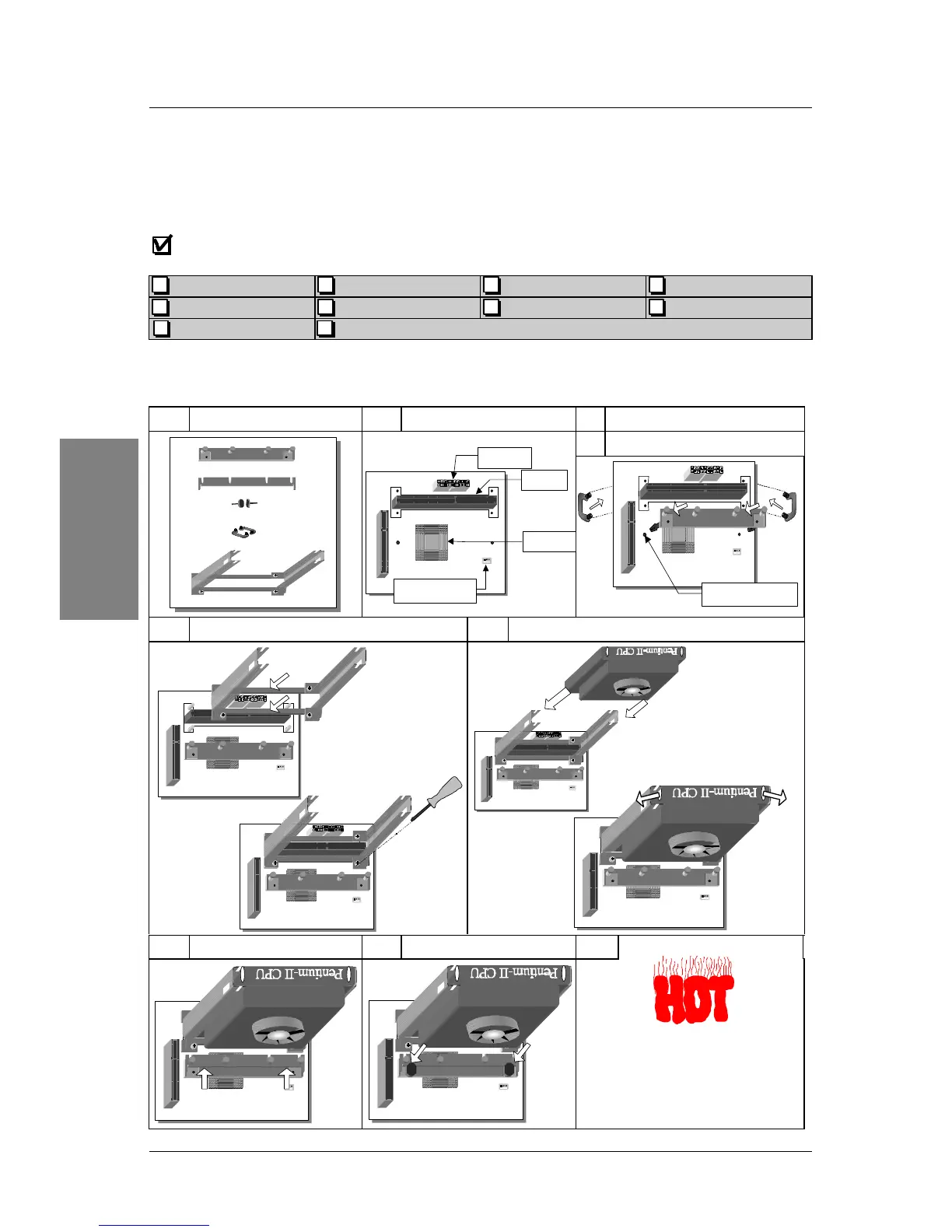
CPU Mount Procedure:
To mount the Pentium
®
II processor that you have
purchased separately, follow these instructions.
1

Unpack the Retention Kit 2
Position the Mainboard 3
Insert the Screws
4
Install the Supporting Base
5
Install the Retention Clip 6
Install the CPU
7
Install the Support Clip 8
Insert the Latches 9
Remember to connect the CPU
Cooling Fan to the CPUFAN
power connector on the
mainboard.
Supporting Base
Support Clip
Screws (x2)
Retention Clip
Latches (x2)
ATX Power
Heat Sink
Slot 1
CPUFAN Power
Larger Pinhole

Related product manuals