4.2.1 Read Codes
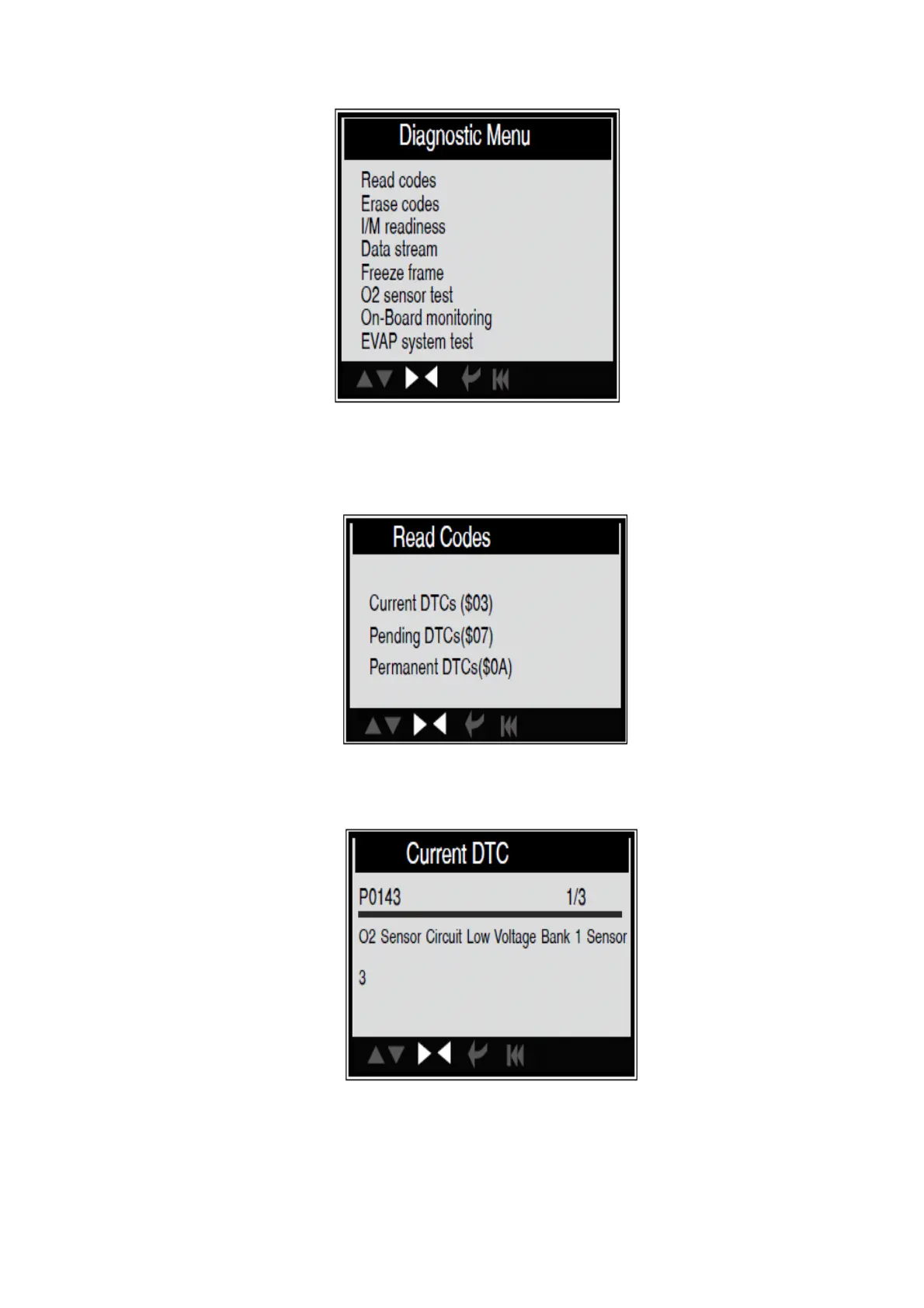
Select [Read Codes] and press [ENTER] in Diagnostic Menu. If there are some codes, the
screen will display the codes as shown below:
According to the above figure to select different item by pressing [UP] or [DOWN] and
press [ENTER] to confirm.
1/3 indicates there are 3 codes totally and now P0143 is the first code to display.
The screen will also show the content of the code below the number of code.
You can use [UP] or \[DOWN] key to view the next code. After viewing all the codes, you
can press [ESC] to return to the Diagnostic Menu.


 To Next Page