4.2.2 Erase Codes
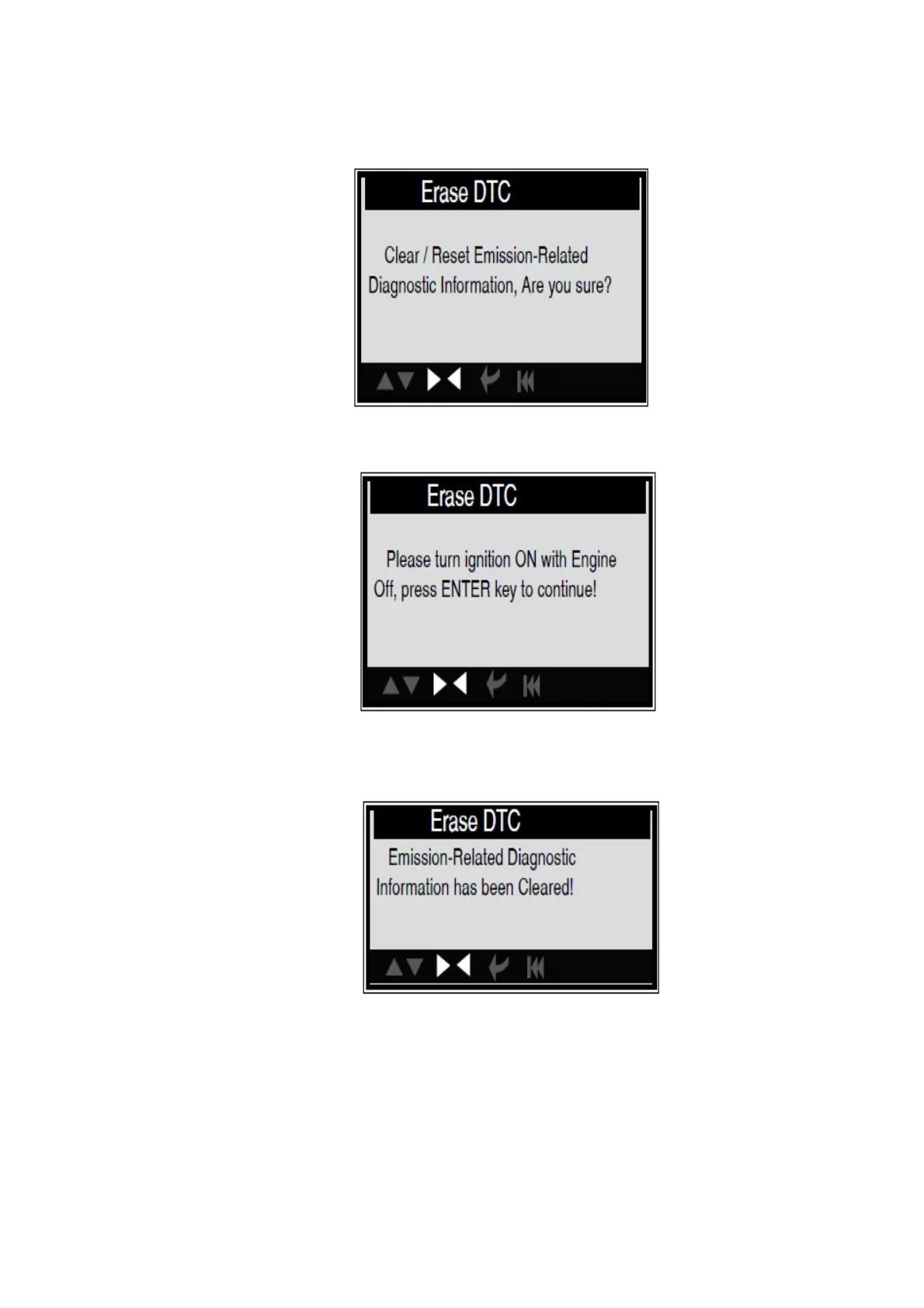
Select [Erase Codes], the screen will display the interface as shown below:
Press [ENTER] to erase DTC shown below:
According to the above figure to press [ENTER] and the screen will display the interface as
shown on the next page:
Notes:
Before performing this function, make sure to retrieve and record the
trouble codes.
After clearing, you should retrieve trouble codes once more or turn
ignition on and retrieve codes again. If there are still some trouble codes in
the system, please troubleshoot the code using vehicle manufacturer
diagnosis guide, clear the code and re-check.


 To Next Page