– 22 –
Inverter Air-to-Water Heat Pump
Customer Display
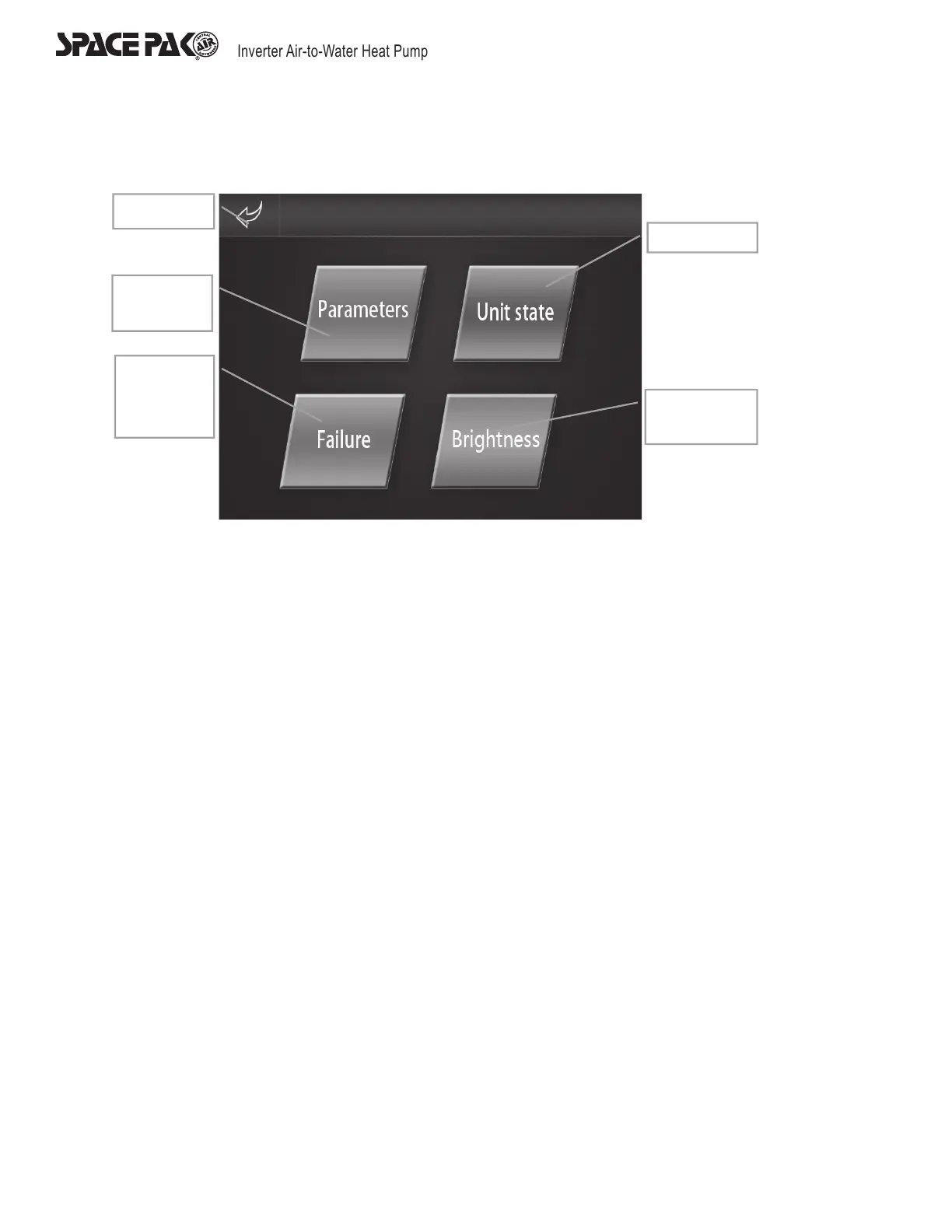
Press ‘Factory’ button, input password ‘022’ or ‘22’ and press ‘enter’ to reach the customer Display.
Status Interface
Pressing “Unit State” will bring the user into the status of certain components. The top banner will display “Load Status”, “Switch
Status”, and “Temp Status”. The user can use these menus to display the current status of the compressor, 4-way valve, fan motors,
and other components within the unit.
Customer Parameter Interface
Enter customer parameter interface by choosing ‘Parameters’ on the customer interface then the customer parameter can be checked
and set up. The interface layout and operate are the same as on ‘system parameter’ interface. Press ‘Return’ to return to ‘Customer
display’.
Customer
parameter
History
errors
record
Checkstates
Brightness of
screen
Return



 To Next Page