Tips for using SPACETALK
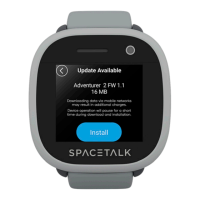
Keep SPACETALK’s software up to date
If you have just purchased SPACETALK, we recommend installing the latest software
update. Scroll to and tap on the “information” menu on SPACETALK. Scroll to the
bottom and select “System Updates”. SPACETALK also checks for updates every few
days if left on and charging overnight. Any updates found are installed automatically.
Improving battery performance
The number of calls per day you make and receive on SPACETALK will have a bearing on the battery
performance. Increasing the location update interval in the Settings menu of the AllMyTribe app can
significantly extend battery life. Reducing the screen brightness level will also have a small improvement.
Which SIM cards will work with SPACETALK? How much data do I need?
SPACETALK requires a Nano-SIM with voice calls, SMS and approximately 200MB of data per month.
For optimal coverage connect SPACETALK to a 3G Network plan.
Compatible SIMs will depend on which SPACETALK model you own. For information on how to identify
your model, and list of recommended providers, visit http://www.spacetalkwatch.com/sim-card-plan
Multiple users on the AllMyTribe app
It is possible to share access to SPACETALK devices with multiple users. NO ADDITIONAL SUBSCRIPTION is
necessary for secondary accounts holders if they are only using sharing. To share SPACETALK watches, please
follow these steps:
Secondary Account Holder:
1. Download and install the AllMyTribe app on your smartphone.
2. Open the app and create a new AllMyTribe account.
3. Once all setup and account is confirmed, in the AllMyTribe app select 'Add Device'.
4. Enter the phone number of the SPACETALK watch that you would like to request sharing access.
5. If the phone number is valid, the Primary Account Holder will receive a notification and can authorise
your access to view the watch.
Primary Account Holder:
1. On receipt of a sharing request, review carefully and then accept to authorise access.


 To Next Page