24
NOTE: After copying content to the device, power off and power on
the device in order for the content to be updated.
A list of all les that contain images can be found inside the
Pictures folder.
MUSIC
With this option you can see all the songs that appear in
the reader’s internal or external memory. To do this you
will have to save the desired songs inside the Music folder
of the internal memory or the memory card. In case you
delete this folder, you will have to create it again.
NOTE: After copying content to the device, power off and power on
the device in order for the content to be updated.
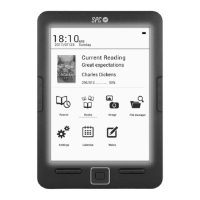
EXPLORER
With the le explorer, you can access to any le that has
been copied to the reader.


 To Next Page