EasyManua.ls Logo

SPE HF2-UI - User Manual

Default Icon
16 pages
Print Icon
To Next Page IconTo Next Page
Loading...
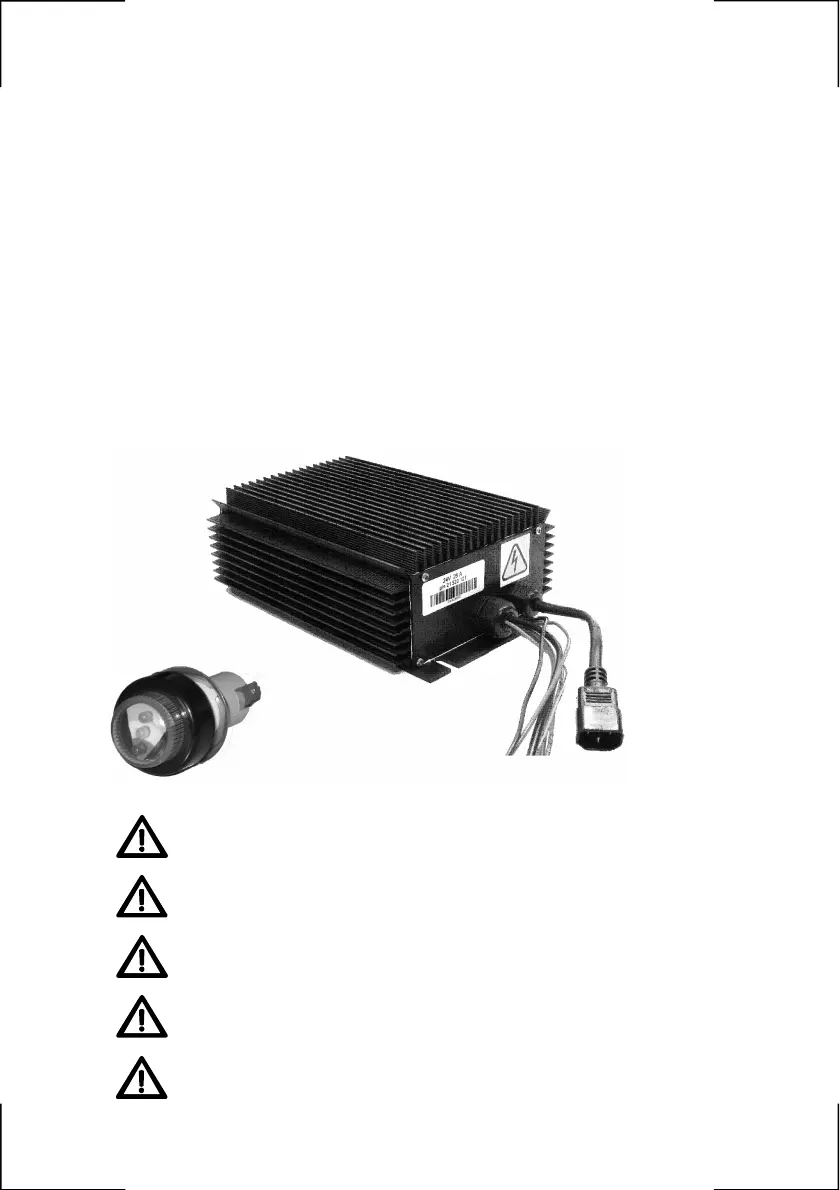
HF2-UI
On Board High Frequency Battery Charger
Operating Manual
Handbuch für das
Hochfrequenz-Batterieladegerät on-board
Manuale operativo
Caricabatteria on-board ad alta frequenza
Manuel des opérations
Chargeur de batterie à bord à haute fréquence
Manual de instrucciones
Cargador de batería on-board de alta frecuencia
Attention: carefully read the operating manual
before using the battery charger.
Achtung: Vor der Inbetriebnahme des Batterieladegerätes
aufmerksam lesen!
Attenzione: leggere attentamente il manuale operativo
prima dell’impiego del caricabatteria.
Attention: Lire attentivement le manuel des opérations
avant de se servir du chargeur de batterie.
Atención!: leer atentamente el manual de instrucciones
antes de utilizar el cargador de batería.
1

Questions and Answers

  • D
    David RangelAug 4, 2025
    What to do if my SPE HF2-UI Battery Charger is flashing red and yellow?
    • T
      Tiffany ThompsonAug 4, 2025
      If your SPE Battery Charger is flashing red and yellow, it could be due to a poor connection. Ensure all connections are properly secured. Also, verify that the battery wasn't disconnected during the charging process. A flashing red and yellow light may also indicate a problem with the battery itself, so check the battery's condition and, if applicable, verify the water levels in lead-acid batteries.
  • J
    Jesus Collins PhDAug 18, 2025
    Why is my SPE Battery Charger flashing red continuously?
    • S
      sandragarciaAug 18, 2025
      A continuous flashing red light on your SPE Battery Charger typically indicates either no connection to the battery or that the battery is connected in reverse. Check the connections to the battery to ensure they are properly connected.

Summary

Important Safety Instructions

Installation and Operation

Installation Steps

Details on connecting the charger to the battery, EZlamp, vehicle, and wall socket.

Charging Phases Indicators

Explanation of EZlamp codes indicating internal charger check and battery connection status.

Troubleshooting Guide

Lists EZlamp codes for faults like no connection or reversed battery connection.

Product Specifications and Dimensions

Technical Specifications

Details on system type, voltage, efficiency, protection ratings, and available models.

Physical Dimensions

Provides measurements in inches and millimeters for the charger and EZlamp.

SPE HF2-UI Specifications

General IconGeneral
Input Voltage100-240V AC
Output Voltage12V DC
Output Current2A
Battery TypeLead-acid, AGM, Gel
Charging StagesBulk, Absorption, Float
Protection FeaturesReverse Polarity, Short Circuit, Over Voltage
Compatibility12V batteries
Charging PortsSingle

Related product manuals