27
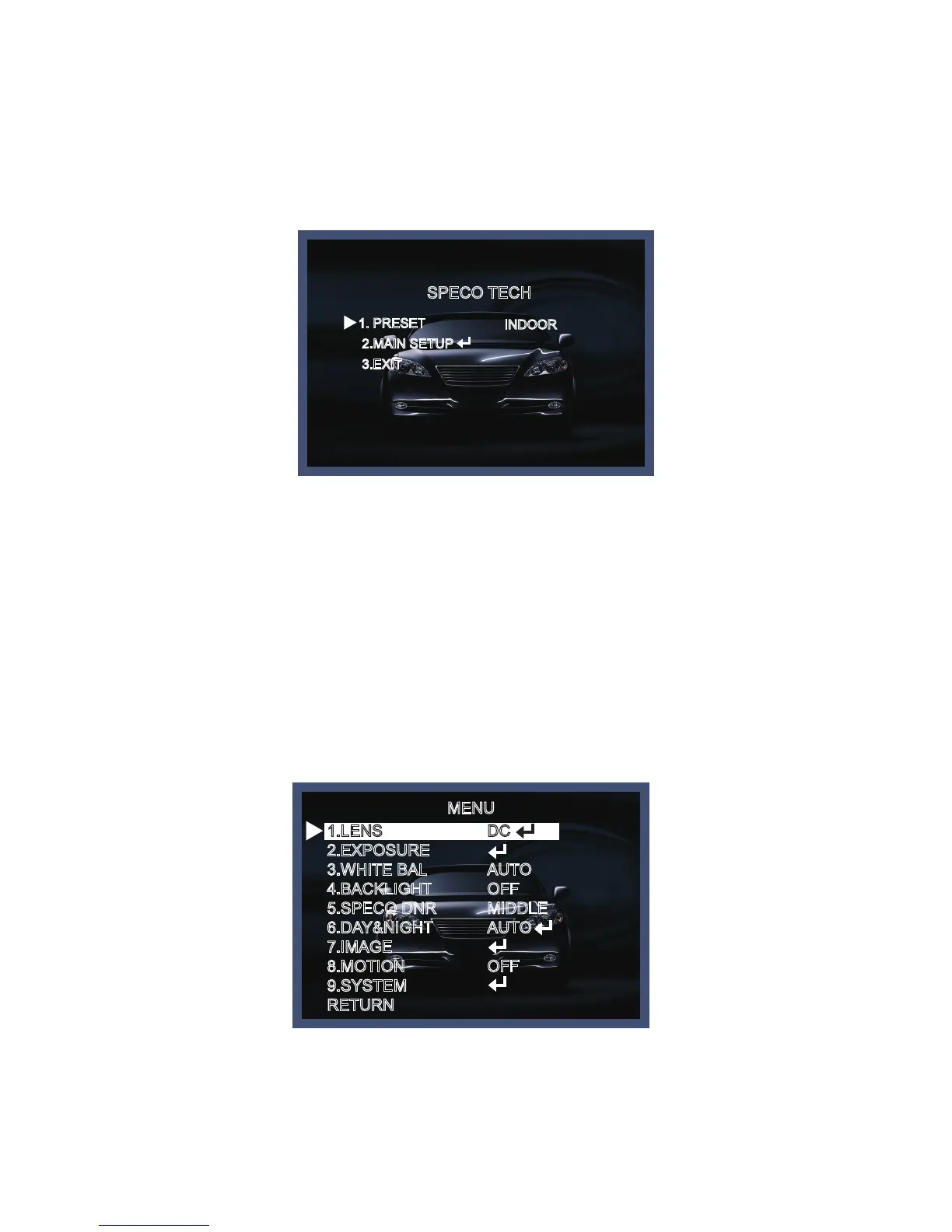
2. Move and select the required function using the Up and Down button.
* Move the triangular indicator Up or Down to select the desired feature by pressing
the Up or Down button.
Menu Set Up
Menu items can be selected by using the OSD buttons of the camera.
1. PRESET
1-1. Preset : INDOOR / OUTDOOR / LOW LIGHT / HALLWAY / LOBBY(WDR) / ELEVATOR.
- Used for a quick and easy setup for the installation environment.
* The Advaned Set Up menu will be displayed on the monitor.
SPECO TECH
1. PRESET
2.MAIN SETUP
3.EXIT
INDOOR
MENU
1.LENS
2.EXPOSURE
3.WHITE BAL
4.BACKLIGHT
5.SPECO DNR
6.DAY&NIGHT
7.IMAGE
8.MOTION
9.SYSTEM
RETURN
DCAUTO
AUTO
OFF
MIDDLE
AUTO
OFF



 To Next Page