29
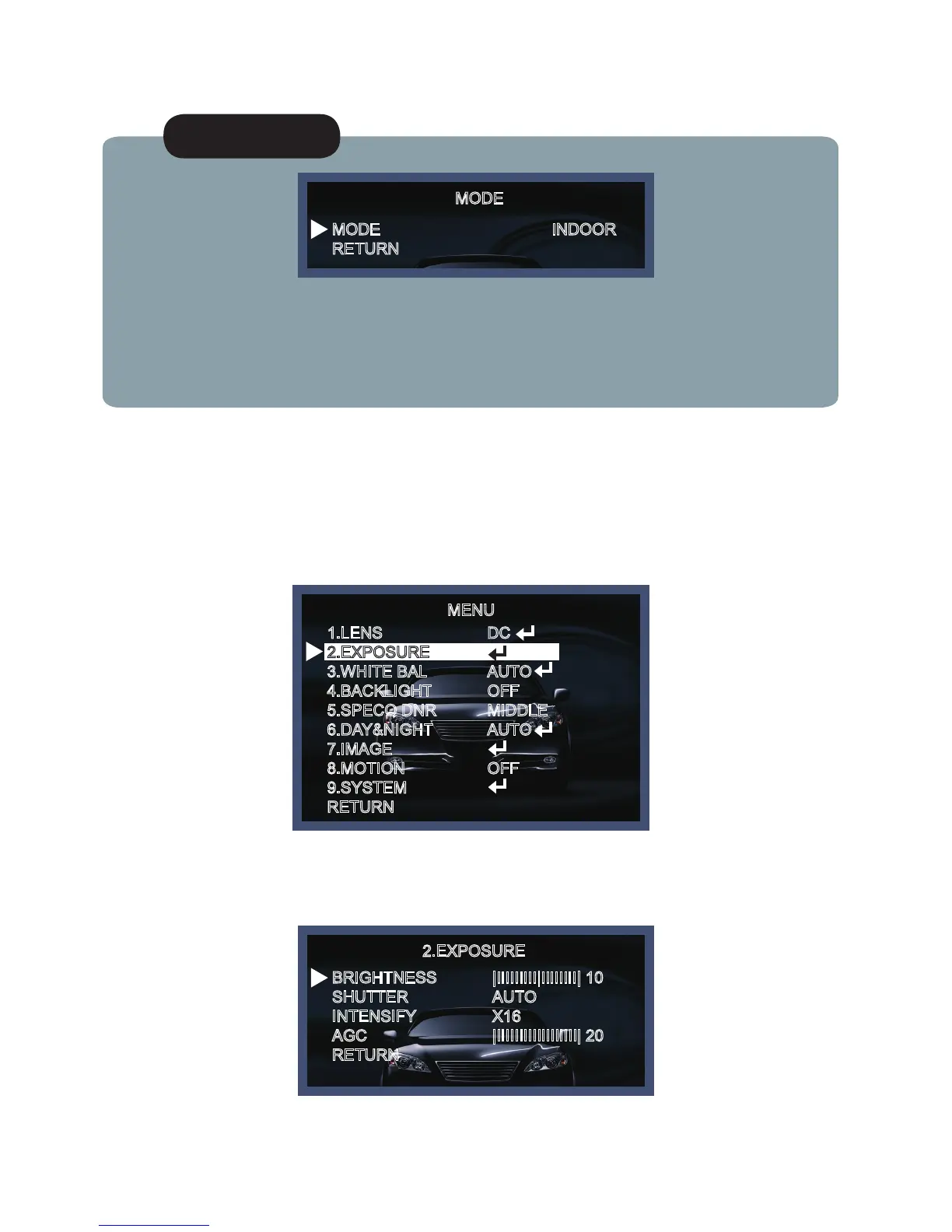
1. On the Set Up menu, Select EXPOSURE by using the Up or Down button.
EXPOSURE
NOTE
* When you select the mode setup, you can select INDOOR, OUTDOOR or DEBLUR depending on
the installation environment.
*On manual mode, you can select NORMAL or DEBLUR depending on the installation
environment.
MODE
MODE
RETURN
INDOOR
2. Select the desired shutter mode by pressing the Left or Right button.
2.EXPOSURE
BRIGHTNESS
SHUTTER
INTENSIFY
AGC
RETURN
|IIIIIIIII|IIIIIIII| 10
AUTO
X16
|IIIIIIIIIIIIIIIIII| 20
MENU
1.LENS
2.EXPOSURE
3.WHITE BAL
4.BACKLIGHT
5.SPECO DNR
6.DAY&NIGHT
7.IMAGE
8.MOTION
9.SYSTEM
RETURN
DC
AUTO
OFF
MIDDLE
AUTO
OFF



 To Next Page