ports (ETH0 or ETH1) to a network switch/hub, or to the PC mentioned
above (using a standard Ethernet patch cable, or a crossover cable.)
2.
USB driver
Turn on the PC; new hardware (the USB interface) will be detected. The cor
rect driver should be installed automatically. If not, download the driver
from www.ftdichip.com/Drivers/VCP.htm, and install it manually:
Download the driver and the instructions for your operating system
(or follow the instructions below.)
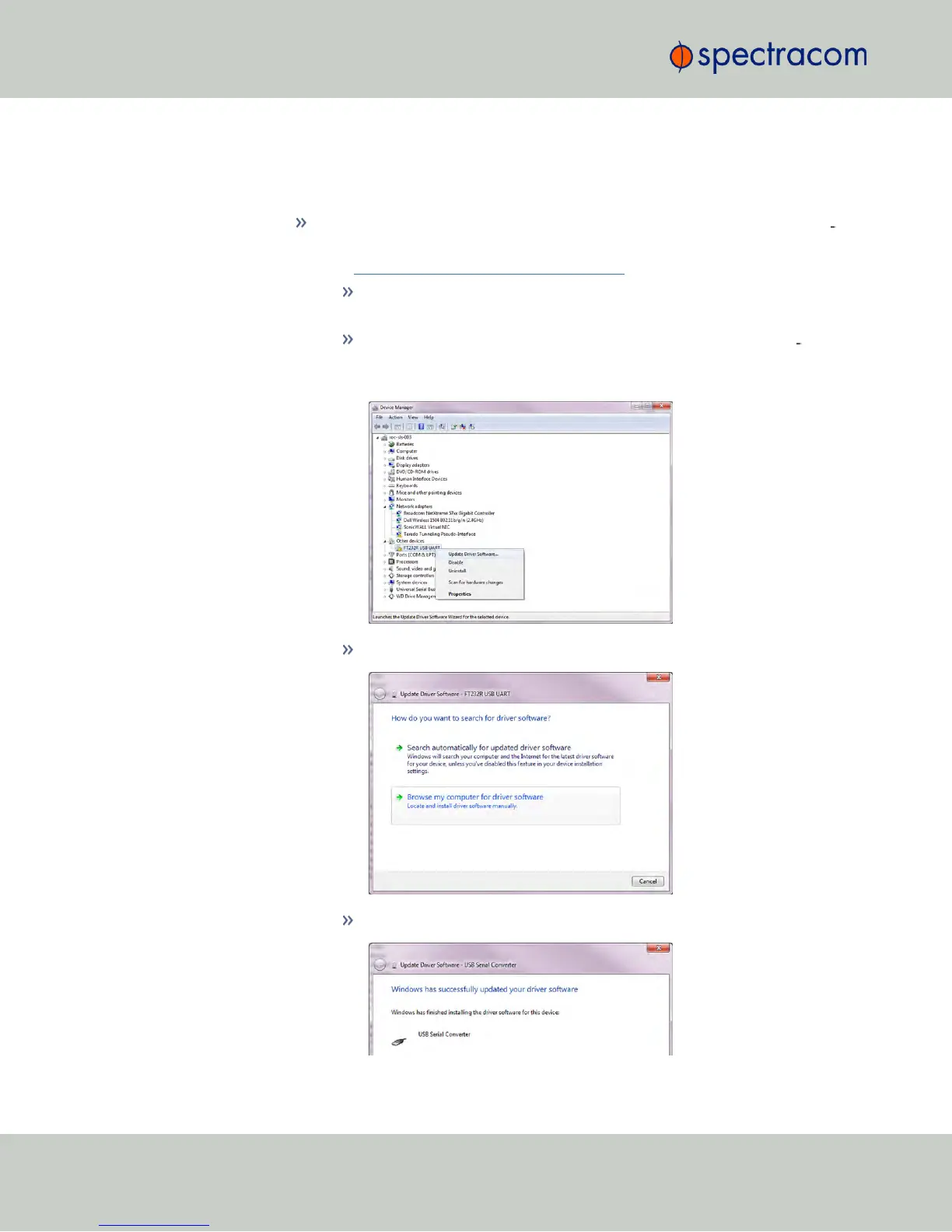
Using the Windows Device Manager, locate the new USB hard
ware under Other devices, right-click on it, and select Update
Driver Software…
Locate the downloaded driver on your local hard disk:
The driver will be installed:
2
CHAPTER 1 • VersaSync Evaluation Kit Quick Reference Guide Rev. 5


 To Next Page